Section 78 00-02-1019
2018-03-02 - 11 -
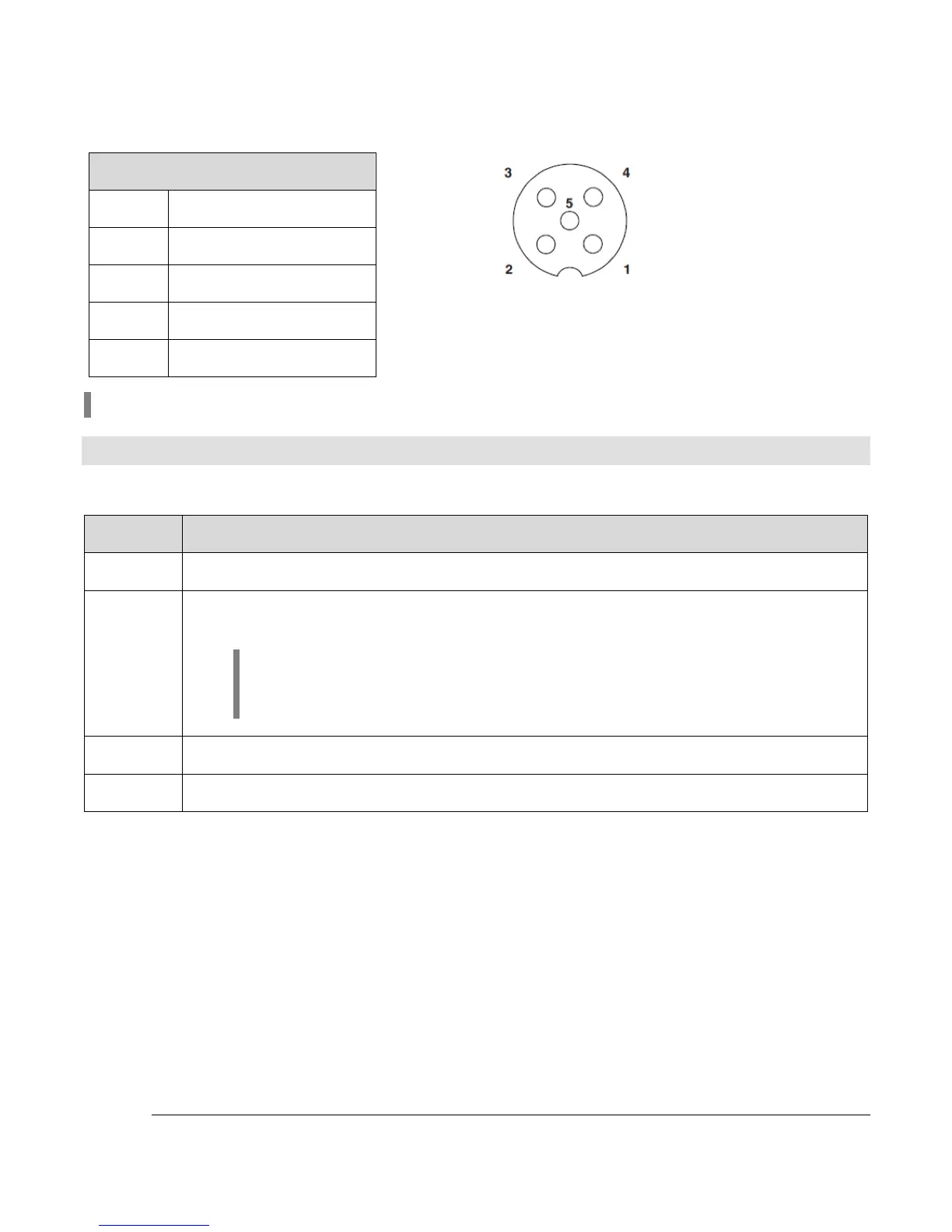
Ethernet (M12) Connector
1
Ethernet TX+
2
Ethernet RX+
3
Ethernet TX-
4
Ethernet RX-
5
Ethernet Ground
NOTE: Ethernet connectivity is optional.
Configuration Information
Follow these steps to download a custom configuration to the PV780B display:
Step Action
1 Ensure that PowerVision is open on your computer.
2 Connect the PV780B to the computer with the programming harness using either
the USB pigtail or the USB on-the-go found on the gray connector.
NOTE: If PowerVision does not detect the display, go to the
Adapter Properties. Select IPV4 properties, then change the IP
address to 192.168.0.1 and the Subnet mask to 255.255.255.0.
3 Create your custom configuration file within PowerVision.
4 Deploy the configuration file to the PV780B.
Plastic Knurl Connector Only



 To Next Page