7 Initial commissioning of the mp-IM1
At first read the safety instructions for this printer at the beginning of
this manual before using the device.
Take the mp-IM1 out of its packaging and place it on a flat, stable and
vibration-free surface.
Make sure that there is enough space for the drawer to extend.
Remove the transport locks of the device. Open the service flap and
remove the adhesive tape.
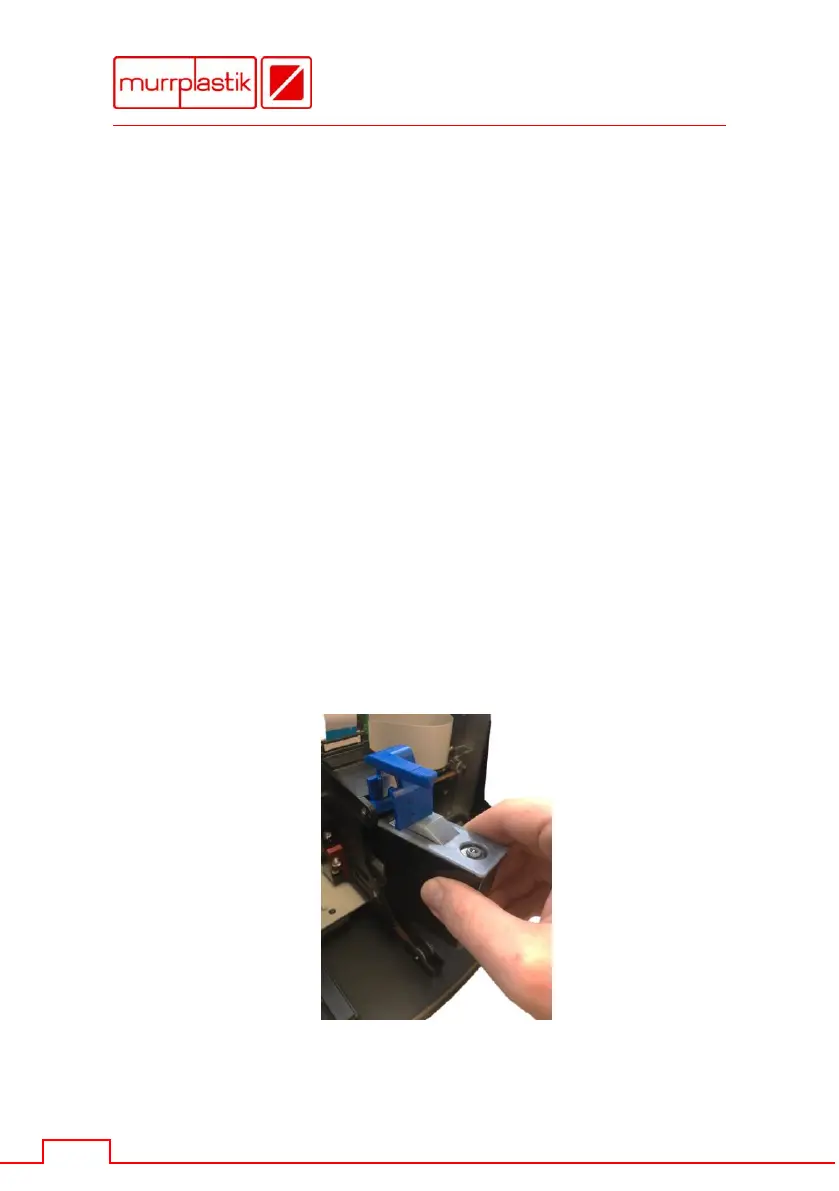
Then insert the ink cartridge.
1. To do so, lift the blue holder.
2. Insert the ink cartridge as shown in the picture.
Be sure to insert the cartridge in a straight position
and not to cant.
3. After that lock the blue holder again.


 To Next Page