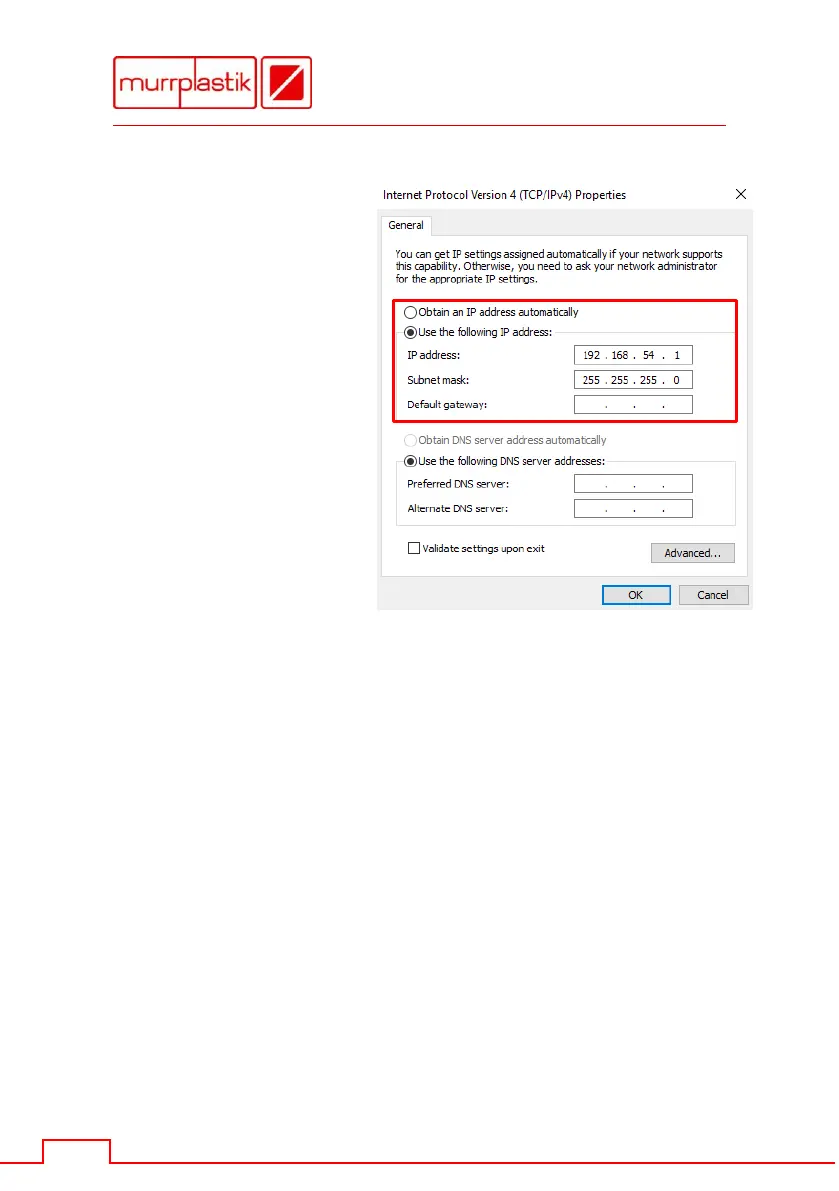
Enter the IP address
and the subnet mask.
Then close the two
open windows with
[OK].
9.2 Configuring network settings on the mp-IM1
Set the network settings on the mp-IM1 using the touch panel in
[Settings] - [Network].
Enter an IP address from the same network area in which the PC
is located, e.g. 192.168.54.50.
Enter the same subnet mask as on the PC, e.g. 255.255.255.0.
Restart the mp-IM1.
Add the new printer in Windows® "Devices and Printers" as described
in Chapter 8.


 To Next Page