Attention hazardous through electric shock. Also with disconnection of this unit from the mains, hazardous
voltage still may be accessible through supply from battery. The battery supply should be therefore
disconnected in the plus and minus pole at the quick connectors of the battery when maintenance or service
work inside the UPS is necessary.
CAUTION! Servicing of batteries should be performed or supervised by personnel knowledgeable of batteries
and the required precautions. Keep unauthorized personnel away from batteries.
CAUTION! When replacing the batteries, use the same number and type of batteries.
CAUTION! Internal battery voltage is 12VDC. Sealed, lead-acid, 6-cell battery.
CAUTION! Do not dispose of batteries in a fire. The battery may explode. Do not open or mutilate the battery
or batteries. Released electrolyte is harmful to the skin and eyes.
CAUTION! Unplug the UPS prior to cleaning and do not use liquid or spray detergent.
CAUTION! A battery can present a risk of electric shock and high short circuit current. The following precaution
should be observed before replacing batteries:
1) Remove watches, rings, or other metal objects.
2) Use tools with insulated handles.
3) Wear rubber gloves and boots.
4) Do not lay tools or metal parts on top of batteries.
5) Disconnect charging source prior to connecting or disconnecting batteries terminal.
Before installation, please make sure nothing inside of package is damaged. To protect your equipment
from power failure, be sure that power switch must be kept in the “ON” position. Following below steps to
install your UPS unit.
❶
Placement & Storage Conditions
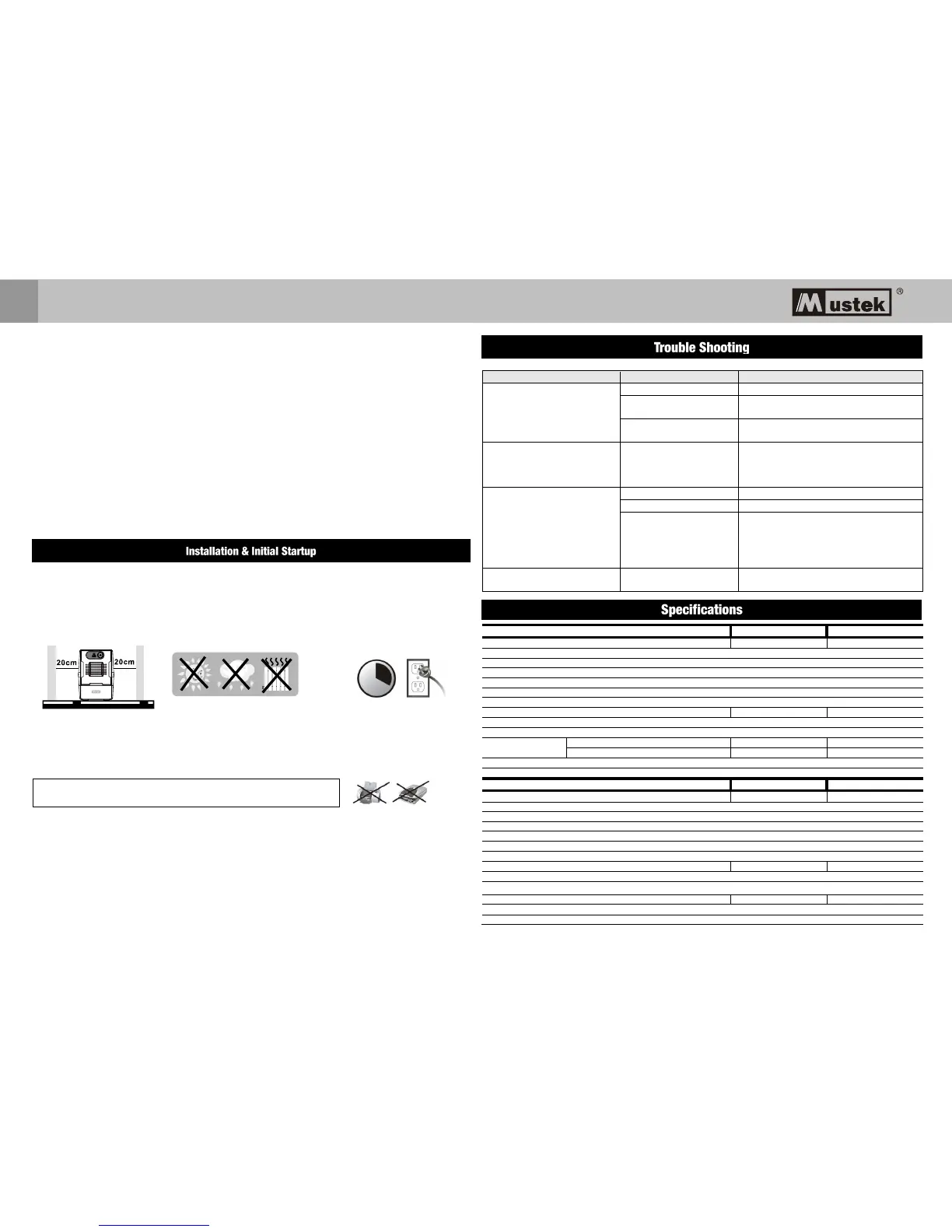
Install the UPS in a protected area that is free of excessive dust and has adequate air flow. Please place the
UPS away from other units at least 20 cm to avoid interference. Do NOT operate the UPS where the
temperature and humidity is outside the specific limits. (Please check the specs for the limitations.)
❷
Connect to Utility and Charging
Plug in the AC input cord to the wall outlet. For the best results, suggest to charge the battery at least 4 hours
before initial use. The unit charges its battery while connecting to the utility.
❸
Connect the Loads
Plug in the loads to output receptacles on the rear panel of the UPS. Simply turn on the power switch of UPS
unit, then devices connected to the UPS will be protected by UPS unit.
❹Connect Modem/Phone/Network for Surge Protection (Only for the model with RJ-11/RJ45)
Connect a single modem/phone line into surge-protected “IN” outlet on the back panel of the UPS unit. Connect
from “OUT” outlet to the computer with another phone line cable.
❺Connect Com. Port and Install Software (only for the model with RS-232/USB port)
To enable remote UPS shutdown/start-up and status monitoring, connect the communication cable from the
USB/RS-232 port and the other to the communication port of your PC. With the monitoring software installed,
you can schedule UPS shutdown/start-up and monitor the UPS status.
❻
Turn On/Off the Unit
Turn on the UPS unit by pressing the power switch. Turn off the UPS unit by pressing again the power switch.



 To Next Page