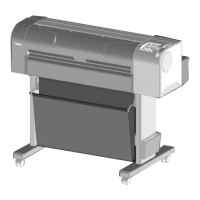
This document is the Maintenance Manual for the MUTOH Full-Color Inkjet Plotter models RJ-900C, RJ-901C, and RJ-901M. It provides comprehensive information for maintenance and inspection of these machines.
Function Description
The MUTOH Full-Color Inkjet Plotter uses an on-demand piezo drive plotting method, enabling high-resolution image quality. It supports True1440dpi and pseudo 2880dpi for sharp and fine output, suitable for CAD drawings and other applications requiring high precision. The plotter features an ink supply system where cartridges are separated from the print head, minimizing ink stains during replacement. It uses pigment ink for black, which improves affinity for tracing paper and high-quality paper, and enhances light resistance. The design prioritizes operational efficiency, allowing roll media or cut sheet loading and ink cartridge replacement from the front side. User operability is enhanced through an LCD panel for settings and an updated Windows driver interface.
Important Technical Specifications
Main Unit Specifications:
- Plotting Method: On-demand piezo drive
- Motor Driving Method: Firmware servo/DC motor drive
- Media Feeding Method: Multi-point pressure grid roller method
- Media Fixing Method: Pressurizing roller manual-down method
- Media Supply and Ejection: Front feeding/front paper ejection for both cut media and roll media.
- Media Type: Tracing paper, plain paper, film, coated paper, glossy paper.
- Roll Media Outer Diameter: 2-inch and 3-inch options, both supporting 100 mm or less (RJ-901C/RJ-901M) or 150 mm or less (RJ-900C).
- Maximum Loadable Media Length:
- Cut media: 1200 mm (47.2 in.) for RJ-901C/RJ-901M, 1600 mm (63.0 in.) for RJ-900C.
- Roll media: 50 m (164.0 ft.) for all models.
- Maximum Loadable Media Width: 610 mm (24.0 in.) for RJ-901C/RJ-901M, 1080 mm (42.5 in.) for RJ-900C.
- Maximum Plot Length: 1180 mm (46.4 in.) for RJ-901C/RJ-901M, 1580 mm (62.2 in.) for RJ-900C.
- Maximum Media Width: 604 mm (23.8 in.) for RJ-901C/RJ-901M, 1074 mm (42.3 in.) for RJ-900C.
- Plotting Margins: Top: 3mm, Bottom: 17mm, Left: 3mm, Right: 3mm for cut media; Top: 3mm, Bottom: 3mm, Left: 3mm, Right: 3mm for roll media.
- Media Cutting Method: Lateral auto-cut
- Head Height Adjustment: 2 levels: Normal / High
- Distance Accuracy: ± 0.25 mm or ± 0.1% of moving distance or less (using Matte film 50µm, 20ºC/68F, 60% humidity, High quality plot mode).
- Right Angle Accuracy: ±0.1mm or less against the moving distance (500.0mm) (using Matte film 50µm, 20ºC/68F, 60% humidity, High quality plot mode).
Controller Specifications:
- CPU: 64Bit RISC CPU
- Memory: 128MB (RJ-901C/RJ-901M), 256MB (RJ-900C).
- Command: MH-GL, MH-GL2, MH-RTL (RTL-PASS)
- Interface: USB (USB 1.1/2.0 supported), Network Interface (IEEE802.3).
- Ink: Tube supply from separate four cartridges (Black, cyan, magenta, yellow: 110ml ± 5ml each).
- Head Life Expectancy: 2 billion dots per nozzle (under sequence discharging at 25ºC/77F with no dust).
Environmental Conditions:
- Operation Environment: 10ºC (50F) to 35ºC (95F), 20% to 80% humidity (no condensation).
- Plotting Accuracy Warranty Range: 15ºC (59F) to 28ºC (82.4F), 40% to 60% humidity (no condensation).
- Rate of Change: 2ºC/hour or less, 5%/hour or less humidity.
- Storage Environment:
- Without ink: -10ºC (14F) to 60ºC (140F), 5% to 85% humidity (no condensation).
- With ink: -10ºC (14F) to 40ºC (104F), 20% to 85% humidity (no condensation).
Power Source:
- Voltage: AC 90 - 132V
- Frequency: 50Hz/60Hz ±1Hz
- Power Consumption: 100W or less during plotting, 35W or less during standby.
Outer Dimensions and Weight:
- RJ-901C/RJ-901M:
- Height: 352 mm (13.9 in.) (983mm/38.7 in. with leg section).
- Width: 1186 mm (46.7 in.).
- Depth: 496 mm (19.5 in.).
- Weight: Main body 39.5 kg (87.1 lb.), Stand 15.0 kg (33.1 lb.).
- RJ-900C:
- Height: 983mm (38.7 in.) (including optional stand).
- Width: 1766 mm (69.5 in.).
- Weight: Main body 58.7 kg (129.4 lb.), Stand 18.8 kg (41.4 lb.).
Usage Features
The plotter's operation panel allows users to set operational conditions, display status, and access various functions. Key operations include:
- Media Handling: Easy loading of roll or cut media from the front. The media set lever fixes or releases media. Scroller receivers are available for roll media.
- Ink System: Ink cartridge slots are easily accessible. The system uses separate cartridges for black, cyan, magenta, and yellow inks.
- Cutter: Lateral auto-cut function for media.
- Display: An LCD monitor displays operation status and error messages. Status lamps (Power, Data, Roll, Sheet, Color, Black & White, High Speed, Normal) provide quick visual feedback on the plotter's state.
- Language Selection: The operation panel language can be switched between English and Japanese.
- Self-Diagnosis Mode: A built-in self-diagnostic program helps locate defective parts and facilitates adjustment/checking during maintenance. This mode allows for inspection of circuit boards, sensors, fans, and various adjustments for printing accuracy and media feed.
- Maintenance Mode2: Provides functions for displaying and initializing life counters, crucial for tracking component lifespan.
Maintenance Features
The manual details extensive maintenance procedures, categorized into:
1. Parts Replacement:
- Cover Removal: Step-by-step instructions for removing R Side Cover, Operation Panel Unit, L Side Cover, Ink Holder (I/H) Cover, Front Cover, Top Cover, Media Guide R2, and Scroller Receiver (L, R).
- Board Base Section Components: Procedures for replacing the Connector Panel, Network Interface Card (NIC), Cooling Fan, Board Bracket, Main Board Assembly, Power Board Assembly, and Inlet Assembly. Special cautions are provided for handling circuit boards (avoid bare hands to prevent static discharge) and FFC type cables (connect/remove perpendicularly).
- PF Driving Section Components: Instructions for replacing the PF Motor Assembly, PF_ENC Assembly, and PF_ENC Scale.
- CR Driving Section Components: Procedures for replacing the CR Motor Assembly, CR_HP Sensor, Lever Sensor, T Fence, and CR Driven Pulley.
- Head Section Components: Detailed steps for replacing the Print Head and Cutter Holder Assembly. Warnings are included regarding handling the print head nozzles (avoid dust) and damper assembly (avoid pressing transparent film).
- Maintenance Section Components: Guidance on removing the Maintenance Base Assembly and replacing the Pump Cap Assembly, Cleaner Head (Cleaning Wiper), and Flushing Box Assembly.
- Ink Supply Section Components: Procedures for replacing the Ink Holder (I/H) Assembly, Ink Sensor Assembly, and Cover Sensor Assembly.
- Frame Section Components: Instructions for replacing the Suction Fan Assembly and P_REAR Sensor Assembly.
- Cable Guide Section Components: Steps for replacing the CR Board Assembly, Ink Tube, and CR Tape Wire.
2. Self-Diagnosis Mode:
- Inspection Menu: Allows checking memory size, firmware/main board versions, operation panel functions (keys, LCD, LEDs), sensor status (CR_ORG, Cover, Lever, Head slide, Waste fluid box, P_EDGE, P_REAR, Head thermistor, Ink ID/NOT/END), encoder values (CR, PF), fan operation (Suction, Cooling), and historical records (maintenance, serious errors).
- Adjustment Menu: Provides functions for:
- Skew Check: Detects media feed skew.
- Head Rank Input: Enters print head characteristic values for voltage and temperature correction.
- Head Nozzle Check: Prints patterns to confirm ink discharge performance.
- Head Slant Check: Checks for horizontal and vertical print head slant.
- CW/CCW Adjustment: Adjusts print positions for uni-direction printing.
- Repeatability Adjustment: Aligns head positions for repeated printings.
- Band Feed Correction: Corrects media feed amount per pass.
- Top & Bottom Adjustment: Sets top and bottom margins.
- P_REAR Sensor Position Adjustment: Adjusts sensor position for correct cut sheet length detection.
- Test Printing: Prints various adjustment patterns.
- Head Cleaning: Purges ink and cleans heads.
- Software Counter Initialization: Clears software counters (waste ink, ink consumption, plot timer, etc.).
- Feed Pitch Check: Confirms media feed amount per band.
- Solid Print: Prints solid patterns for nozzle check.
- Cleaning Menu: Performs normal, powerful, initial ink charge, and economy ink charge cleaning.
- Sample Printing Menu: Prints nozzle check patterns, step check patterns, adjustment variable values, and error history.
- Parameter Menu: Updates adjustment parameters (head rank, CW/CCW adjustment, printing position alignment, media feed distance, mechanical parameters, ink parameters, ink ID mask, serial number, dot size) and initializes them.
- Endurance Running Menu: Performs endurance tests for CR motor, PF motor, cutter, head lock, pump, and sequential printing.
3. Maintenance Mode2:
- Counter Display Menu: Displays life counters for ink consumption (K, C, M, Y), cutter life, print number, waste ink amount, CR motor, PF motor, pump unit, head nozzles (K1, K2, C1, C2, M1, M2, Y1, Y2), and cleaning unit.
- Counter Initialization Menu: Initializes various life counters.
- Counter Update Menu: Updates life counter values.
- Counter Print Menu: Prints life counter values.
- Media Feed Menu: Feeds media forward or backward.
4. Adjustment Procedures:
- Dedicated Network Software: Instructions for parameter backup, firmware installation, model name selection, and sending parameters using "MUTOH Maintenance Engineer Assistant" software.
- PF Speed Reduction Belt Tension Adjustment: Procedure using a special jig and tension gauge.
- PF Encoder Assembly Position Adjustment: Procedure using a PF encoder adjusting jig.
- CR Belt Tension Adjustment: Procedure for tightening the CR tension mounting shaft.
- Head Alignment Adjustment (Horizontal Height/Slant): Procedures using adjustment patterns and adjusting cams.
- Cutter Holder Height Adjustment: Procedure using a cutter holder height adjusting jig.
- PG Height Adjustment: Procedure using a PG height checking jig.
- Media Sensor Sensitivity Adjustment: Procedures for P_EDGE and P_REAR sensors using standard media and trimmers on the main board.
5. Periodical Services:
- Inspection List: Recommends regular checks (several times per year) for media guide L, sub platen front surface, timing fence, rail on CR guide frame, P_REAR sensor front surface, and cleaner head. Checks include media dust accumulation, foreign objects, damages, and ink deposits. Actions include cleaning and part replacement.
6. Part Life Information:
- Provides expected life for cutter (approx. 2,000 sheets), waste fluid tank (900,000 counts), cleaning unit (9,000 sheets), CR motor (approx. 20,000 sheets), PF motor (counted only), and print head (counted only).
7. Lubrication/Bonding:
- Specifies lubricants and bonding agents for various parts like roll receiver, front cover support pin, cursor guide, pressure shaft bearing, pressure shaft stopper, head cable, CR cable, tube guide, and screws.
8. Transportation:
- Outlines tasks before transportation (power off, remove ink cartridges, ink discharge, remove scroller and cables, fit protective materials) and after transportation (unpack, assemble, install).
9. Troubleshooting:
- Categorizes troubleshooting into "Errors with Message" (Operation status, Error with message, Data errors, Command errors, Errors requiring reboot, Error messages during file transmission) and "Troubleshooting Without Error Messages" (Initial operation problems, Media feed problems, Printing problems, Noise problems, Media cutting problems, Online function problems, Other problems). Each entry includes symptom, check item, action, and reference to relevant sections for detailed procedures.
Safety Instructions:
- Emphasizes following all instructions and warnings.
- Defines safety terms: WARNING (death or serious bodily injury), CAUTION (slight/moderate bodily injury or equipment damage), NOTE (important information/tips).
- Prohibits placing plotter on unstable/angled surfaces, covering ventilation holes, or placing in humid/dusty areas.
- Requires using the provided power cable.
- Mandates turning off power, removing power cable, and unplugging all cables before parts replacement.
- Restricts disassembling to only parts with shown procedures.
- Warns against touching circuit board elements with bare hands, pressing transparent film on damper assembly, damaging transparent film, touching print head nozzles, spilling ink, and using unauthorized lubricants.
- Advises two persons for disassembling/reassembling the product and optional stand, and for packing for transportation.

 Need help?






 To Next Page
 General