RJ-900C/RJ-901C/RJ-901M Maintenance Manual 4 Parts Replacement
4-25 Rev.-01
4.3.5 Replacing Inlet Assembly
NOTE
Before replacing the inlet assembly, remove the following parts.
• Media guide R2: "4.2.7 Removing Media Guide R2" p.4-14
(1) Removing Cooling Fan (24V)
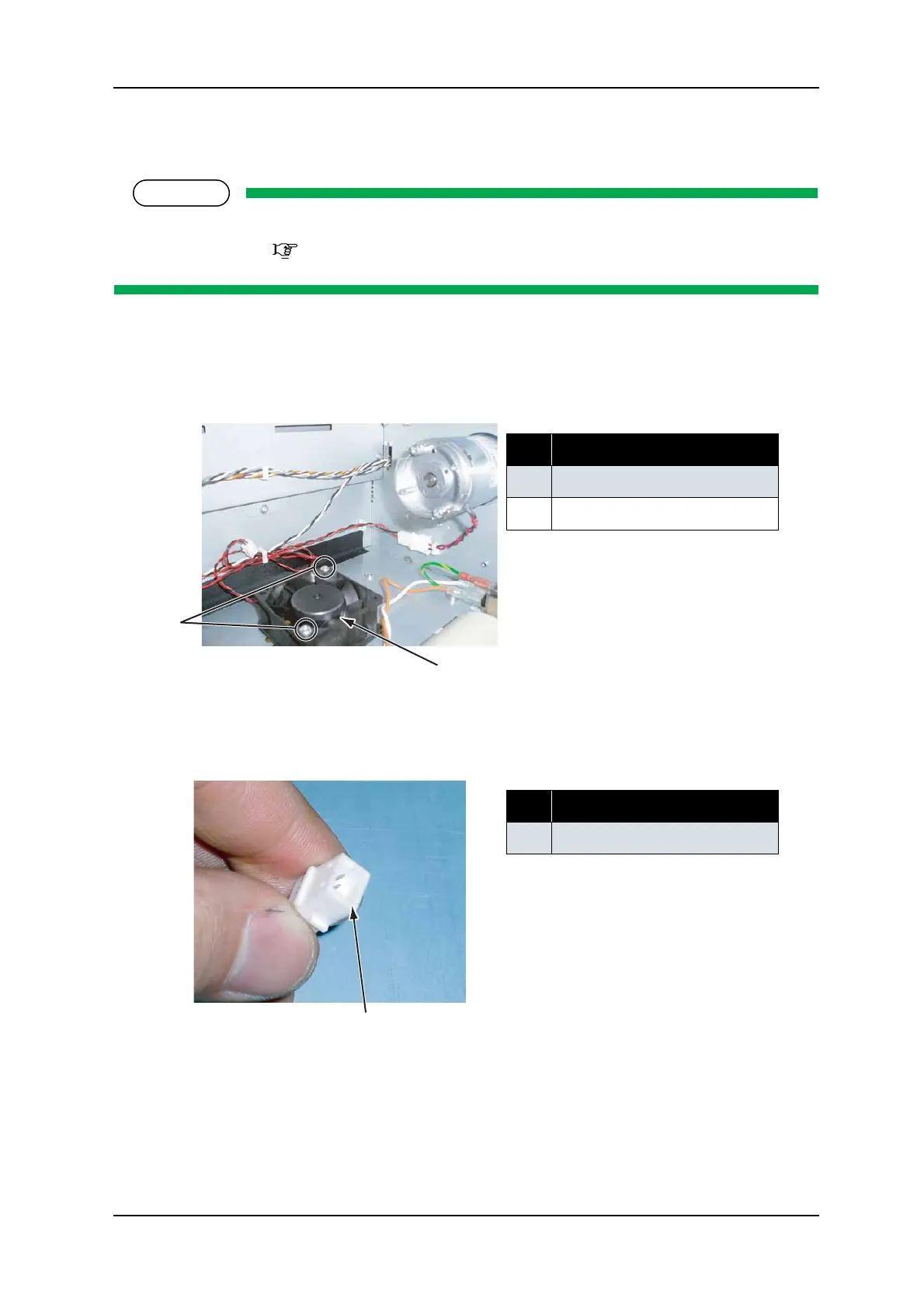
1. Remove the screw retaining the cooling fan (24V) (pan-head machine screw M 4 × 30: 2pcs).
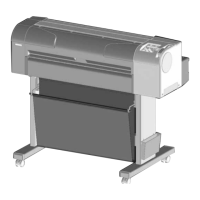
2. Remove the cooling fan (24V) cable connector.
3. Replace the cooling fan.
4. To reassemble the unit, reverse the removal procedure.
No. Part name
1 Cooling fan (24V) screw
2
Cooling fan (24V)
No. Part name
1 Cooling fan (24V) connector
1
2
1



 To Next Page