- 39 -
CONTROLS AND INSTRUMENTS 3
3
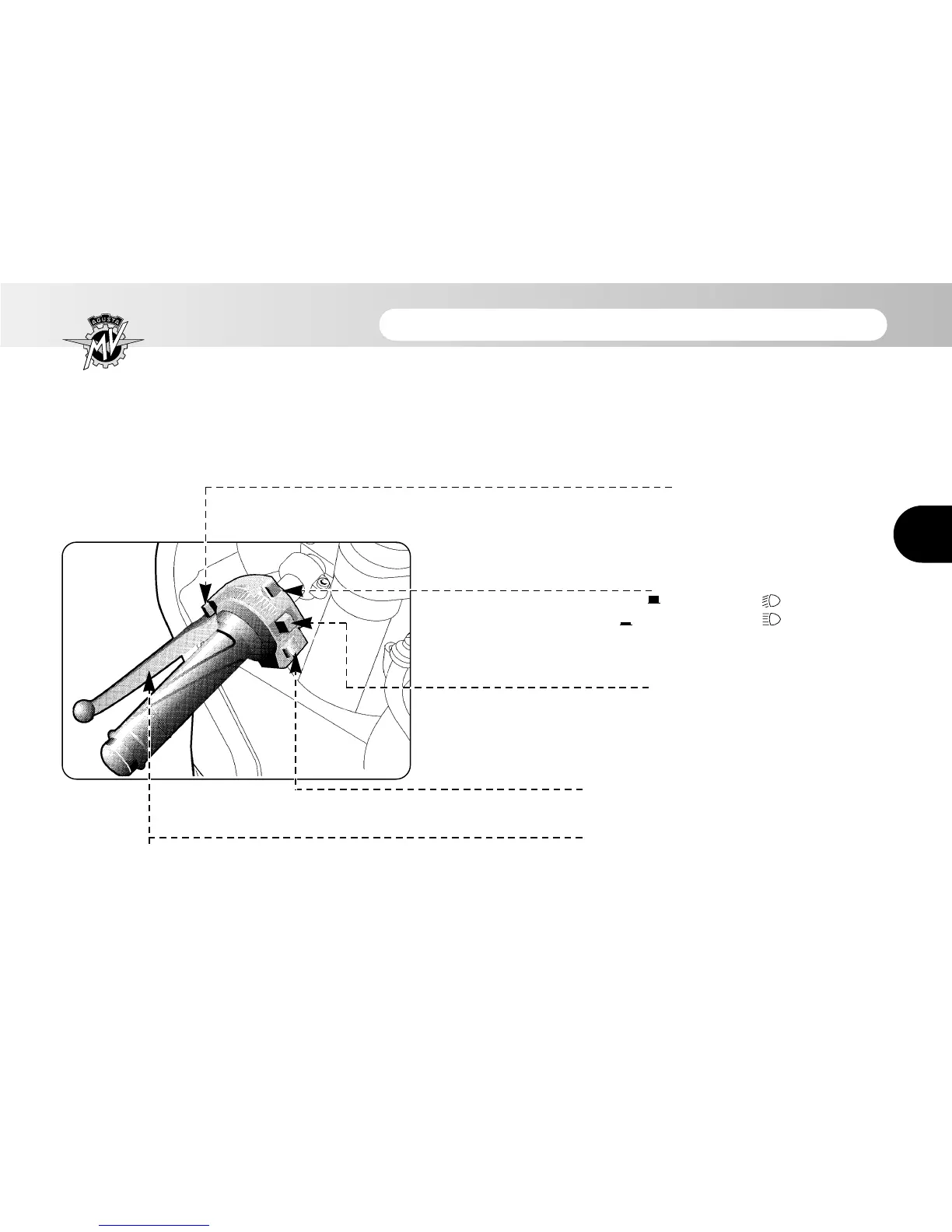
3.3 Handlebar controls, left side
High beam flasher button
Press the button repeatedly
Low/high beam button
Button not pressed in : low beam
Button pressed in : high beam
Turn indicator switch
Shifting the lever to the left or right switches on the left
or right turn indicators. The switch then returns to the
central position. Press to turn off the indicators.
Horn button
Press to operate the warning horn.
Clutch lever
Move towards/away from the handgrip to
release/engage the clutch.






 To Next Page