Service 15
2.2.3 Dynamic Coffee Assist advance settings
With Dynamic Coffee Assist, beverages with espresso can be monitored and adjusted automatically. The brewing flow must be set to 3 – 5 ml/s for this.
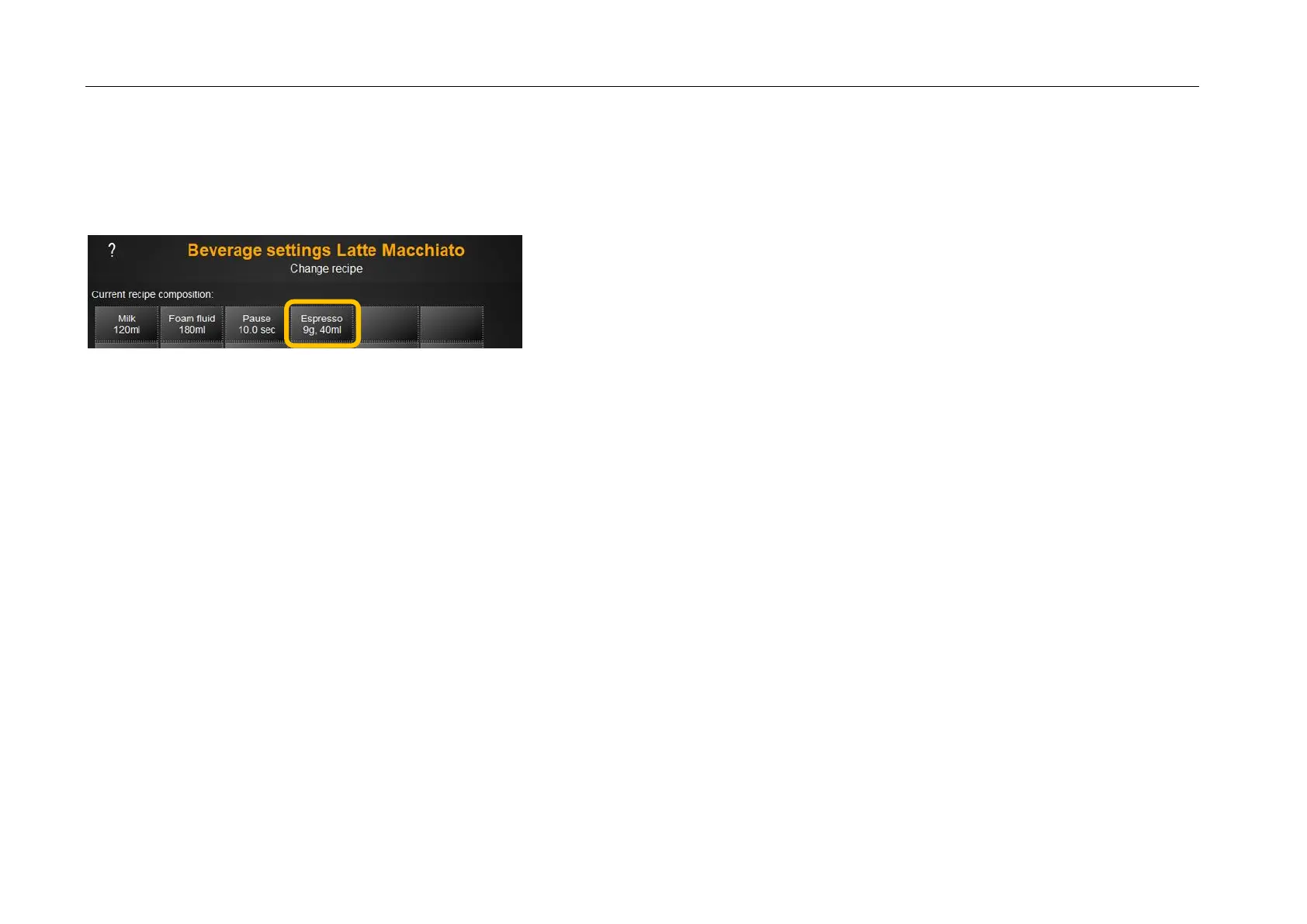
Illustration shows the espresso component of the latte macchiato as an example.
1. Double espresso setting
1.1. Set default setting for Q level to Q4 and use grinding degree adjustment to set grinding degree to 1
1.2. 3 Remove the test beverages and adjust the grinding degree from the grinding degree setting until reaching a brew flow of 3-5 ml/s
Use the Information button to see the brewing flow
1.3. If the brew flow cannot be reached, adjust the wet-pressing value slightly and re-test
1.4. Save beverage
2. Perform portioner calibration for the espresso grinder
3. Check the double espresso again– if necessary, correct the wet-pressing value or quality level
4. Single espresso setting
4.1. Change default setting for the Q level to Q6
4.2. Remove 3 test drinks and adjust the wet pressing force until reaching a brew flow of 3-5 ml/s
4.3. Save beverage
5. Apply the single and double espresso settings to beverages with espresso content


 To Next Page