Service 21
2.6.1 Replacing the front panel
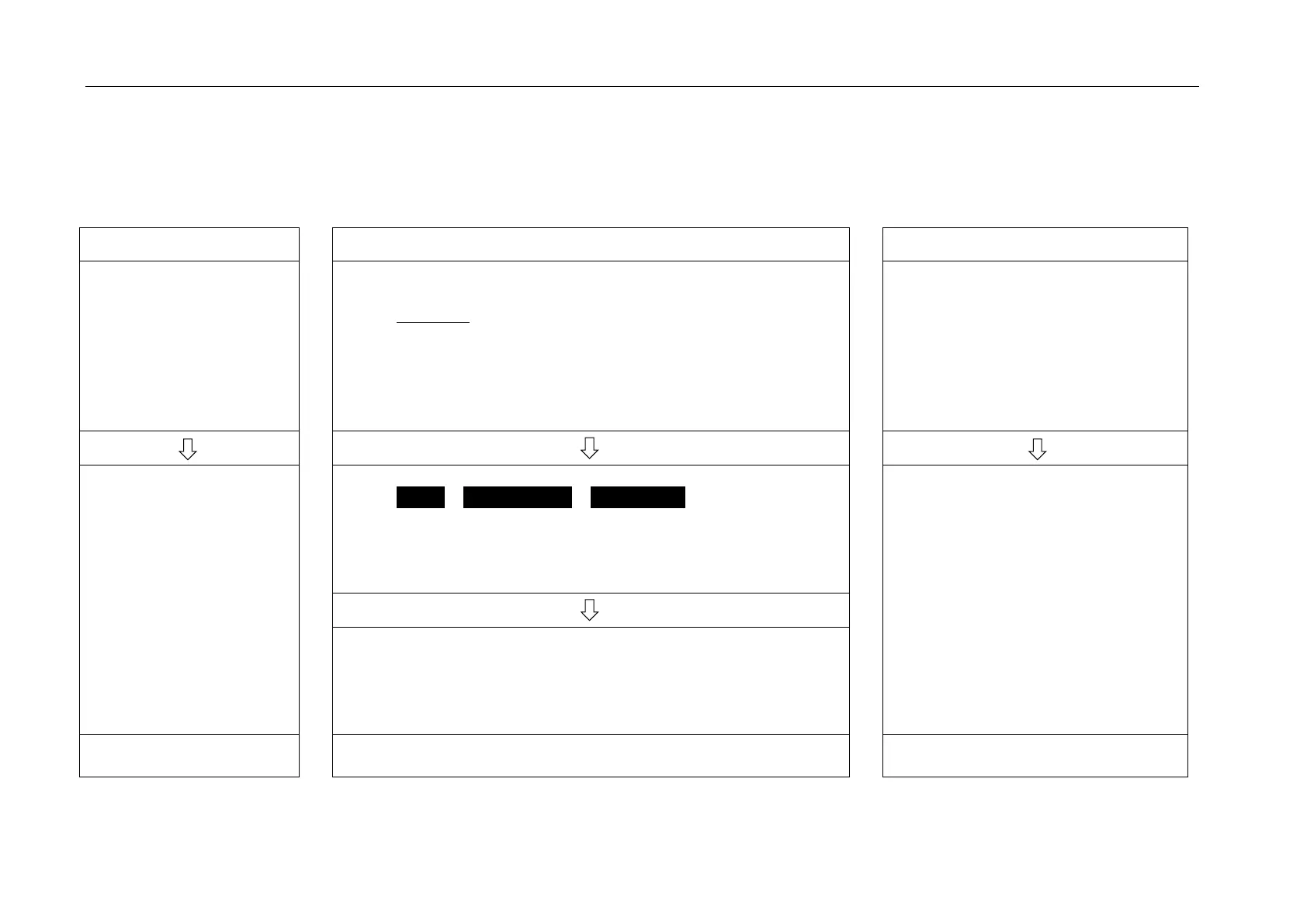
The following workflow MUST be followed!
Install the new platform front panel or used front panel
WITHOUT a microSD card.
Important:
do not (yet) install the microSD care in the new front panel.
It would be overwritten with the existing settings for the new
front panel.
Insert a USB stick with appropriate machine software
Switch on machine
Switch-off machine
Insert microSD card from the
defective front panel
Remove defective
front panel
remove microSD card
Start Panel Updater
Service > Service routines > Panel updater
Follow the display-guided workflow
o Read the machine type from the rating plate and enter it at
the display
o Select and install the latest version of the software
Switch on the machine and
transfer all data to the machine,
as has been done all along
Remove the USB stick again
Confirm causes a restart to be performed
The platform front panel has now been programmed to make
a machine-specific spare parts front panel with serial number
#100


 To Next Page