37
Knife Angle Adjustment Replacement and Adjustment
4-2 Knife Angle Adjustment
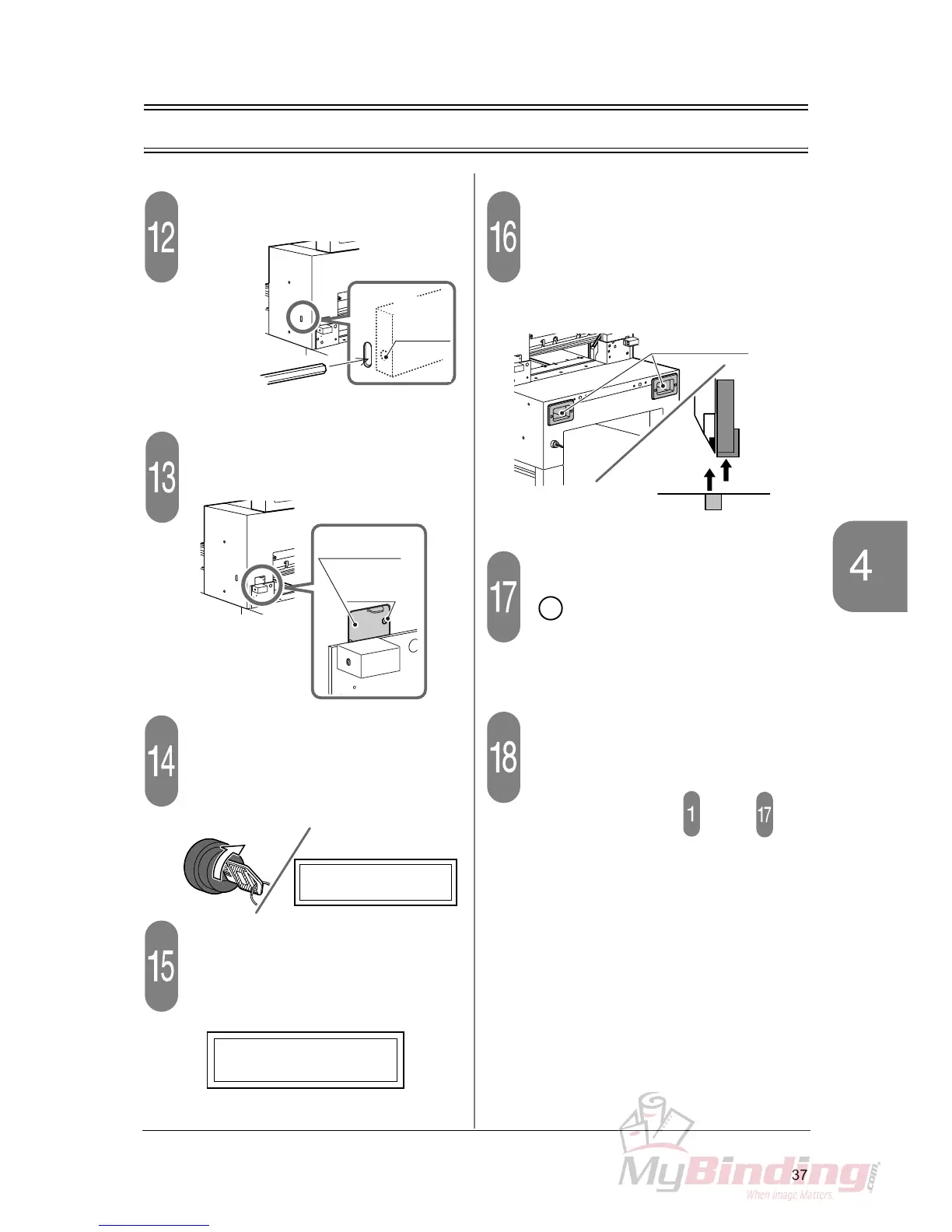
Fasten the lock screw.
Close the window for adjustment.
- Fasten the mounting screw.
Turn on the power switch.
- The indication [LOWER KNIFE] is shown on
the guide window.
Press the cutting buttons.
- The indication [FIX KNIFE] is shown in the
guide window.
Lift the knife holder and the clamp.
- Press one of the cutting buttons first, and then
press another cutting button after 0.5 seconds
or later.
- The knife holder and the clamp lifts and stops.
Install the knife cover and press the
button.
Perform the test cutting.
- Place wide sheets and check that the sheets
do not remain uncut. If the sheets still remain
uncut, repeat the steps through .
- If only bottom sheets remain uncut, the prob-
lem can be improved also by lowering the
knife position. Refer to “4-1 Knife Lower Limit
Adjustment.”
Allen Wrench
4 mm
(0.16”)
Lock
Screw
(Inside)
Opening
Mounting
Screw
OFF
ON
LOWER KNIFE
FIX KNIFE
Cutting Buttons
En



 To Next Page