How to connect D210c using SIM card
Step 1:
Step 2:
џ
џ
Step 3:
Remove the back cover of the device by unscrewing the bolt and
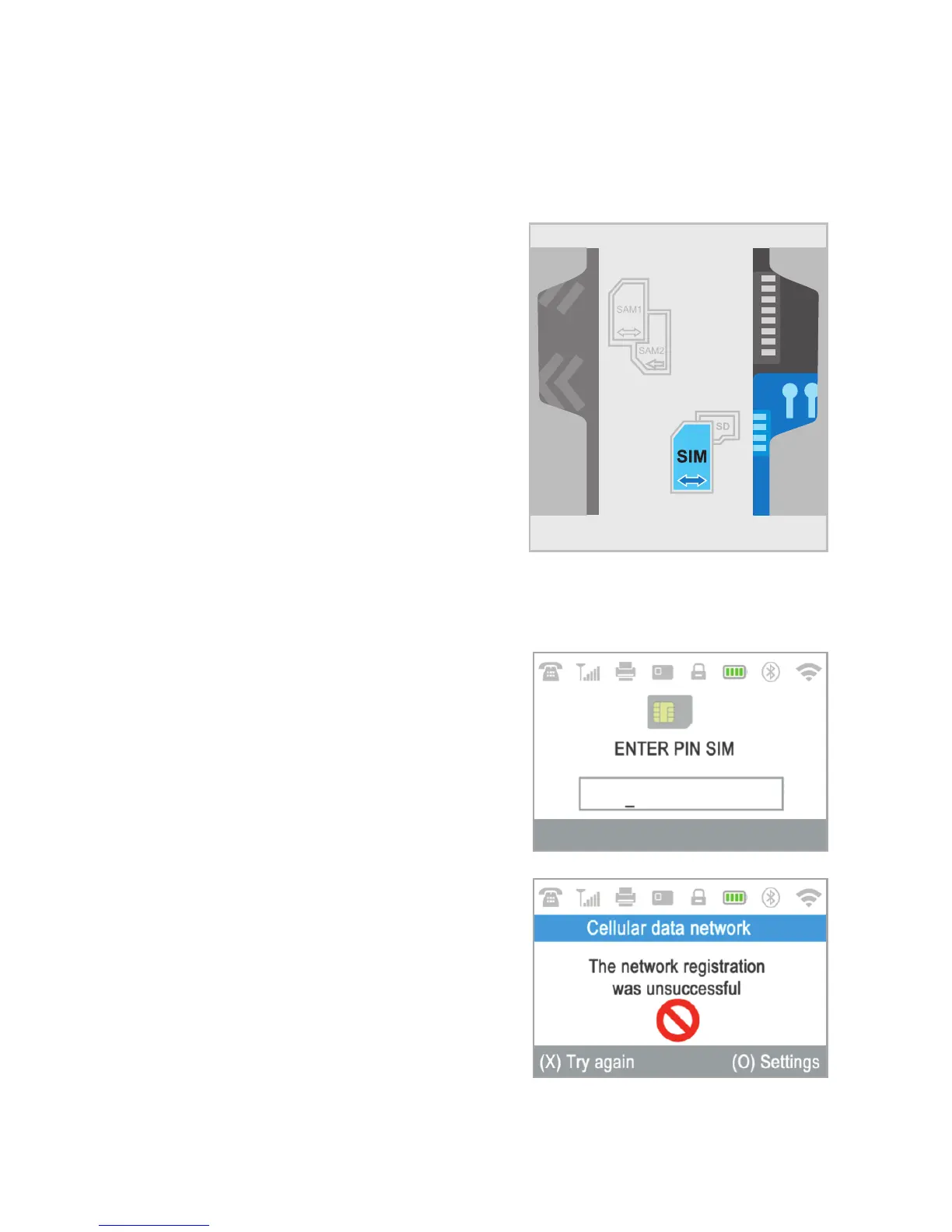
remove the battery. You will see the SIM and SAM compartments.
Insert you SIM card in the SIM
card slot (on the right side) with the gold-
colored contact surface facing down into
the bottom holder (marked in blue on the
scheme).
Make sure that the SIM card is inserted
in SIM slot.
Your D210c device is working with
standard SIM card size. If you have micro
or nano SIM card, please use a SIM
adapter.
Put the battery back into the D210c device, close the cover and switch ON
the device.
Enter your SIM PIN.
Your device supports more than one
connection type, so please choose SIM
card on the Connection type screen.
If the mobile network was not recognized,
the D210c device will display an error
message and two options: to try again (X)
or to manually enter the APN settings (O)
of your mobile network.
Once it has connected to your mobile
network, the D210c will perform a test of
the connection to the myPOS.
EN 10|



 To Next Page