(Revised 2015-09-28) Page 29 of 157
Administration – System, Continued…
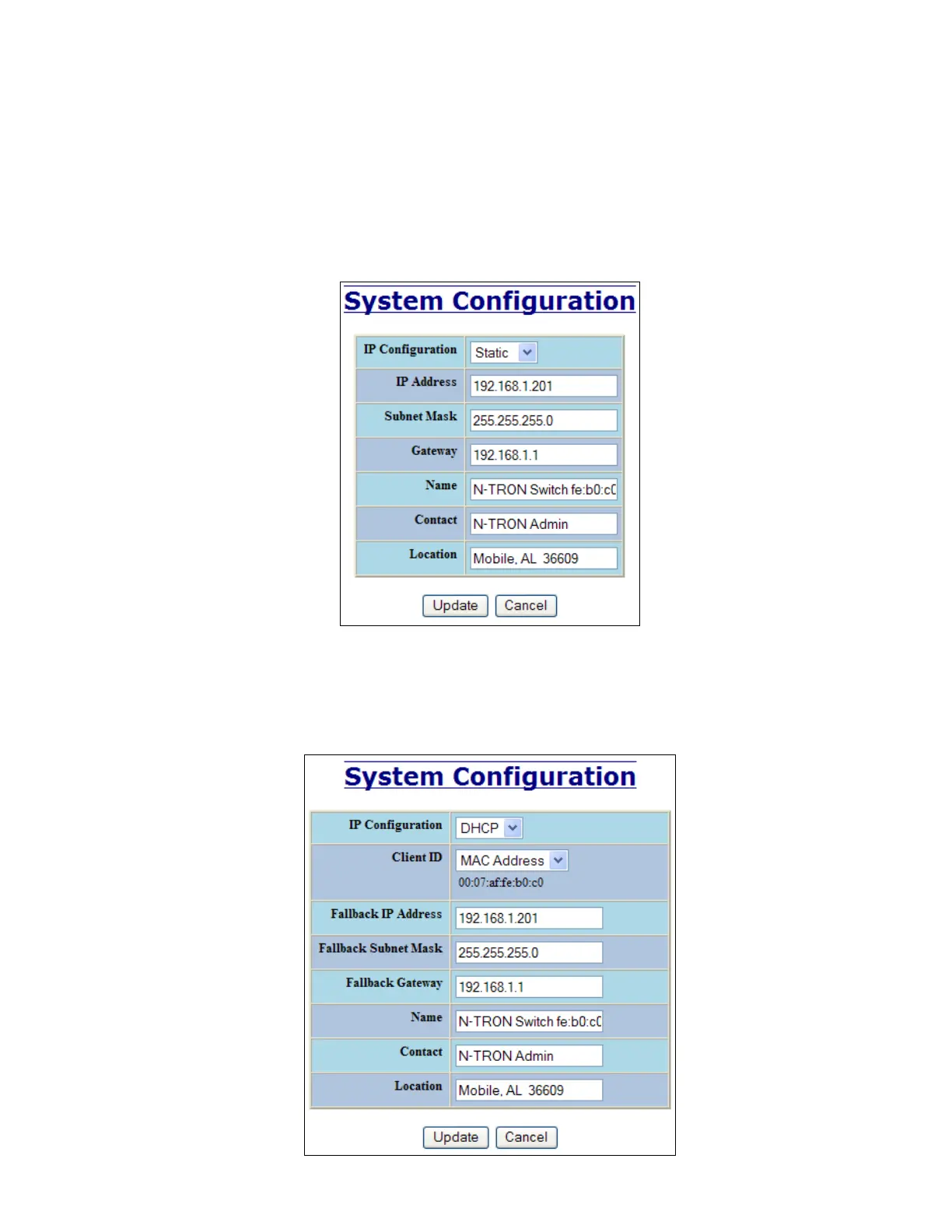
By selecting the Modify button, you will be able to change the switch’s IP Configuration, Client ID, IP
Address, Subnet Mask, Gateway, Name, Contact information, and the Location of the switch through the
web management features, depending on the IP Configuration. It is recommended to change the TCP/IP
information through the Command Line Interface (CLI) initially, but it defaults to the following:
IP Configuration – Static
IP Address – 192.168.1.201
Subnet Mask – 255.255.255.0
Gateway – 192.168.1.1
If the IP Configuration mode is set to DHCP and the Fallback IP address is changed from the default IP
address, then the switch will use the Fallback addresses if the IP configuration isn’t received from a DHCP
server in 2 minutes after initial boot. If Fallback address is used, DHCP Client will stop sending requests. If
the IP Configuration is received from a DHCP server, it will never fallback, even if the lease is lost.



 To Next Page