How to troubleshoot no sound on NAD Amplifier?
- KKirk LarsonJul 29, 2025
First, ensure that the AC lead is properly plugged in and the power is switched ON. If that's not the issue, check if the Mute function is activated and switch it off.
How to troubleshoot no sound on NAD Amplifier?
First, ensure that the AC lead is properly plugged in and the power is switched ON. If that's not the issue, check if the Mute function is activated and switch it off.
What to do if one channel has no sound on NAD C 316 BEE Amplifier?
First, check the balance control and ensure it is centered. Then, inspect the speaker connections to make sure they are properly connected and not damaged. Finally, verify that the input leads are correctly connected and not damaged.
Why does the standby LED turn red on my NAD C 316 BEE Amplifier?
If the Standby LED turns red during operation, it indicates that your NAD C 316BEE amplifier has overheated. Turn the amplifier OFF and ensure that the ventilation slots on the top and bottom are not blocked, allowing proper airflow. After the unit has cooled down, turn it back ON. Also, ensure the overall loudspeaker impedance is not below 4 ohms.
Why is my NAD C 316 BEE Amplifier remote control not working?
Check or replace the battery in the remote control. Ensure it is correctly inserted. Then, make sure there are no obstructions blocking the IR transmitter or receiver windows. Finally, avoid direct sunlight or very bright ambient light on the IR receiver.
What causes weak bass and diffused stereo image on NAD Amplifier?
Check the connections to all speakers in your system to ensure they are wired correctly and in phase.
Step-by-step guide to connect and power on the C 316BEE for immediate use.
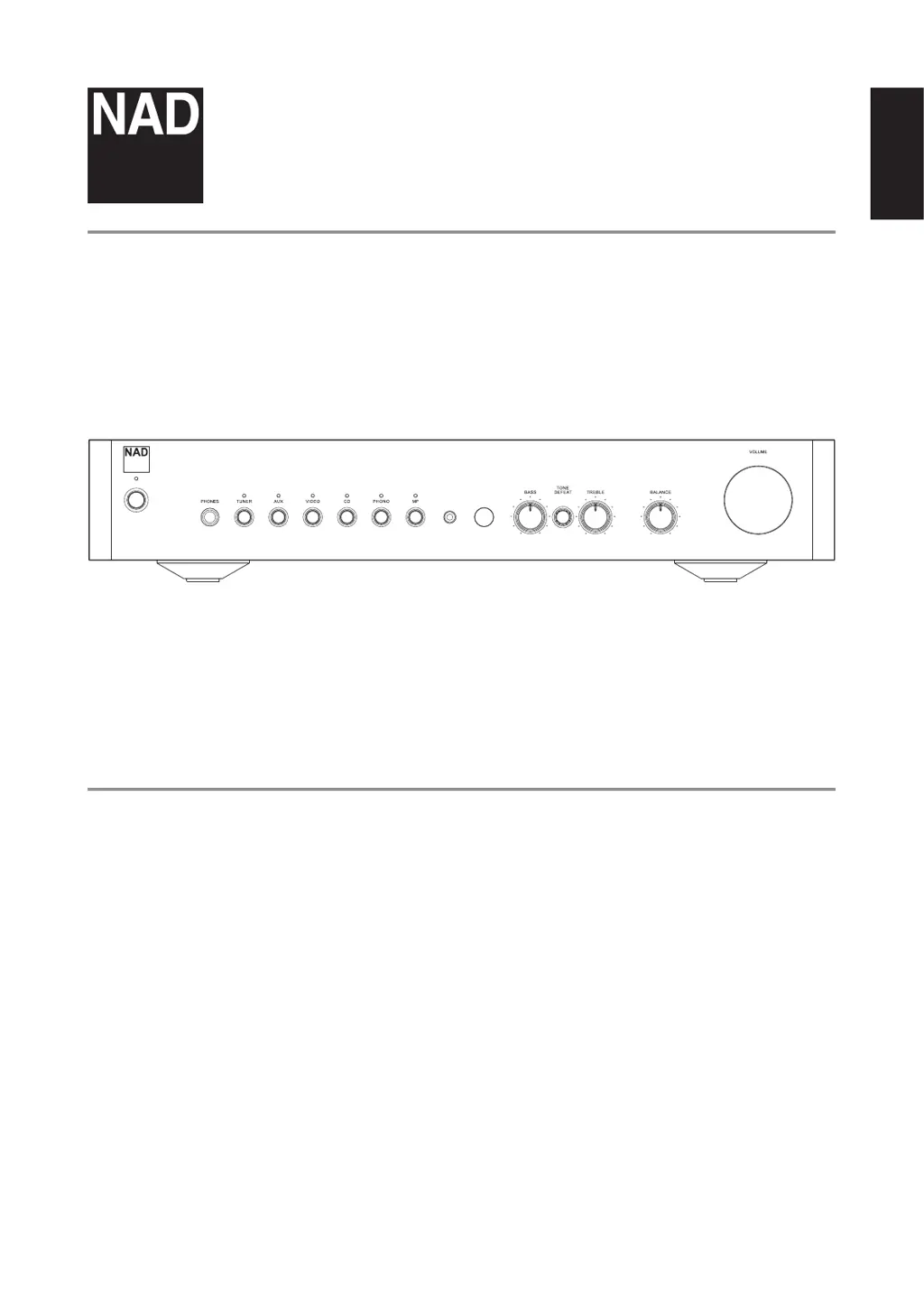
Covers controls for adjusting bass, treble, balance, tone defeat, and volume.
Instructions for connecting the left and right speakers to the amplifier.
Information on AC power cord connection and the main power switch.
Diagnoses and solutions for audio output problems.
Explains the meaning of the red Standby LED and how to resolve overheating.
Step-by-step guide to connect and power on the C 316BEE for immediate use.
Covers controls for adjusting bass, treble, balance, tone defeat, and volume.
Instructions for connecting the left and right speakers to the amplifier.
Information on AC power cord connection and the main power switch.
Diagnoses and solutions for audio output problems.
Explains the meaning of the red Standby LED and how to resolve overheating.
| Phono Input | Yes |
|---|---|
| Power Output | 40W (8 Ohms) |
| Total Harmonic Distortion | <0.03% (20Hz-20kHz) |
| Signal-to-Noise Ratio | >95dB (A-weighted) |
| Frequency Response | 20Hz - 20kHz (±0.3dB) |
| Clipping Power | 45W (at 8 Ohms) |
| Damping Factor | >200 (at 8 Ohms) |
| Outputs | Speakers, Headphones |
| Tone Controls | Treble and Bass |
| Input Sensitivity | 200mV (line) |
| Input Impedance | 47k Ohms |
| Inputs | line level inputs |