Need help?
Do you have a question about the NAD C 399 and is the answer not in the manual?
Covers safe operation, handling, cleaning, power sources, and environmental hazards.
Details service, component replacement, mounting, placement, and electrical safety warnings.
Addresses FCC compliance, modifications, and RF exposure limits.
Covers environmental notes and proper disposal of waste batteries.
Lists package contents and guides through the initial setup process.
Provides advice on choosing a location and performing a factory reset.
Details all buttons, indicators, display, and ports on the front panel.
Explains the purpose and connection of all rear panel terminals and ports.
Describes the MDC architecture and the MDC2 BluOS-D module capabilities.
Outlines the functions and usage of the SR 9 remote control handset.
Explains how to load and manage library codes for the SR 9 remote.
Guides through menu access, tone settings, bass, treble, and balance adjustments.
Covers network standby, CEC power, HDMI control, ARC, and IR channel setup.
Configures auto standby and details Bluetooth sink/source modes.
Adjusts display brightness, volume display, source setup, and speaker output.
Explains how to rename input sources and set volume to variable or fixed.
Configures analog gain, auto sense, analog bypass, and views system data.
Provides instructions for managing software and firmware upgrades.
Presents detailed electrical specifications, measurements, and dimensions.
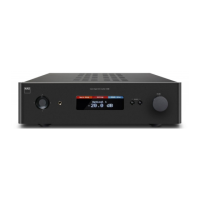
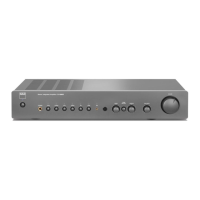
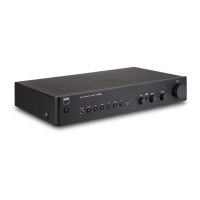
The NAD C 399 is a Hybrid Digital DAC Amplifier designed to provide high-fidelity audio reproduction with versatile connectivity and advanced features. It serves as a central hub for various audio sources, delivering powerful and clean sound to loudspeakers and headphones.
The C 399 functions primarily as an integrated amplifier and digital-to-analog converter (DAC). It accepts both analog and digital audio inputs from a wide range of sources, processes them with high precision, and amplifies the signal to drive loudspeakers. The "Hybrid Digital" aspect refers to its advanced amplification technology, which combines the benefits of traditional analog amplification with modern digital processing for enhanced performance and efficiency.
As a DAC, it converts digital audio signals from sources like CD players, streaming devices, or computers into analog signals that can be amplified. The integrated amplifier section then boosts these analog signals to a level suitable for passive loudspeakers. It also includes a dedicated headphone output for private listening.
The C 399 supports NAD's MDC2 (Modular Design Construction) architecture, allowing for future upgrades and customization. This modularity ensures that the amplifier can evolve with new technologies and user needs, extending its lifespan and relevance. For instance, an optional MDC2 BluOS-D module can be installed to add network streaming capabilities, including support for various streaming services, Apple AirPlay 2, Spotify Connect, and Tidal Connect. This module also integrates Dirac Live room correction, which measures the room's acoustics and applies correction curves to optimize sound quality, particularly improving bass clarity, imaging, and timbral accuracy across all connected sources.
The amplifier features multiple input options, including HDMI ARC/eARC for TV audio, optical and coaxial digital inputs, line-level analog inputs, and a phono input for turntables with Moving Magnet (MM) cartridges. It also offers pre-out connections for use as a pre-amplifier with external power amplifiers, and subwoofer outputs for integrating powered subwoofers.
The C 399 is designed for user-friendly operation, with controls available on both the front panel and via the supplied SR 9 remote control.
The SR 9 remote is a universal NAD type, capable of controlling the C 399 and other NAD components like CD players, tuners, and receivers.
 General
| Digital Input | 2 x Optical, 2 x Coaxial |
|---|---|
| Preamp Output | Yes |
| Subwoofer Output | Yes |
| Headphone Output | Yes |
| Ethernet | Yes |
| Bluetooth | Yes (aptX HD) |
| Rated Output Power into 8 Ohms | 180W |
| THD (20 Hz - 20 kHz) | <0.003% |
| Damping Factor | >200 |
| Frequency Response | 20 Hz - 20 kHz |
| Phono Input Impedance | 47 kOhm |
| USB Input | 1x USB Type B |
| Dimensions (W x H x D) | 435 x 120 x 390 mm |
| Total Harmonic Distortion (THD) | <0.003% |
| Input Impedance | 47 kOhm |
| Supported Sampling Rates (USB) | DSD up to DSD256 |
| Analog Inputs | 2x RCA, 1x MM Phono |
| Outputs | Subwoofer Output |
| Weight | 11.5 kg |
| Power Output | 180W (8Ω), 300W (4Ω) |
| Signal-to-Noise Ratio (SNR) | >95dB (A-weighted, 500mV input, ref. 1W out in 8 Ohms) |


 To Next Page