ENGLISH
NAME
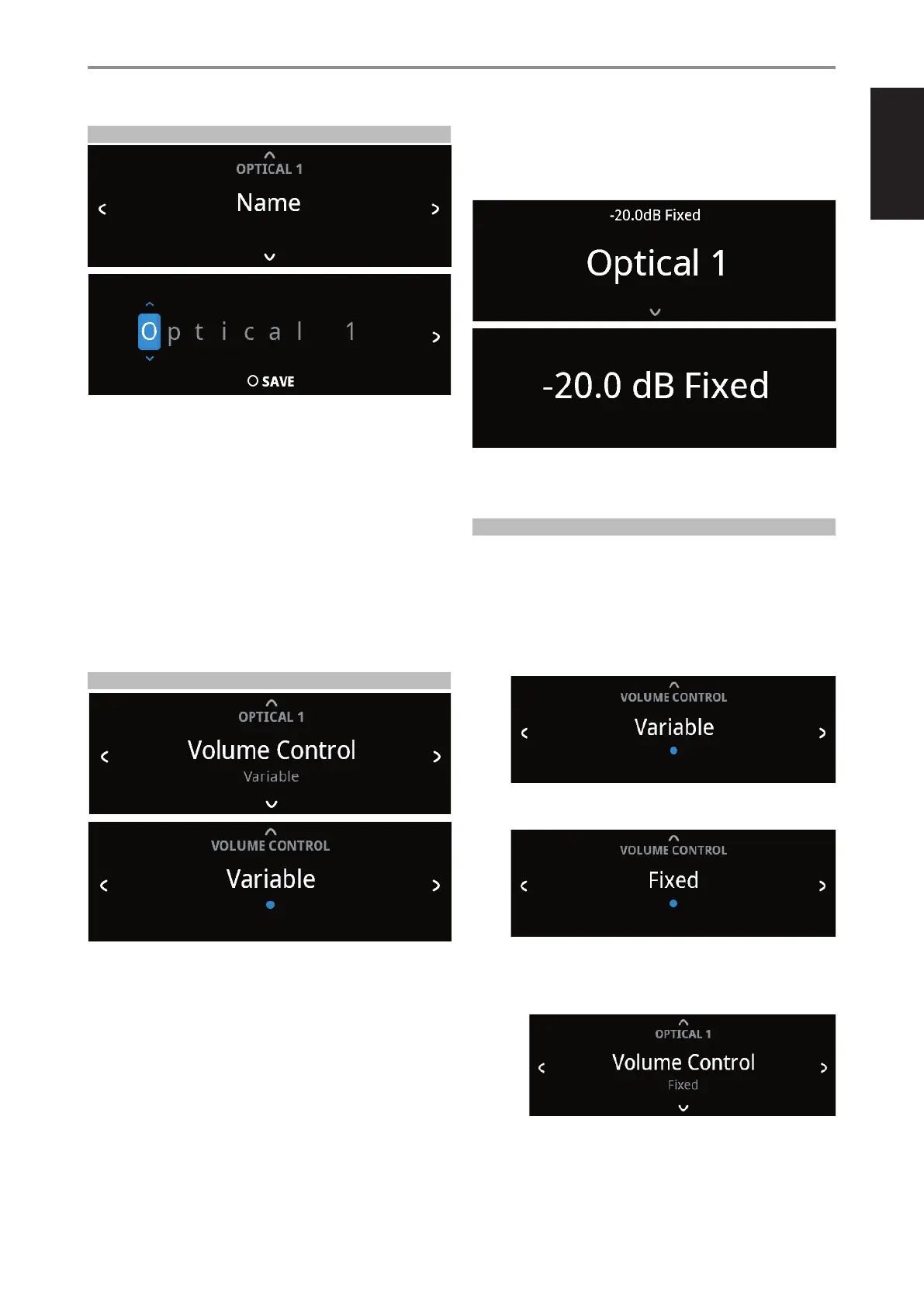
A new Name maybe assigned to a Source label. For example, if your BD
player is attached to “Optical 1”, it is possible to rename “Optical 1”to “BD
Player”.
In order to rename the Source label, select “Name” parameter.
1 While at the selected Source, for example “Optical 1”, press ENTER to
select “EDIT”.
2 Use [f /d ] to pick through the alphanumeric selections.
3 Press [s] to move to the next character and at the same time save the
changes done on the current character. The name can be as long as
fourteen characters.
4 Repeat steps 1 and 2 for each character in sequence.
5 Complete the renaming process by pressing [ENTER button again to
save the new source’s input name. The new Name will be shown in the
display.
VOLUME CONTROL
Volume control can be set to either Variable or Fixed level.
Variable: Volume level is adjusted using the volume knob or SR 9’s
[VOL5/6] buttons.
Fixed: Output level is xed and the C399’s Volume Control is bypassed.
This feature is sometimes referred to as “Cinema Bypass” because it allows
the C399 to be used for the front channels of a surround sound system by
relegating the volume control function to the surround processor.
At Fixed volume level setting, front panel display will show “xx.x dB Fixed” as
the volume control is adjusted.
HOW TO NAVIGATE VOLUME CONTROL LEVEL SETTING
A While at “Volume Control” menu, press [f].
B Use front panel [a/s] or SR 9’s [A/S] buttons to toggle between
“Variable” and “Fixed” level options.
1 While at “Variable” option, use front panel [d] or SR 9’s [D] button
to select “Variable” level and return to “Source Setup” menu
selections.
2 While at “Fixed” option, use front panel [d] or SR 9’s [D] button to
select “Fixed” level and return to “Source Setup” menu selections.
a With “Fixed” level selected and back to “Source Setup” menu
selections, use front panel [a/s] or SR 9’s [A/S] buttons to go
“Fixed Volume” option. “Fixed Volume” manifests among “Source
Setup” options only if “Fixed” is the selected “Volume Control” level.
OPERATION
USING C399
17



 To Next Page