EasyManua.ls Logo

NAD C 390DD - User Manual

NAD C 390DD
24 pages
Print Icon
To Next Page IconTo Next Page
Loading...
ENGLISHFRANÇAISESPAÑOLITALIANODEUTSCHNEDERLANDSSVENSKAРУССКИЙ
®
Owners Manual
C 390DD
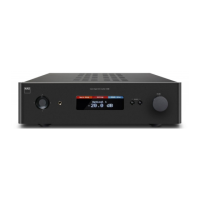
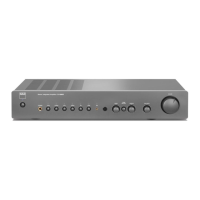
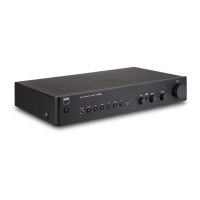
Direct Digital Integrated Amplier

Other manuals for NAD C 390DD

Questions and Answers

  • R
    Richard TranAug 1, 2025
    How to fix no computer audio on NAD C 390DD?
    • K
      Kenneth SchwartzAug 1, 2025
      If your NAD Amplifier isn't producing audio from the computer, make sure that your PC or Mac's Sound or Audio device setting is set to “NAD USB Audio”. Also, confirm that music files are being played back from your computer.
  • T
    Timothy MurrayAug 5, 2025
    Why is the VFD dim on my NAD C 390DD?
    • C
      Catherine FrenchAug 6, 2025
      If the VFD on your NAD Amplifier is dim, it might be due to a low brightness level being selected. To fix this, toggle the [DIMMER] button until you reach your desired brightness level.
  • M
    michaelhallAug 12, 2025
    How to turn on NAD Amplifier C 390DD?
    • A
      Alison MorrisonAug 12, 2025
      If your NAD Amplifier (C 390DD) won't power on, check that the rear panel POWER switch is set to “ON”. After that, press the front panel Standby button.
  • M
    Marco HarrisAug 18, 2025
    What to do if my NAD Amplifier C 390DD remote control is not working?
    • M
      Michael Jennings PhDAug 18, 2025
      If your NAD Amplifier (C 390DD) isn't responding to the remote, first, verify the batteries are working correctly and properly inserted. Next, ensure that nothing is blocking the infrared receiver (IR) window on the C 390DD or the IR transmitter on the remote. Also, reduce any bright sunlight or ambient light hitting the front panel of the C 390DD. Finally, check that the IR Channel setting on both the C 390DD and the remote control are the same.
  • M
    Megan WoodAug 25, 2025
    What to do if NAD C 390DD Amplifier shows 'No files found'?
    • J
      Joshua HollandAug 25, 2025
      If your NAD Amplifier's VFD displays “No flies found” even with a USB device connected, it means that the USB device doesn't contain any playable MP3, WMA, or FLAC files. To resolve this, load MP3, WMA, or FLAC files onto the USB device.

Summary

Important Safety Instructions

General Safety and Handling Precautions

Covers safe operation, cleaning, attachments, water, placement, ventilation, and power cord protection.

Electrical Safety and Installation Notes

Addresses power sources, grounding, polarization, lightning protection, and CATV system grounding.

Safety and Environmental Precautions

Product Safety and Maintenance Checks

Covers safety checks, wall mounting, heat, headphones, battery disposal, and product warnings.

Front Panel Controls Identification

USB Input and Volume Control

Details the Digital USB Front input and the Volume control knob for adjusting loudness.

Rear Panel Connections Overview

Digital and Analog Audio Inputs

Describes Computer USB, Digital USB Back, AES/EBU, Coaxial, and Optical inputs for various audio sources.

Speaker Outputs and Bi-wiring Options

Explains speaker connections, including bi-wiring, and provides notes on wire gauge and connection types.

Rear Panel Interfaces and Power

Grounding and Control System Interfaces

Covers the Ground Terminal, +12V Trigger, IR IN, and RS232 ports for system integration and remote control.

Audio Outputs and AC Power Input

Details the Pre Out/Subwoofer terminals, AC Mains Input, and the main Power switch for unit operation.

Modular Design and Optional Modules

Optional DD HDMI 1 Module Functionality

Describes the DD HDMI 1 module for video pass-through and integration into a video system.

Optional DD AP 1 Module for Analog Sources

Details the DD AP 1 module for analog-to-digital conversion of analog sources, including phono inputs.

AVR 4 Remote Control Basics

Remote Control Functions and Setup

Introduces the AVR 4 remote for controlling the C 390DD and other NAD products, including battery installation.

AVR 4 Remote Control Detailed Functions

C 390 DD Basic Operation

Selecting and Switching Audio Sources

Guides users on how to cycle through and select different audio input sources for the C 390DD.

Troubleshooting Common Issues

Resolving Connectivity and Display Problems

Provides solutions for issues like no computer audio, dim VFD, and USB device file not found errors.

Remote Control and Power Troubleshooting

Offers solutions for C 390DD not responding to remote commands or failing to power on.

NAD C 390 DD Technical Specifications

Audio Performance and Output Specifications

Lists specifications for continuous output power, distortion, dynamic power, and signal-to-noise ratio.

NAD C 390DD Specifications

General IconGeneral
Damping factor800
Amplifier classA
Frequency range20 - 96000 Hz
Audio output channels- channels
Peak power per channel- W
Signal-to-Noise Ratio (SNR)124 dB
Total Harmonic Distortion (THD)0.005 %
Dynamic power per channel (4 Ohm)350 W
Dynamic power per channel (8 Ohm)160 W
RMS power output per channel (4 Ohm)150 W
AC (power) inYes
USB 2.0 ports quantity3
Digital audio optical in2
Digital audio optical out1
Speakers connectivity typeBanana connector
PurposeHome
Product colorBlack
Volume controlRotary
Connectivity technologyWired
Sustainability certificatesRoHS, ENERGY STAR
AC input voltage100-240 V
AC input frequency50 - 60 Hz
Power consumption (standby)0.5 W
Power consumption (typical)40 W
CertificationCE, TUV
Weight and Dimensions IconWeight and Dimensions
Depth388 mm
Width435 mm
Height132 mm
Weight7700 g

Related product manuals