ENGLISH
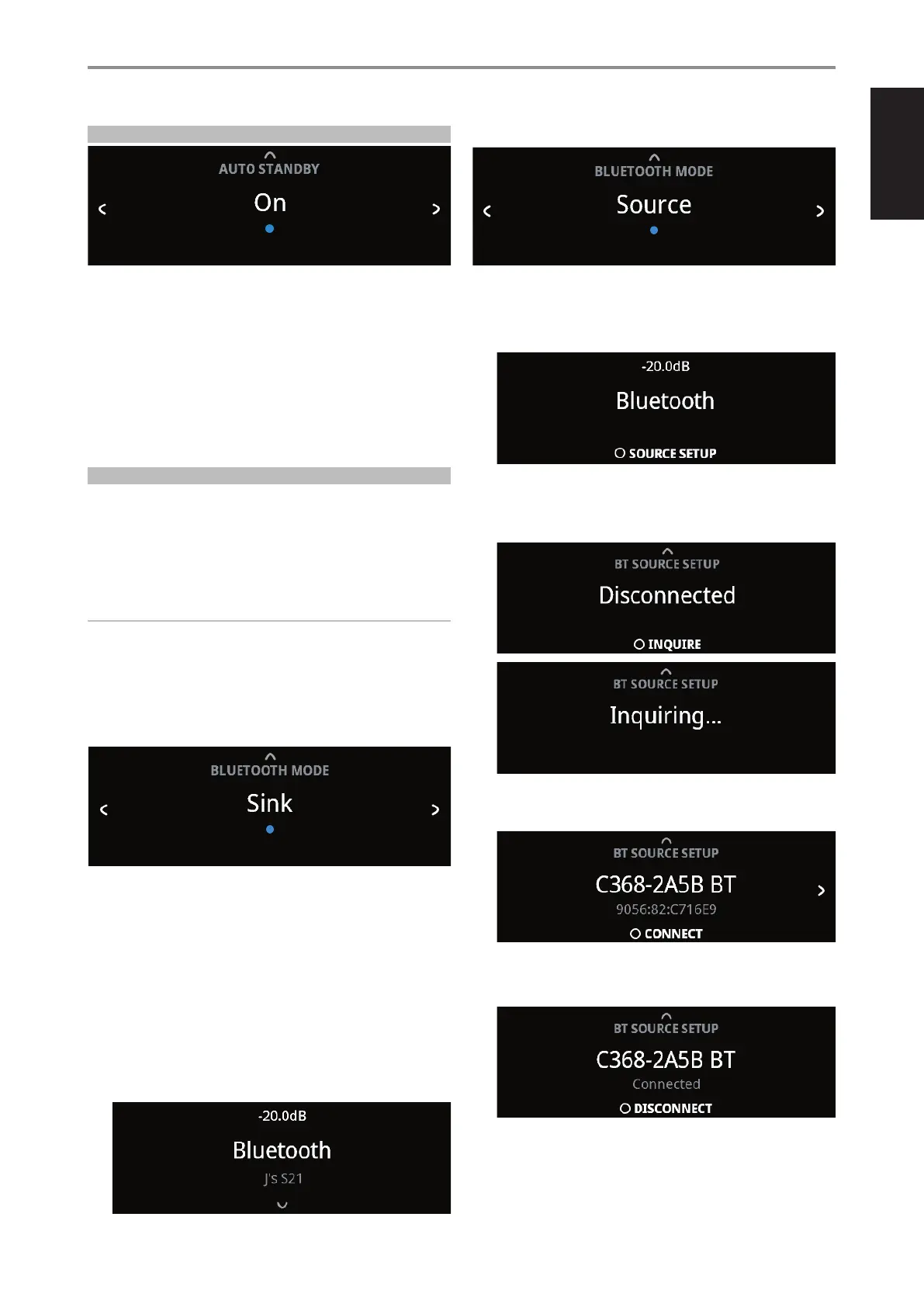
AUTO STANDBY
Auto Standby feature is an integral feature of C399 that conforms to
European ecodesign regulations. The C399 can be setup to automatically
go to standby mode if there is no user interface interaction and no active
source input within 20 minutes.
On: C399 switches to standby mode at lowest power consumption
(less than 0.5W) if there is no user interface interaction and no active
source input within 20 minutes.
O: C399 remains at operating mode even if there is no user interface
interaction and no active source within 20 minutes.
BLUETOOTH MODE
Bluetooth Mode denes the two roles of the C399 as either a Bluetooth
Sink or a Bluetooth Source.
Sink: Audio stream is received from a Source on the same Bluetooth
network environment.
Source: Audio is streamed or sent to another device (Sink) on the same
Bluetooth network environment.
IMPORTANT!
• Bluetooth Mode option is not available if the optional MDC2 BluOS-D is
installed.
• With a Bluetooth device connected or disconnected, C399 will go to
standby mode if there is no user interface interaction and no active
source input within 20 minutes.
C399 AS A BLUETOOTH SINK
Set “Bluetooth Mode” to “Sink”. Initiate pairing of your Bluetooth device with
C399 by following below procedure.
1 Ensure that the Bluetooth antenna is connected to the BT antenna
terminal at the rear panel.
2 Using your iOS or Android device, go to Settings – Bluetooth and then
scan for Bluetooth devices. Select the unique device ID (example, C399BT)
of your C399 as listed or selectable in the device list of your Bluetooth
settings. Pair or connect your C399 and the Bluetooth device.
3 Upon successful pairing of your Bluetooth device and the C399, front
panel display will show the connected Bluetooth device ID (J’s S21 in
this example).
C399 AS A BLUETOOTH SOURCE
Set “Bluetooth Mode” to “Source”. Ensure that the Bluetooth antenna is
connected to the BT antenna terminal at the rear panel.
1 While at Bluetooth Source Mode, press ENTER to select “Source Setup”.
2 “Disconnected” will appear in the display. Press ENTER to initiate inquiry
(INQUIRE). The unit searches for available Bluetooth devices within the
same Bluetooth network environment.
3 Toggle a/s to select through available Bluetooth sources. Press to
connect and select preferred Bluetooth Source.
If you would like to disconnect from current Bluetooth device, press
ENTER to select DISCONNECT. Repeat steps 2 to 3 again to select and
connect to another Bluetooth device.
OPERATION
USING C399
15



 To Next Page