ENGLISH
ACCESS MAIN MENU
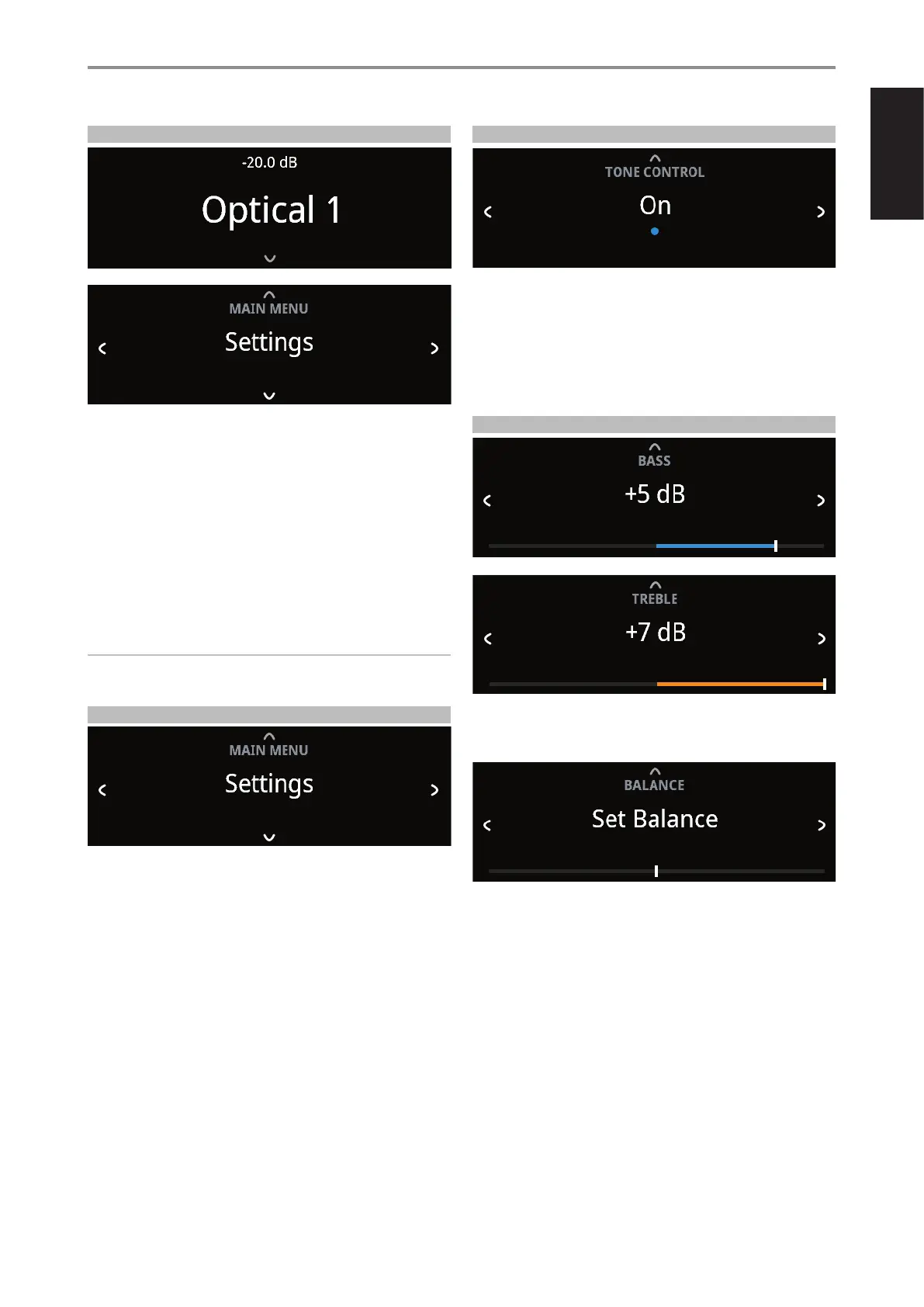
Press front panel [f] button once for the Main Menu options to appear in
the display. Use front panel a or s button to select through the Main Menu
options – Settings, Source Setup and System Info.
NAVIGATING THE MENU OPTIONS AND MAKING CHANGES
Navigate through the menu options using the front panel buttons or
corresponding SR 9 buttons.
1 Press [f] to select a menu item.
2 Repeatedly press [a/s] to scroll through menu choices, options or
selections.
3 Press [d] or [ENTER] to select or save current selection or option and at
the same time exit or return to the previous menu.
NOTE
Menu option will remain displayed and will only turn o or default to
current Source after 1 minute of non-user interface.
SETTINGS
The “Settings” main menu allows the conguration of the following
features:
• Tone Control
• Treble
• Bass
• Balance
• Auto Standby
• Bluetooth Mode
• Network Standby
• CEC Power
• IR Channel
• Brightness
• Temporary Display
• Speaker
• Volume Display Mode
TONE CONTROL
Tone control allows the boosting or reduction of particular audio frequencies.
The tone control levels, Bass and Treble, can be turned on or o.
• On: Tone control levels are active. At Tone Controls On, Bass and
Treble control levels are available for conguration.
• O: Tone controls levels are bypassed. At Tone Controls O, Bass
and Treble control levels become unavailable or turned o from the
Settings menu.
BASS, TREBLE, BALANCE
Bass and Treble controls only aect the low bass and high treble leaving
the critical midrange frequencies free of coloration.
• Use [a/s] to boost or cut Bass or Treble levels within ±7 dB range.
Balance control adjusts the relative levels of the left and right channels.
• Press [s] to shift the balance to the right or [a] to shift the balance to
the left. Use [a/s] also to recover or even out the balance levels.
• The center level setting provides equal level to the left and right
channels.
OPERATION
USING C399
13



 To Next Page