ENGLISH
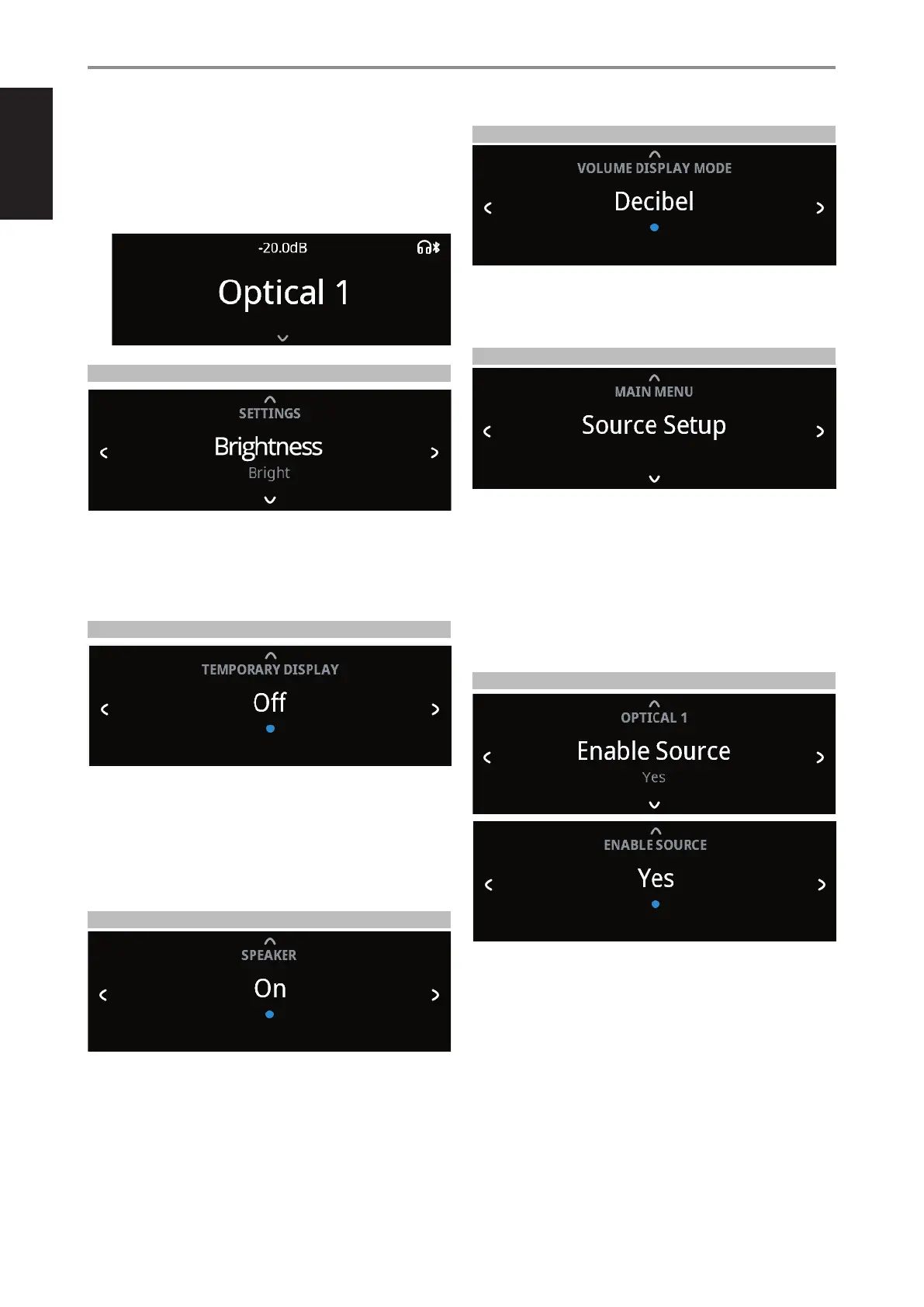
4 Having settled on a Bluetooth Source device, toggle a SOURCE s to
select the source media you would like streamed to the connected
Bluetooth device. For example, if you want to stream audio from
OPTICAL 1, select OPTICAL 1 as the active source. Note the Headphone
and Bluetooth icons in the front panel display as indication that you are
at Bluetooth Source Mode.
BRIGHTNESS
BRIGHTNESS function makes it possible to adjust the brightness level of the
front panel display.
Normal: Display brightness level is normal.
Bright: Display is at its brightest level or above normal brightness level.
Dim: Display is dimmed or below normal brightness level.
TEMPORARY DISPLAY
Temporary Display feature enables the display to be turned o temporarily
after 30 seconds of non-user interface.
On: Display is turned o temporarily after 30 seconds of non- user
interface. The Power Indicator LED is also turned o at the same time.
Display and Power Indicator LED are activated once user interface is
initiated.
O: Display remains illuminated.
SPEAKER
Select “On” to enable speakers or “O” to disable speakers.
VOLUME DISPLAY MODE
Volume Display Mode gives the user two options on how to display
Volume level. Use a or s to select between “Decibel” and “Percent” Volume
display mode.
SOURCE SETUP
Source Setup has the following menu items:
• Enable Source
• Name
• Volume Control
• Auto Sense
• Analog Bypass
• Analog Gain
At Source Setup menu, select the particular Source you want to congure.
ENABLE SOURCE
One can enable/disable a Source via this option. This is particularly useful if
only few Sources are used thereby bypassing unused sources.
On: Enable selected Source.
O: Disable selected Source.
OPERATION
USING C399
16



 To Next Page