SAMPLE PROCEDURE FOR SETTING UP A/V PRESETS
1 Setup rst your preferred settings for the following options (access
them through their respective menu page).
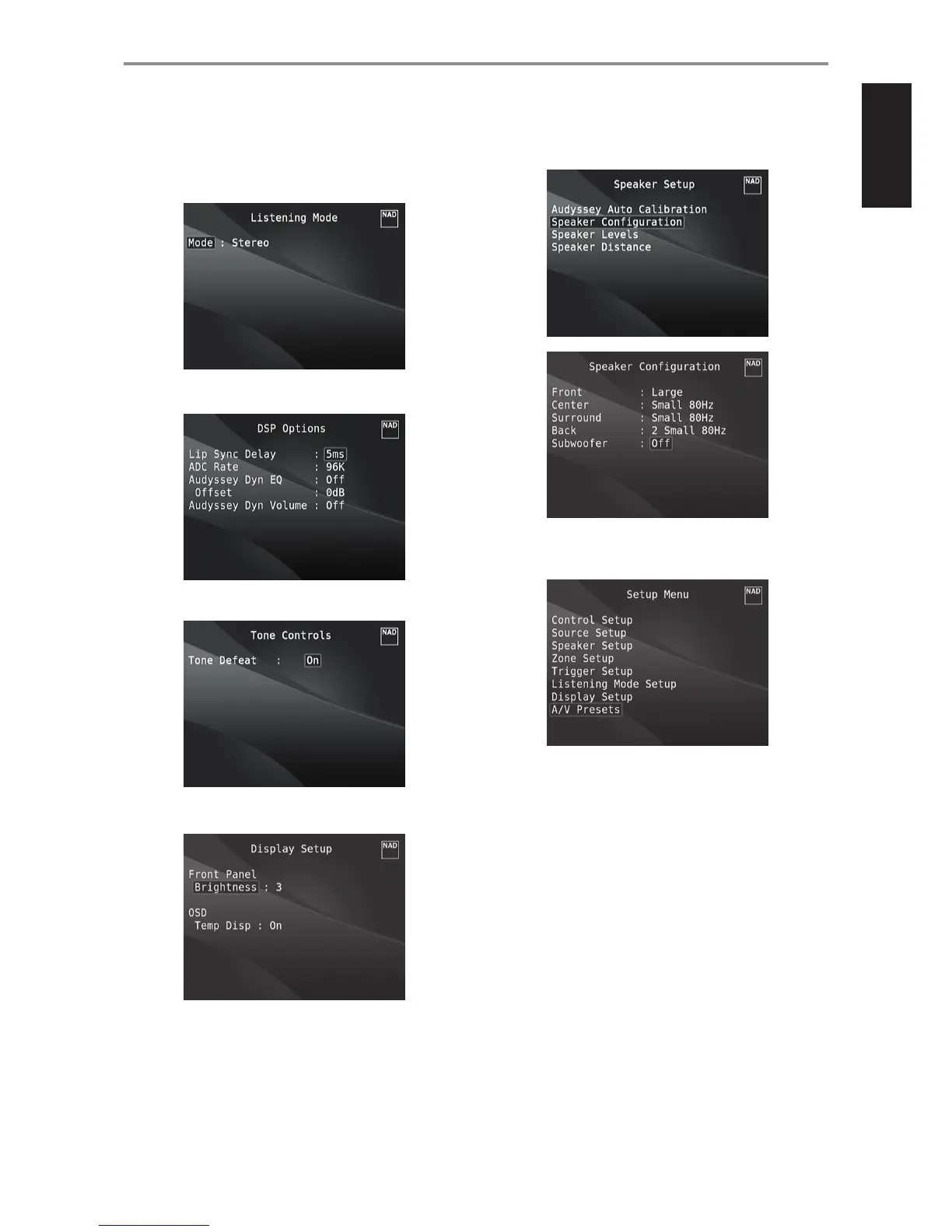
Listening Mode: Stereo
DSP Options: 5ms
Tone Controls: Tone Defeat: On
Display Setup: Set “Brightness” to “3”
Speaker Setup: from the Speaker Setup menu, go to “Speaker
Conguration” sub-menu and change “Subwoofer” from “On” to “O”:
“Front” becomes “Large”
2 With the above settings, scroll to “A/V Presets” from the SETUP MENU
page. Use [E] to access “A/V Presets” menu.
OPERATION
USING THE M17 SETUP MENU
27


 To Next Page