VIEWING A PHOTO FILE
The T 587 allows the playback or viewing of PHOTO les.
1 Load the applicable disc or connect USB containing les. Select “Photo”
from the “Home” menu. Press [ENTER].
2 The PHOTO menu appears on the TV screen. A thumbnail of the photos
loaded in the disc will be shown in the OSD.
3 Press [
] to go over the photo les.
4 Press [ENTER] or [
] (Play) to to select a le and start playback.
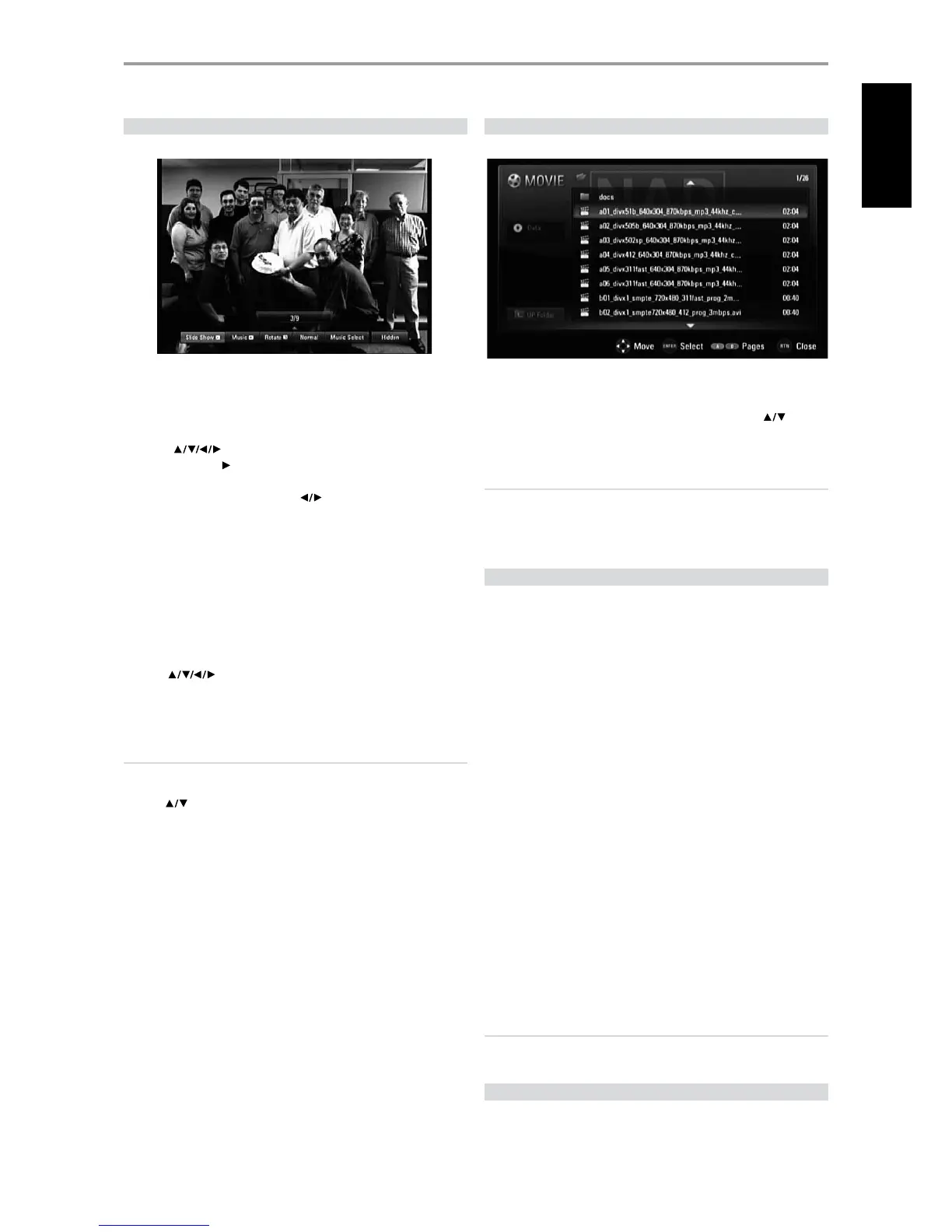
5 During photo playback, several selectable options are shown in the
bottom portion of the photo. Use [
] to highlight and select any of
the following options.
Slide Show: Press [ENTER] button to start or pause the slide show.
Music: Press [ENTER] to play or pause the background music. This
option is available after the background music is selected using [Music
Select] option.
Rotate: Toggle [ENTER] to continually rotate the picture clockwise. This
option is not available during slide show.
Normal/Fast/Slow: Toggle [ENTER] to set the Slide Show speed.
Music Select: Select the background music during photo playback.
Press [ENTER] and the “Select the music album” submenu appears.
Use [
] to select a media or folder containing music les.
Press ENTER to conrm your selection and start playback of selected
background music.
Close: Press [ENTER] to exit the menu option.
NOTES
t 1MBZCBDLNBZTUBSUBVUPNBUJDBMMZJGBO"VEJP$%JTMPBEFE
t *GZPVBSFJOBöMFMJTUBOEXBOUUPSFUVSOUPUIFQSFWJPVT'PMEFSMJTUVTF
UIF<
>CVUUPOTPOUIFSFNPUFUPIJHIMJHIUi61'PMEFSwBOEQSFTT
<&/5&3>
t 5PHPEJSFDUMZUPBOZöMFFOUFSUIFöMFOVNCFSVTJOHUIFOVNCFSFE
CVUUPOT
t "Ui1)050wNFOV#3TSFEPSCMVFDPMPSCVUUPODBOCFVTFEUPNPWFUP
UIFQSFWJPVTPSOFYUQBHF
t 3FDPNNFOEFETJ[FMFTTUIBOYYCJUQJYFMPSMFTTUIBO
YYCJUQJYFM
t .BYJNVNöMFTQFSEJTD64#MFTTUIBOUPUBMOVNCFSPGöMFTBOE
GPMEFST
DIVX PLAYBACK
The T 587 supports DivX playback.
1 Load the applicable disc or connect USB containing les. Select “MOVIE”
from the “Home” menu.
2 Press [ENTER]. A list of DivX les is shown in the OSD. Use [
] to
select a le.
3 Press [ENTER] to select a le and start playback.
NOTES
t "WBJMBCMFSFTPMVUJPOTJ[FY8Y)r.BYJNVNöMFTQFSEJTD
64#MFTTUIBOUPUBMOVNCFSPGöMFTBOEGPMEFST
t 0OUIF.07*&NFOVVTF#3TSFEPSCMVFDPMPSCVUUPOUPNPWFUPUIF
QSFWJPVTPSOFYUQBHF
ENJOYING BD-LIVE™ OR BONUSVIEW™ IN BD-VIDEO
The T 587 supports picture-in-picture (PIP), secondary audio, Virtual packages
and other features for BD-Video supporting BONUSVIEW (BD-ROM version
2 Prole 1 version 1.1/ Final Standard Prole). In addition to the BONUSVIEW
function, BD-Video supporting BD-Live (BD-ROM version 2 Prole 2) allow more
functions like online games by connecting the T 587 to the internet.
PLAYING SECONDARY VIDEO PICTUREINPICTUREAND
SECONDARY AUDIO
Secondary video can be played from compatible discs that support picture-
in-picture function. Refer to your disc’s instructions for the playback method
of this feature.
PIP VIDEO: Press to turn ON/OFF secondary video.
PIP AUDIO: Press to turn ON/OFF the audio of the secondary video. If
secondary video is turned OFF, secondary audio will not be available.
ENJOYING BDLIVE DISCS
The T 587 supports BD-Live, a new BD-Video function that allows access
features like interactive functions when connected to the internet. The
usable functions and the operating method may vary with each disc so
make sure to refer to the disc’s instructions for proper access and playability.
The T 587 must be connected to the internet to use the BD-Live functions.
It may take up to several minutes to load and start enjoying BD-Live
contents. Additional contents like movie trailer, subtitles, BD-J and similar
features can be downloaded to a USB device. Make sure that the free space
in the USB device is more than 1GB.
IMPORTANT NOTICE
&OTVSFUIBUB64#øBTIESJWFJTDPOOFDUFEJOUIFGSPOU64#QPSUXIFO
BDDFTTJOH#%-JWFGVODUJPOT
SCREENSAVER
The screensaver appears when you leave the T 587 in Stop mode or HOME
menu mode for about ve minutes. The Screensaver will be continuously
displayed until the next command is executed.
OPERATION
USING THE T 587 FEATURES
17
ENGLISH



 To Next Page