EasyManua.ls Logo

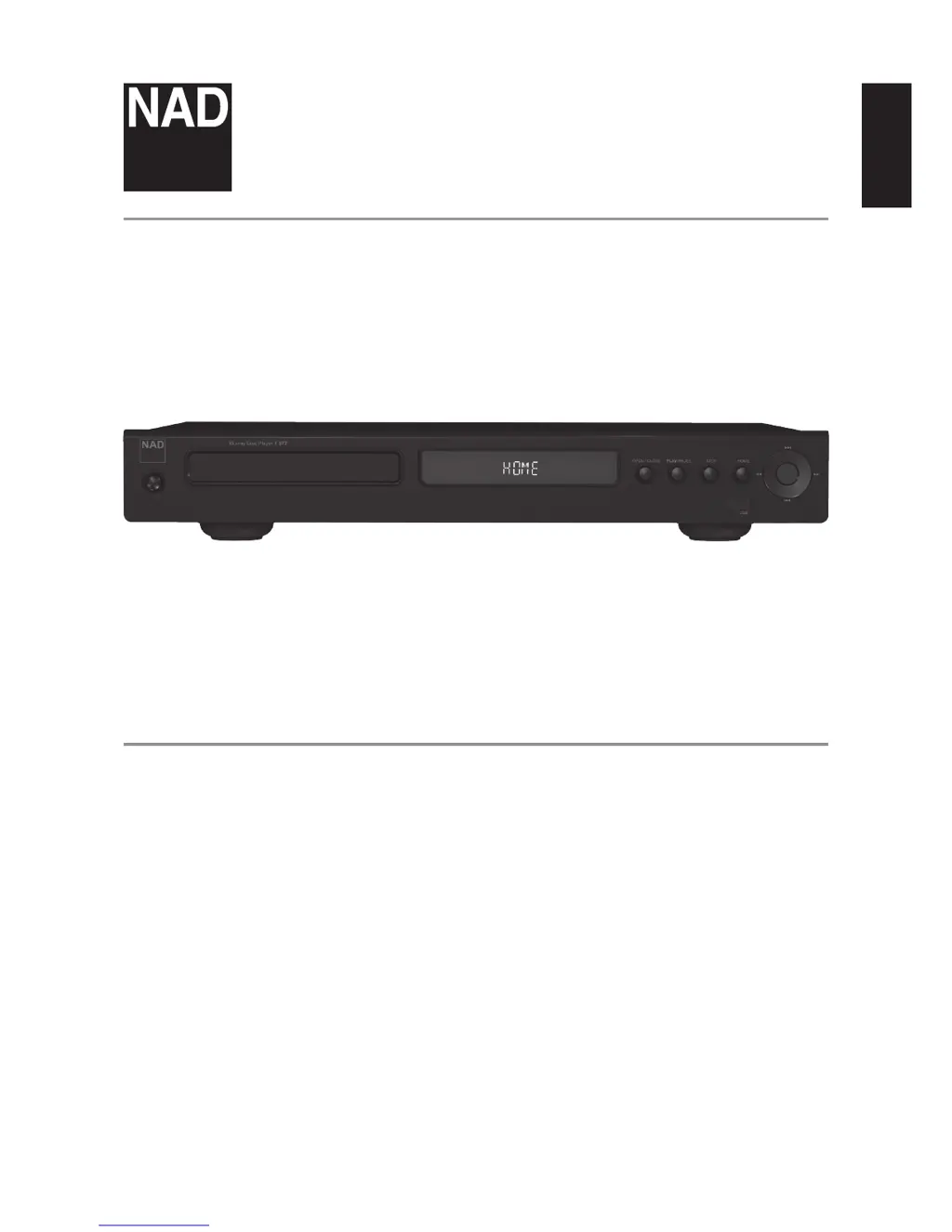
NAD T577 - User Manual

NAD T577
30 pages
Print Icon
To Next Page IconTo Next Page
Loading...
ENGLISHFRANÇAISESPAÑOLITALIANODEUTSCHNEDERLANDSSVENSKAРУССКИЙ
®
Owners Manual
T577
Blu-ray Disc™ Player

Questions and Answers

  • R
    Richard WattsAug 8, 2025
    What to do if my NAD Blu-ray Player T 577 does not start playback?
    • J
      Jennifer MeadowsAug 9, 2025
      The T 577 might not start playback if: * An unplayable disc is inserted. Ensure you insert a playable disc, checking the disc type and regional code. * The rating level is set. Cancel the rating function or change the rating level.
  • S
    Shelley BrownAug 13, 2025
    Why is there no picture on my NAD T577 Blu-ray Player?
    • J
      Jessica TerryAug 13, 2025
      There could be several reasons for a missing picture: * The TV might not be set to receive the video input signal from the T 577. To resolve this, select the appropriate video input mode on your TV. * The video cable may not be securely connected. Ensure the video cable is properly connected. * There could be a resolution mismatch between the T 577 and the TV. Check your TV's capabilities and set the resolution accordingly.
  • B
    bettyshahAug 18, 2025
    What to do if my NAD T577 has no sound?
    • J
      Jaclyn EscobarAug 18, 2025
      If there is no sound, here are a few things to check: 1. The connected equipment may not be capable of detecting or decoding the audio signal. Ensure the audio output of the T 577 is connected to equipment with appropriate audio decoders. 2. The equipment connected with the audio cable may be turned off. Turn on the equipment. 3. The AUDIO output settings may be incorrect. Verify the audio output settings in the Audio Setup menu.
  • M
    Mr. Micheal Armstrong Jr.Aug 23, 2025
    Why is my NAD T577 Blu-ray Player remote control not working?
    • L
      Leslie KingAug 23, 2025
      If the remote control isn't working properly, consider these possibilities: * The T 577 front panel might be exposed to bright sunlight or ambient light. Try reducing sunlight or room lighting. * There might be an obstruction in the line of sight between the IR transmitter window on the remote and the IR receiver window on the T 577. Ensure a clear line-of-sight. * The remote control batteries may be dead. Replace the batteries.
  • B
    brooksamandaAug 28, 2025
    How to fix BD-Live feature that does not work on NAD Blu-ray Player?
    • Z
      Zachary MilesAug 29, 2025
      If the BD-Live feature isn't working, it might be due to the internet connection. Ensure that the T 577 is connected to the local area network and can access the internet.
  • K
    kvegaSep 2, 2025
    What to do if my NAD Blu-ray Player has no power?
    • M
      mitchell14Sep 2, 2025
      If there is no power, the power cord may be disconnected. Plug the power cord into the wall outlet securely.

Summary

IMPORTANT SAFETY INSTRUCTIONS

General Usage and Environmental Safety

Guidelines for safe handling, placement, cleaning, power, and environmental considerations.

Electrical and Lightning Safety Precautions

Focuses on protection against electrical shock, lightning, and power line hazards.

CONTINUED SAFETY INSTRUCTIONS

Damage, Service, and Installation Safety

Details procedures for damage assessment, servicing, replacement parts, and proper installation.

INTRODUCTION TO THE NAD T577

Getting Started: Unpacking and Setup

Covers unpacking contents, initial setup, and choosing a location for the player.

IDENTIFICATION OF CONTROLS - FRONT PANEL

Front Panel Controls Explained

Identifies and explains the functions of all controls on the player's front panel.

IDENTIFICATION OF CONTROLS - REAR PANEL

Rear Panel Connections Explained

Details the various input and output ports for connecting external devices.

IDENTIFICATION OF CONTROLS - REMOTE CONTROL

BR 2 Remote Control Functions

A comprehensive guide to the buttons and operations of the included remote control.

OPERATION - USING THE T577 (MAIN MENU)

Display Setup Menu and Aspect Ratio

Guides through setup options, including aspect ratio adjustment.

OPERATION - VIDEO OUTPUT SETTINGS

Resolution Settings and HDMI Output

Configures video output resolution for HDMI and Component Video, including HDMI connection notes.

OPERATION - AUDIO CONFIGURATION

Audio Setup Menu and Speaker Configuration

Details audio output options, sampling frequencies, DRC, and speaker setup.

OPERATION - PARENTAL CONTROLS

USING THE T577 - MEDIA FEATURES

REFERENCE - TECHNICAL TABLES

REFERENCE - TROUBLESHOOTING AND DISC CARE

Troubleshooting Common Issues

Offers solutions for common operational problems, error conditions, and player malfunctions.

REFERENCE - PRODUCT SPECIFICATIONS

Detailed Technical Specifications

Lists the detailed technical specifications of the NAD T577 Blu-ray Disc Player.

NAD T577 Specifications

General IconGeneral
BrandNAD
ModelT577
CategoryBlu-ray Player
LanguageEnglish

Related product manuals