USB MODE
The T 577 can play back MP3/WMA/JPEG/PNG/DivX les stored in external
USB (Universal Serial bus) devices. The following are the T 577’s capabilities
with respect to USB device playability.
• Support USB Flash Drive and External HDD formatted in FAT16, FAT32 or
NTFS.
• Support USB 1.1 and USB 2.0.
• Support up to 4 partitions of the USB device.
• Digital camera and mobile phone are not supported.
• If a USB extension cable or USB HUB is used, the USB device may not be
recognized.
NOTE
External HDD formatted in NTFS is read only; thus, it cannot be used for
downloading BD-Live contents.
IMPORTANT NOTICE
USB port of the T 577 cannot be connected to a PC.
USB PLAYBACK
1 Connect the external USB device to the front panel’s USB input.
2 Press [HOME]. Select “Movie”, “Photo” or “Music” option. Press [ENTER].
3 If a disc is loaded and a USB device is inserted simultaneously, the menu
prompt for selecting a media will appear
4 Select “USB” as the desired media and then press [ENTER].
For details of operations on applicable le type, refer to the relevant
sections below about MP3/WMA/Photo/DivX playback.
PLAYING AUDIO CD/MP3/WMA
The T 577 can play Audio CD and MP3/WMA formatted recordings on
CD-R/RW, DVD±R/RW,BD-R/RE discs or USB ash drive.
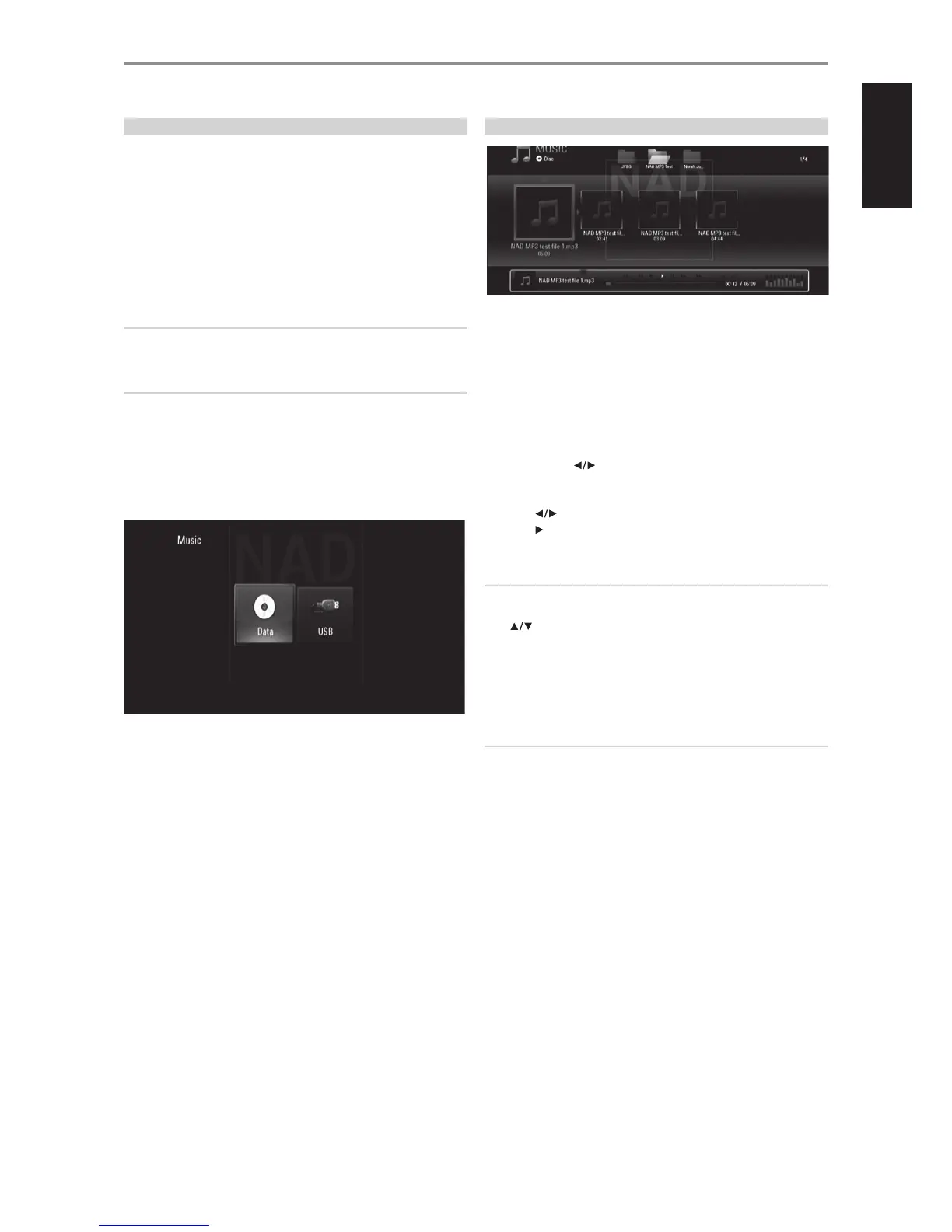
1 Load the applicable disc or connect USB containing les. Select “Music”
from the “Home” menu.
2 Press [ENTER]. The “MUSIC” menu appears at the OSD. A list of folders,
tracks or les is shown at the OSD.
3 Use the BR 2’s [ ] keys to navigate through the folders, tracks or
les.
4 Press ENTER to see the folder contents.
5 Press [ ] to select a track or le.
6 Press [ ] or [ENTER] to start playback.
NOTES
• Playback may start automatically if an Audio CD is loaded.
• If you are in a le list and want to return to the previous Folder list, use the
[ ] buttons on the remote to highlight the folder and press [ENTER].
• Use BR 2’s red (A), green (B), yellow (C) or blue (D) buttons as indicated in
the OSD – go to the rst le/page, move up or down the le/page list or
jump to last le/page.
• During playback, press [RTN] once or twice to go back to the previous
menu/page/OSD.
IMPORTANT NOTICES
• Customers should note that permission is required in order to download
MP3/WMA les and music from the Internet. NAD ELECTRONICS
INTERNATIONAL has no right to grant such permission. Permission
should always be sought from the copyright owner.
• Maximum les per disc/USB: less than 2000 (total number of les and
folders).
OPERATION
USING THE T 577 FEATURES
19
ENGLISHFRANÇAISESPAÑOLITALIANODEUTSCHNEDERLANDSSVENSKAРУССКИЙ



 To Next Page