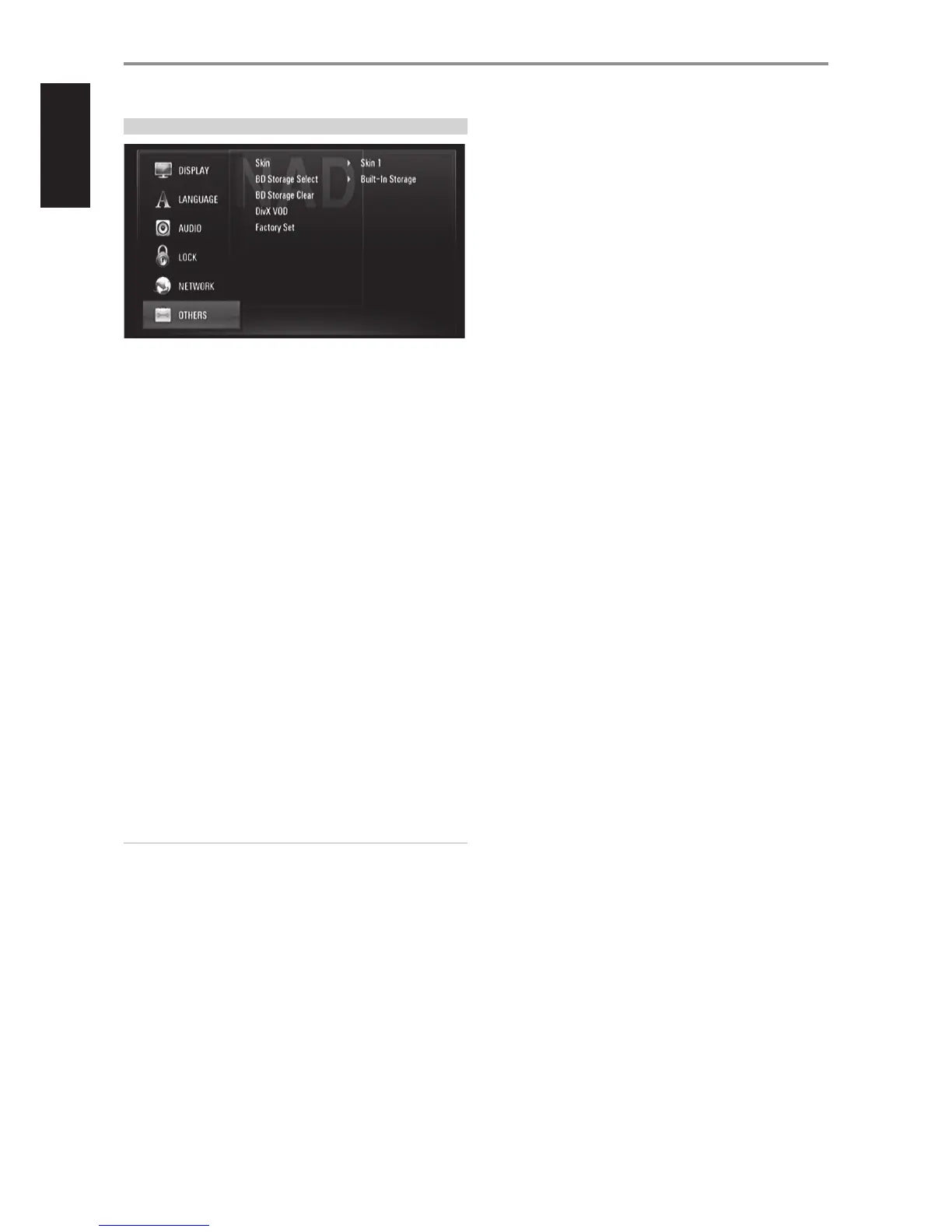
OTHERS SETUP MENU
SKIN
Change the background or wallpaper of the OSD. The default “Skin” is
“Skin 1” which is actually the NAD logo.
BD STORAGE SELECT
The T 577 can store some BD-ROM disc related information, including
downloaded on-line content such as movie trailers and special features into
the internal Flash Memory or an USB device.
Built-In Storage: Store the downloaded Blu-ray disc content on the
internal ash memory.
USB Storage: Store the downloaded Blu-ray disc content on the
connected USB device.
BD STORAGE CLEAR
The BD contents from the internal ash memory or the connected USB
device are cleared.
Built-In Storage: Delete all the downloaded contents from the built-in
storage.
USB Storage: Delete all the downloaded contents from the connected
USB storage.
DIVX VOD
DivX is the name of a revolutionary new video codec which is based on the
new MPEG-4 compression standard for video. You will be able to play DivX
discs using the T 577.
DivX Reg. Code: The registration code of your T 577 is displayed.
Deactivate: The T 577 is deactivated and the deactivation code is
displayed.
NOTE
Only downloaded videos from DivX VOD can be played back on your
T 577.
FACTORY SET
Reset the T 577 to its original factory settings.
Yes: Select to restore the T 577 to its factory settings.
No: Select to retain current settings.
OPERATION
USING THE T 577
18
ENGLISH FRANÇAIS ESPAÑOL ITALIANO DEUTSCH NEDERLANDS SVENSKA РУССКИЙ



 To Next Page