INTRODUCTION
TABLE OF CONTENTS
THANK YOU FOR CHOOSING NAD.
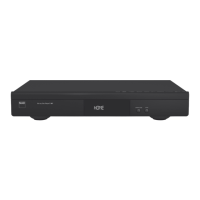
The T 587 brings NAD’s penchant for performance to the exciting new
Blu-ray Disc format. This Prole 2.0 Blu-ray Disc Player brims with the latest
features and oers for the rst time a true High Denition source for digital
Home Theater systems.
As with all our products, NAD’s “Music First” design philosophy guided the
T 587’s design in such a way that it can condently promise you state-
of-the-art visual delity and audiophile-quality music listening for years
to come. We have been careful to ensure that the T 587 is as musically
transparent, faithful to every video detail and spatially accurate as possible,
incorporating much of what we’ve learned from a quarter-century’s
experience designing audio, video and home-theater components.
We encourage you to take a few minutes now to read right through this
manual. Investing a little time here at the outset might save you a good
deal of time later, and is by far the best way to ensure that you make the
most of your investment in the T 587.
One more thing: We urge you to register your T 587 ownership on the NAD
Worldwide Web site:
http://NADelectronics.com/warranty
For warranty information contact your local distributor.
IMPORTANT SAFETY INSTRUCTIONS .........................2
INTRODUCTION
GETTING STARTED . ..............................................6
UNPACKING AND SETUP .............................................6
CHOOSING A LOCATION .............................................6
DISC LOADING AND PLAYBACK . .....................................6
QUICK START .........................................................6
GETTING STARTED . ..............................................7
REGION MANAGEMENT INFORMATION ..............................7
PLAYABLE DISCS ......................................................7
ABOUT THE
SYMBOL DISPLAY . ....................................7
BDROM DISC FEATURES .............................................7
BDROM DISC COMPATIBILITY ........................................7
IDENTIFICATION OF CONTROLS
FRONT PANEL ....................................................8
REAR PANEL .....................................................9
BR 1 REMOTE CONTROL .........................................10
OPERATION
USING THE T 587 ................................................11
USING THE HOME MENU ........................................... 11
DISPLAY THE T 587 SETUP MENU ................................... 11
NAVIGATING THE SETUP MENU OSD AND MAKING CHANGES ...... 11
DISPLAY DISC OSD ................................................. 11
DISPLAY SETUP MENU .............................................. 11
LANGUAGE SETUP MENU . ......................................... 13
AUDIO SETUP MENU ............................................... 13
LOCK SETUP MENU APPLICABLE TO BD AND DVD PLAYBACK ONLY 14
NETWORK SETUP MENU . .......................................... 15
OTHERS SETUP MENU .............................................. 15
USING THE T 587 FEATURES ....................................16
USB MODE . ........................................................ 16
PLAYING AUDIO CD/MP3/WMA .................................... 16
VIEWING A PHOTO FILE ............................................ 17
DIVX PLAYBACK .................................................... 17
ENJOYING BDLIVE™ OR BONUSVIEW™ IN BDVIDEO ............... 17
SCREENSAVER ...................................................... 17
USING THE T 587 FUNCTION CONTROL .........................18
AUDIO ............................................................. 18
SUBTITLE . .......................................................... 18
ANGLE. . . . . . . . . . . . . . . . . . . . . . . . . . . . . . . . . . . . . . . . . . . . . . . . . . . . . . . . . . . . . . 18
ZOOM .............................................................. 18
RPT REPEAT ....................................................... 18
MARKER ............................................................ 18
REFERENCE
RESOLUTION SETTINGS .........................................19
PLAYBACK OF UNPROTECTED MEDIA .............................. 19
PLAYBACK OF COPY PROTECTED MEDIA . .......................... 19
LANGUAGE CODE LIST ..........................................20
AREA CODE .....................................................21
TROUBLESHOOTING ............................................22
NOTES ON DISCS ................................................22
HANDLING DISCS . ................................................. 22
STORING DISCS ..................................................... 22
CLEANING DISCS ................................................... 22
SPECIFICATIONS ................................................23
5
ENGLISH



 To Next Page