CHOOSING THE TUNER MODE
The front-panel ‘TUNER MODE’ key is a dual-purpose control. In the normal position, FM Mute FM
Stereo icons on the VFD are illuminated, only the stations with a strong signal can be listened to, and
the noise between stations is muted.
Pressing the ‘TUNER MODE’ button again (FM Mute FM Stereo icons on the VFD are extinguished)
allows distant and potentially noisy stations to be received. Noise is reduced if the FM station signal
level is less than the FM Stereo threshold (since mono FM is inherently less noise-prone) though at the
sacrice of the stereo eect.
NOTE
One can store the same channel in two preset locations - one with TUNER MODE On and another
with TUNER MODE O.
ABOUT USER NAMES
You can assign an eight character “User Name” to each radio preset, which will show in the front-panel
readout whenever that preset is recalled.
ENTERING USER NAMES
To name a radio preset “NEWS,” follow the procedure as below (The buttons mentioned apply to the
front panel’s buttons. The applicable HTR 3 keys also execute the same functions as described).
1 Recall the desired radio preset.
2 Then, press the ‘MEMORY’ button once and then within ve (5) seconds, press the ‘INFO’ button
- the readout shows a blinking box.
3 Use the ‘PRESET / ‘ buttons to select the rst character of the name (“N” from the
alphabetical list).
4 Press ‘TUNE ’ button to select the character and correspondingly move forward to the next
position. (Press TUNE to go back to the previous character). Repeat this process for each
character in sequence.
5 Press the MEMORY key again to store the User Name and exit the text-entry mode.
ABOUT RDS
The Radio Data System (RDS) permits compatible FM A/V Receivers to display text determined by the
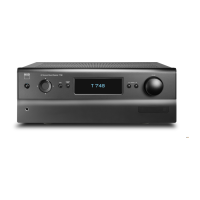
broadcaster. The T 775 supports two RDS modes, station-name (PS mode) and radio-text (RT mode).
However, not every FM station incorporates RDS in its broadcast signal. In most areas you will nd from
one to several RDS-enabled stations, but it is by no means impossible that your favorite stations will
not be broadcasting RDS data.
VIEW RDS TEXT
When an RDS-enabled FM broadcast is tuned, after a brief delay the “RDS” symbol will illuminate in the
T 775’s front-panel readout and the readout’s character section will show its station-name (PS) text:
“ROCK101,”for example.
Press the front-panel DISPLAY key to toggle the readout between this and the station’s radio-text (RT)
readout, if any, which might scroll song- or artist-name, or any other text of the station’s choosing.
OPERATION
USING THE T 775 AM/FM/DB/iPod


 To Next Page