2
About This Manual
This instruction manual is broken down into several chapters. Each chapter covers different aspects of the
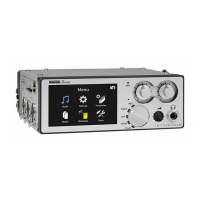
Nagra
Seven
recorder, the settings, actual use, eventual problem localisation and technical specifications.
GUARANTEE / WARRANTY Page 1
INTRODUCTION TO THE NAGRA
Page 3
Chapter I The “POWER”
Battery packs, Fuses, Mains powering, Charging Power
indication, RTC / TC powering, Lithium battery care.
Page 4
Chapter II The “EXTERIOR”
Operational front panel, Input panel (Left side), Output panel
(Right side), Back side and Power.
Chapter III The “INTERIOR”
THE OPERATIONAL SECTION
Part 1
HOME / MENUS
General overview of the touchscreen display, Home screens and
menu access.
The AUDIO
AUDIO MENU, Input matrix, Analog inputs / selection,
Analog levels, AES, Slate Microphone, Digital filters, ALC /
Limiters, Outputs,Monitoring, Loudspeaker, Reference
generator, Meters, Mic. display scale.
Page 24
Part 3
The SETTINGS
SETTINGS MENU, sampling freq., clock ref., Pre-record,
Auto-skip in play, Start stop polarity, File format, type,name
/ size, Pot. assignment, Display settings,Icon selection.
TEMPLATE MENU, Data entry
The MEDIA
MEDIA MENU, Directory, Folder, Drive, COPY functions,
Autocopy and copy manager
TRANSMISSION
Ethernet transmission, F.T.P. transfers
The METADATA
iXML METADATA, False start, Wild track, Pick-up scene, data
entry
The TOOLS
TOOLS MENU, Re-format, Time / Date (RTC), Misc. Machine
name, Keyboard Layout, (Auto folders), About.
Chapter IV The “EXTRAS”
Hardware and sofware options – Overview
Time code
Time code system: Frame rates, Internal generator, TC playback,
pull up/down, TC display, TC rec, TC menu
Interface, Mode, Contacts
Voice over IP (VoIP) Page 72
I.S.D.N. (R.N.I.S.) Page 78
WiFi / 3G / GSM transmission, SIM insertion Page 84
Audio Editor
Internal audio editing option Page 87
Chapter V
The SOLUTIONS
Error messages and problem solving Page 95
Chapter VI
SPECIFICATIONS
Full technical specifications Page 97
ALC / LIMITER detailed explanations Page 98
ANNEX II
ANNEX IV
Firmware updates Page 102
ANNEX V
Useful “Cyber” Term explanatioins
USB Keyboard template and functions
Page 105
Declaration of conformity CE Page 106
index
Page 107


 To Next Page