Installing software options
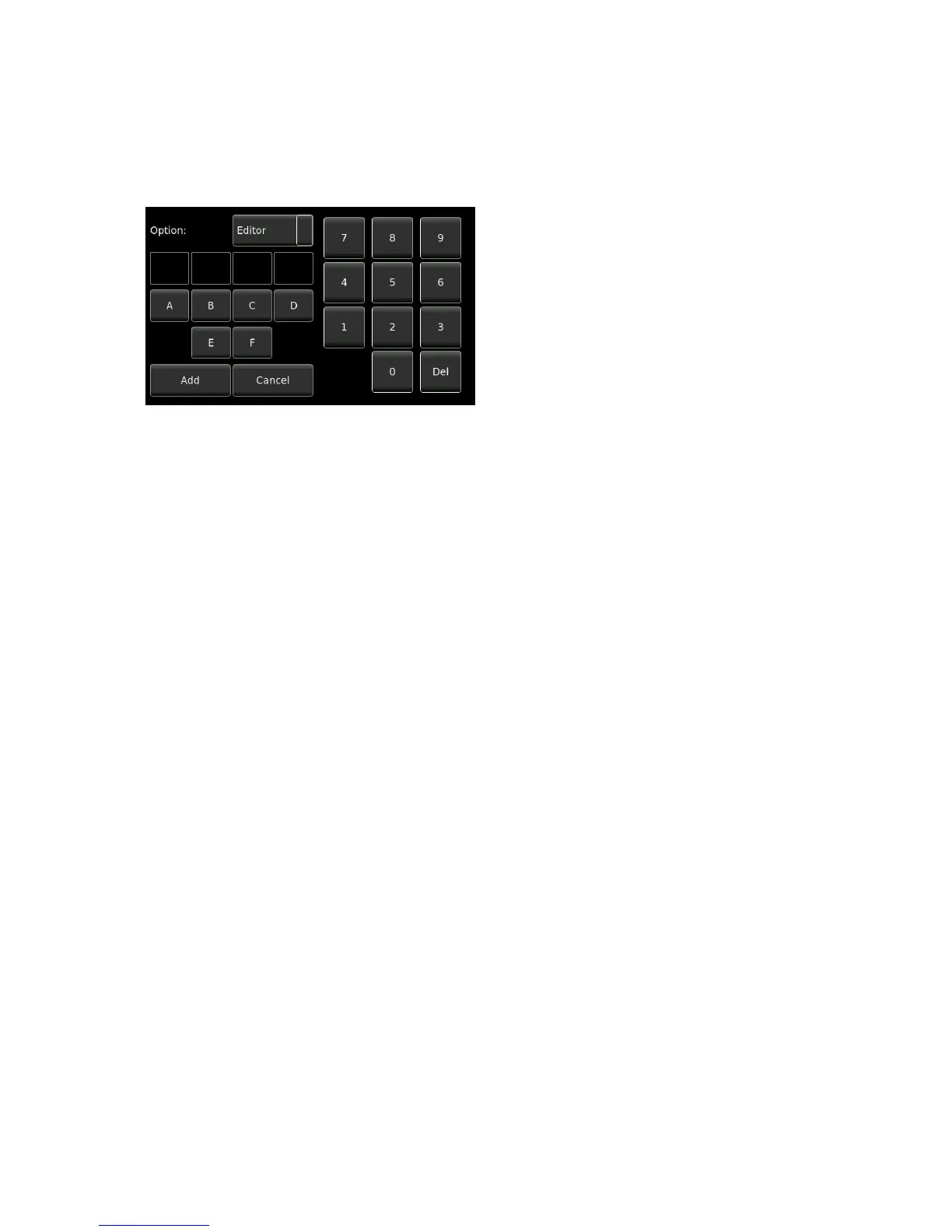
Clicking on SOFTWARE OPTIONS allows the installation of additional options features such as the on-board
audio editor. The following screen will be displayed:
To install a software option, select the option to be
installed then insert the 8 hexadecimal digits
(provided by your local Nagra dealer, into the four
boxes. They are in pairs for example: E1 F8 21 B7
Once complete press the ADD key and the internal
option will be activated. The hexadecimal code is
unique to each machine and cannot be installed on
any other Nagra Seven .


 To Next Page