Part 3 – THE SETTINGS
Settings Menu
The settings menu accesses various features of the recorder, which will all be stored in the templates
(if used) and is broken into 5 categories: General, File format, Pot. assign, Display and Icon selection.
Each is explained below:
General settings
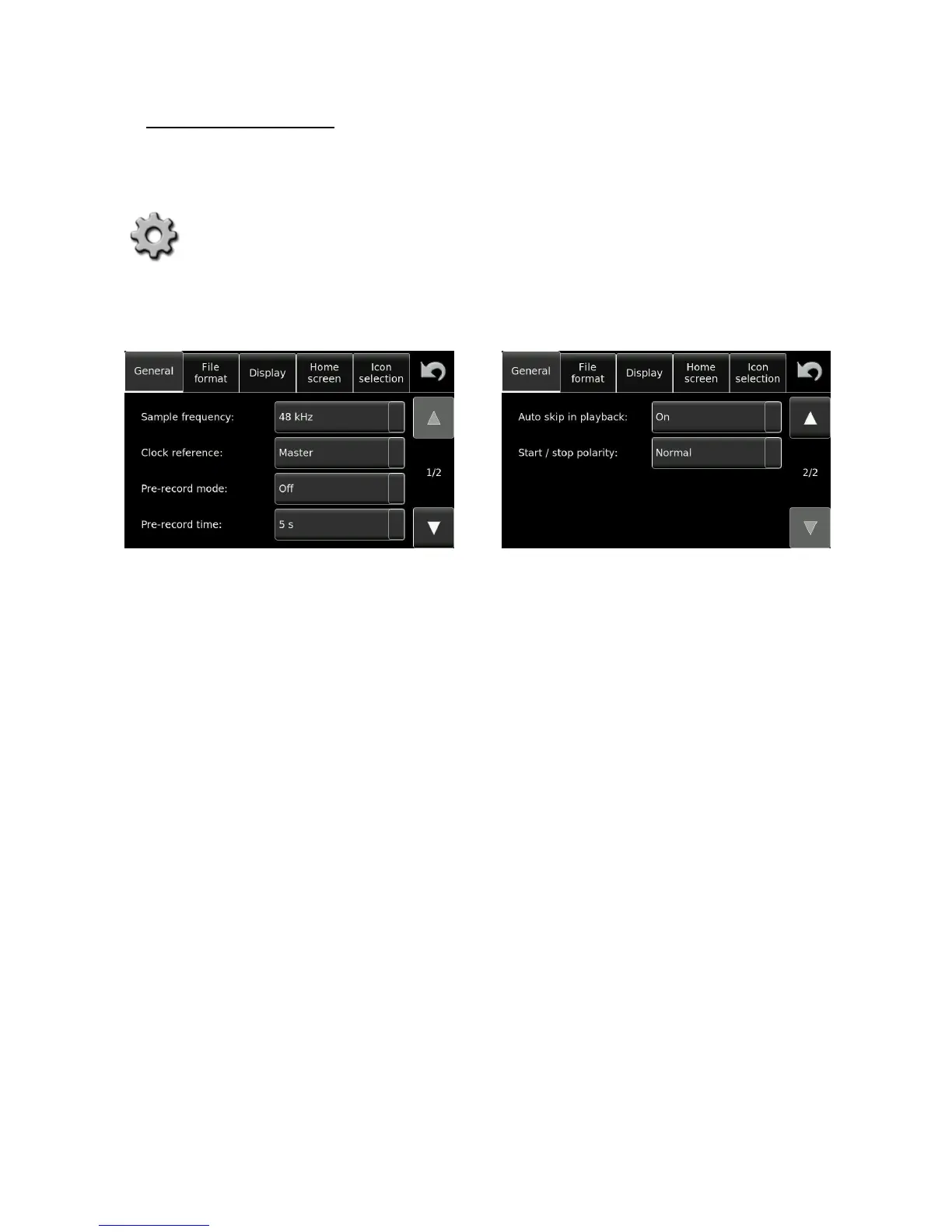
The “General settings” section is spread over 2 screens, press the UP/DN arrows to alternate between them.
Sample frequency:
Sets the internal sampling frequency of the A/D converter for recording. It can be
set to 44.1, 48, 88.2, 96, 176.4 and 192 kHz.
Clock reference:
Sets the reference signal to which all the internal clocks of the machine are to be
locked. Generally the machine will be synchronised to its internal high stability
(MASTER position), which will guarantee the correct sampling frequency.
If an external reference is being used then this signal must be stable. The entire list of possible clock reference
signals is shown in the list below:


 To Next Page