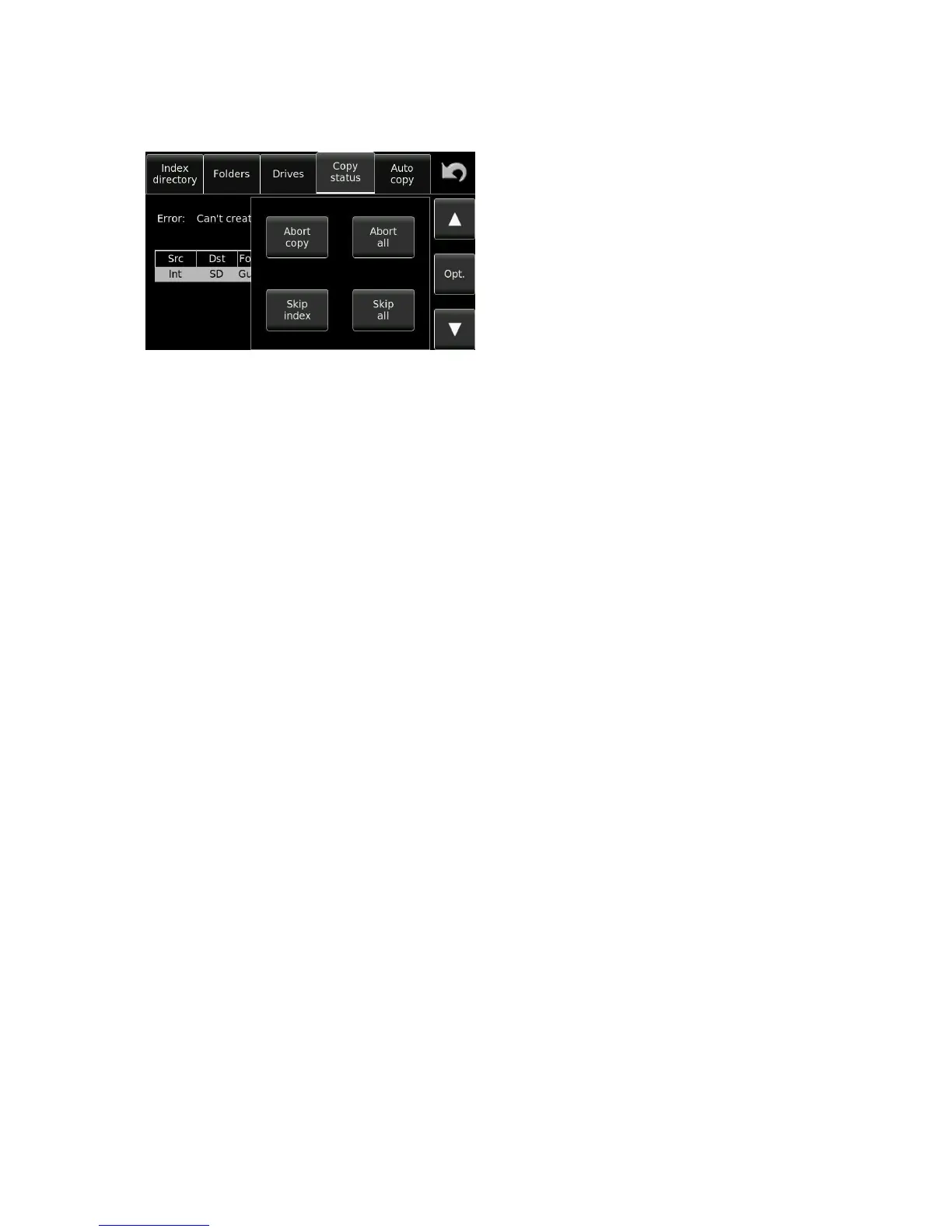
When a problem occurs with a copy, pressing the OPT key will provide a selection of related operations to be
performed.
Abort Remove the current copy list item and continue copying the
next copy list item (if any).
Abort all Stop the copy action and remove all additional items from
the copy list.
Skip Skip this index and continue with the next index.
Skip all
Skip all indexes of the current item in the list that pose a problem (such as
those that exist already in the destination folder).
The next two functions are only possible in event of the message “File already exists”
Overwrite Overwrite this index. The existing index on the destination disk is
deleted before the copy.
Overwrite all Overwrite all indexes of the current item in the list. Any existing index on
the destination disk is deleted before the copy. If another index of the
current list item already exists on the destination drive, it will be
automatically deleted and overwritten without warning.
The next function is available when the power to the Nagra Seven was lost prior to finishing a copy. This is the
only function possible in this case.
Retrieve Yes/No? This menu appears in the form of a pop-up when opening the copy status if
an error occurred during the last copy session.


 To Next Page