Chapter IV 71 March 2014
Set from Ext. / RTC
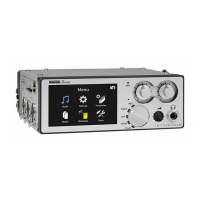
Selecting set from Ext. and pressing the Ext button sets the internal time code generator of the Nagra Seven to
the external time code signal connected to the LEMO connector. Selecting RTC and pressing the Ext button will
set the time code hours, minutes and seconds from the internal real time clock of the recorder, allowing a very
rapid TC setting. Naturally, it is assumed that the internal real time clock of the machine is also correctly set.
Reset TC
Pressing the Reset button the time code to 00:00:00:00. This will not reset the user bits of the time code
generator.
In assemble mode this will not set the internal generator, but will set the start time of the next recording, It is
not viewable on this screen but is shown on the main display in text mode.


 To Next Page