Chapter IV 81 September 2014
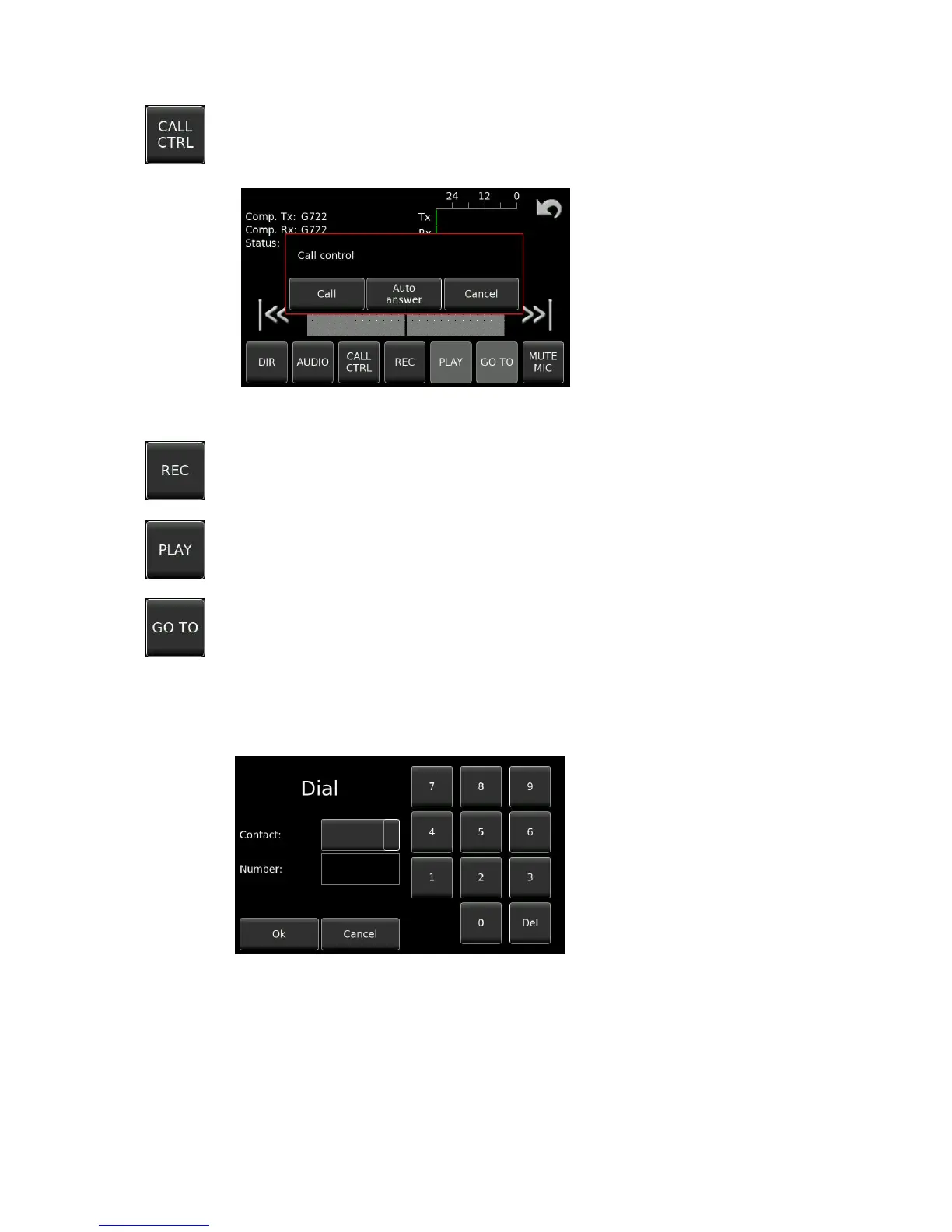
Opens the dial mode window allowing the user to set the recorder to accept incoming
I.S.D.N. call, wait for an incoming call and answer automatically or to allow a number to be
dialed.
The REC key is inactive (grey) until the I.S.D.N. connection has been made and the unit is in
the “On-Line” status when it turns black. When pressed it offers the choice to record
between TX, RX and TX+RX together.
The PLAY key is inactive (grey) until the I.S.D.N. connection has been made and the unit is in
the “On-Line” status when it turns black. Once active, it will play back the previously selected
file, indicated visually in the white window.
Allows the user to locate a particular sequence within an audio file for playback.
From the DIAL MODE screen a number can be entered in the “Dial a number” window,
Note that the Dial Mode button changes to Hang-up allowing the user to break the connection
.


 To Next Page
 Loading...