Chapter IV 88 March 2014
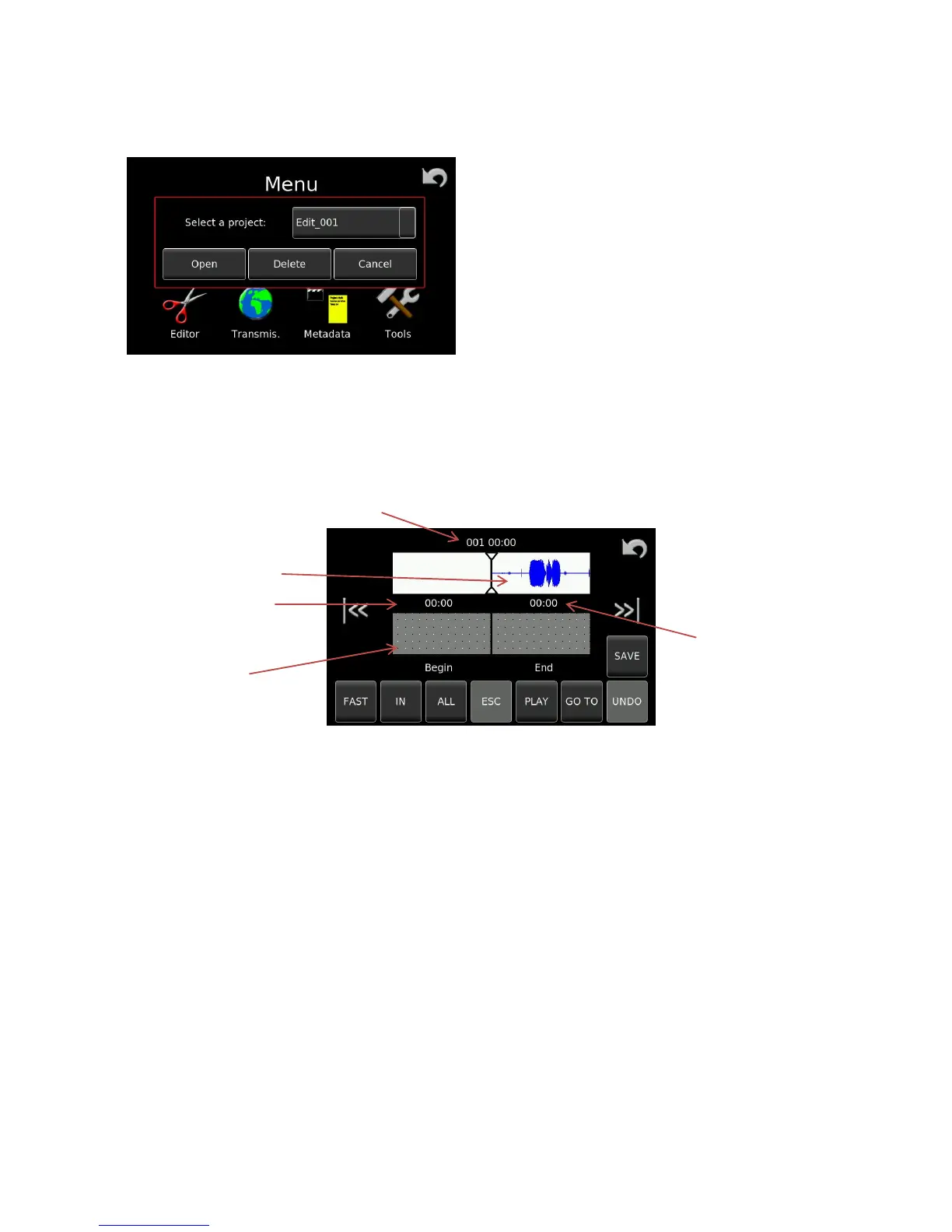
Pressing on Open Project will open the following screen:
When OK is selected the main editing screen (below) will be opened.
Overall description of the editing screen:
Current take number being edited / time from start of take
Audio to be edited
Time with respect
to start of source
material Total edit length
Edited portion
All the different areas and operations, as well as the software screen buttons and all editor functions available
are described in detail in the following pages.


 To Next Page