Chapter IV 94 September 2014
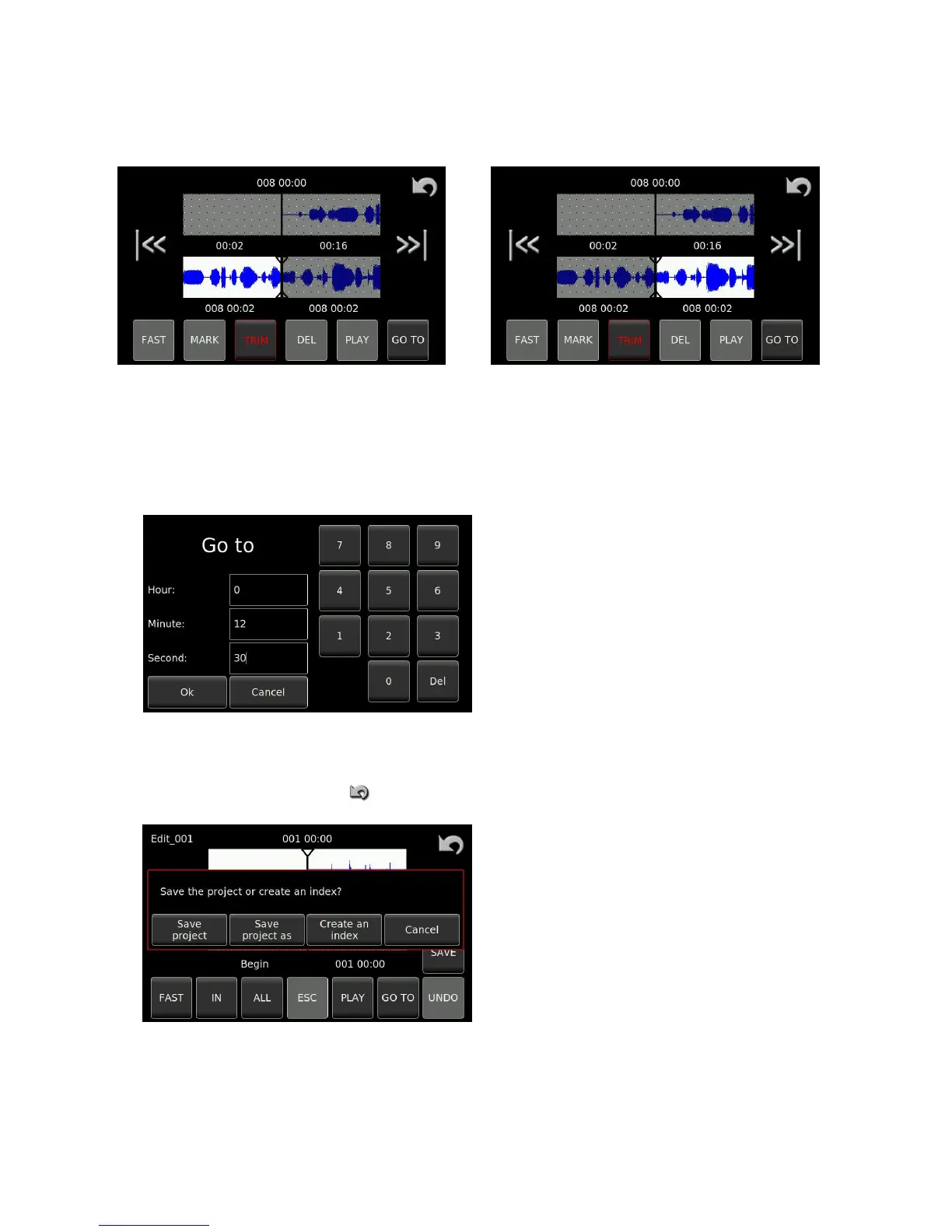
All the edit points can now be adjusted or “Trimmed” by selecting the desired point and then using the trim
function.
Trimming of the left edit point Trimming of the right edit point
The PLAY key can be used to listen to either of the tracks at any time.
The GOTO function can be used to quickly locate a specific section of audio in a long recording.
Simply enter the time of the audio portion and press
OK and the editor will immediately locate the
respective portion of the audio within the file.
Edit saving
Once editing is completed use the button to leave the editor to display the following screen:
This gives the user the option of saving the edit as a
new index, or to save the edit as a “Project” or an
edit decision list (EDL). Saving as an EDL allows the
use to return to the editing at a later time and
continue or alter the initial edits.


 To Next Page
 Loading...