16 17
JUICER JUICER
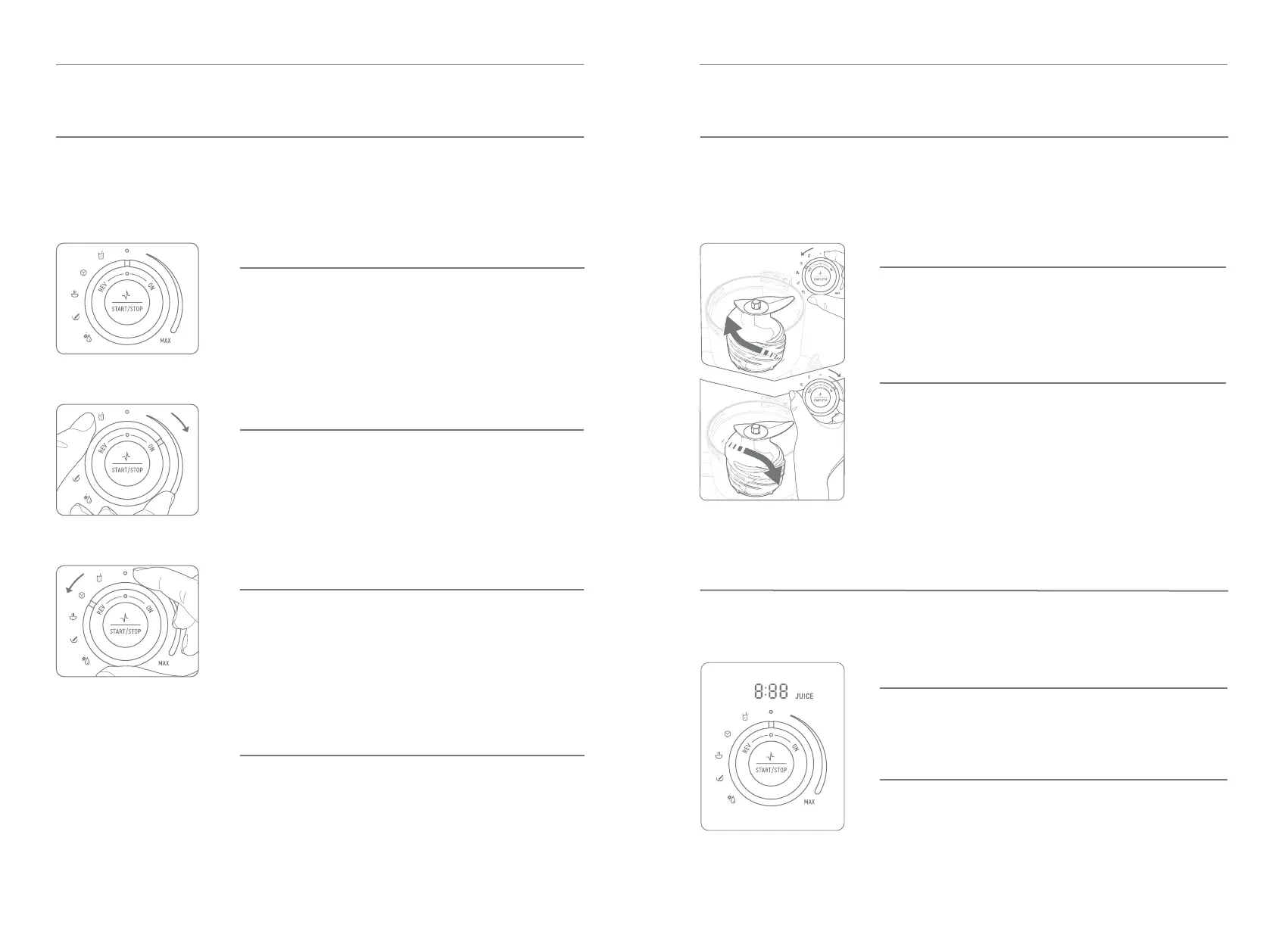
CONTROL KNOB AND DISPLAY
Ensure the juicer is OFF with control knob in Center - O position prior
to plugging in power cord to power outlet.
Using the Control Knob and REV if the juicer stops working.
Details illuminated when juicing.
WHEN JUICING
- JUICE is blinking
- 0:00 timer counts up
DURING STANDBY MODE
- JUICE is solid illumination
- Timer paused
STEP 1
Turn the control knob to REV. Press and hold Start/Stop button for
3-5 seconds then release. Repeat this 2-3 times. REV rotates the
auger in reverse direction to push the ingredients backwards to help
dislodge any ingredients that are stuck.
STEP 2
After completing REV step, and the machine stops completely, turn
the knob to ON and press Start/Stop button to start juicing again.
If the juicer does not work after these steps, turn control knob to
center position, unplug the juicer, then disassemble and clean the
chamber set parts before operating the juicer again.
Center - O
Stops the operation of the product.
To turn OFF and stop the operation of the juicer, turn the control
knob to center position.
ON
Starts the motor and makes juice.
Turn control knob to ON position and press Start/Stop button.
The timer will start counting up and JUICE will illuminate solid.
To stop, press the Start/Stop button or turn the control knob to
center position.
REV
Turns the auger in reverse if the juicer stops due
to a jam.
Turn control knob to REV position, press and hold the Start/Stop
button to turn the auger in reverse, release the button to stop.
STANDBY MODE
Pauses the juicer in standby mode during operation.
While the juicer is in operation, press the Start/Stop button to
pause and place juicer in standby mode.


 To Next Page