WWW.NANLITE.COM
23
SMART
CCT MODE
CH: 512
100%
DIM
5600K
CCT
SMART
CCT MODE
CH: 512
100%
DIM
5600K
CCT
SMART
CCT MODE
CH: 512
0%
DIM
5600K
CCT
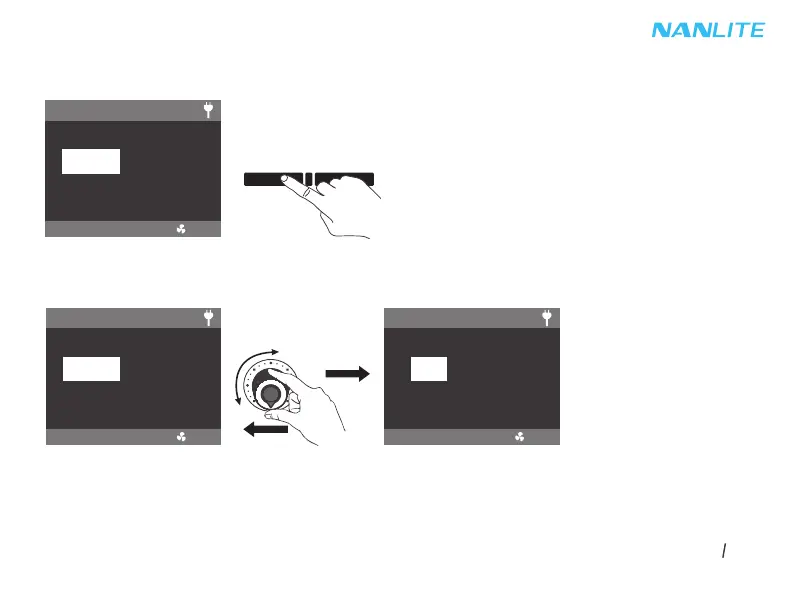
2.1 CCT Mode
Press the MODE button to switch to CCT mode.
①DIM Setting, Rotate the left knob clockwise to increase the brightness, rotate anticlockwise to decrease, the percentage
will be shown on the screen, DIM range: 0% -- 100%.
Note: In other modes, the DIM range is the same as that in CCT MODE. In any mode, press the left knob to turn off the
light, and the DIM percentage on the screen will be 0%. Press again to restore the fixture to its previous state.
Press continuously to switch the light betweeen on and off.
MODE MENU


 To Next Page
 Loading...