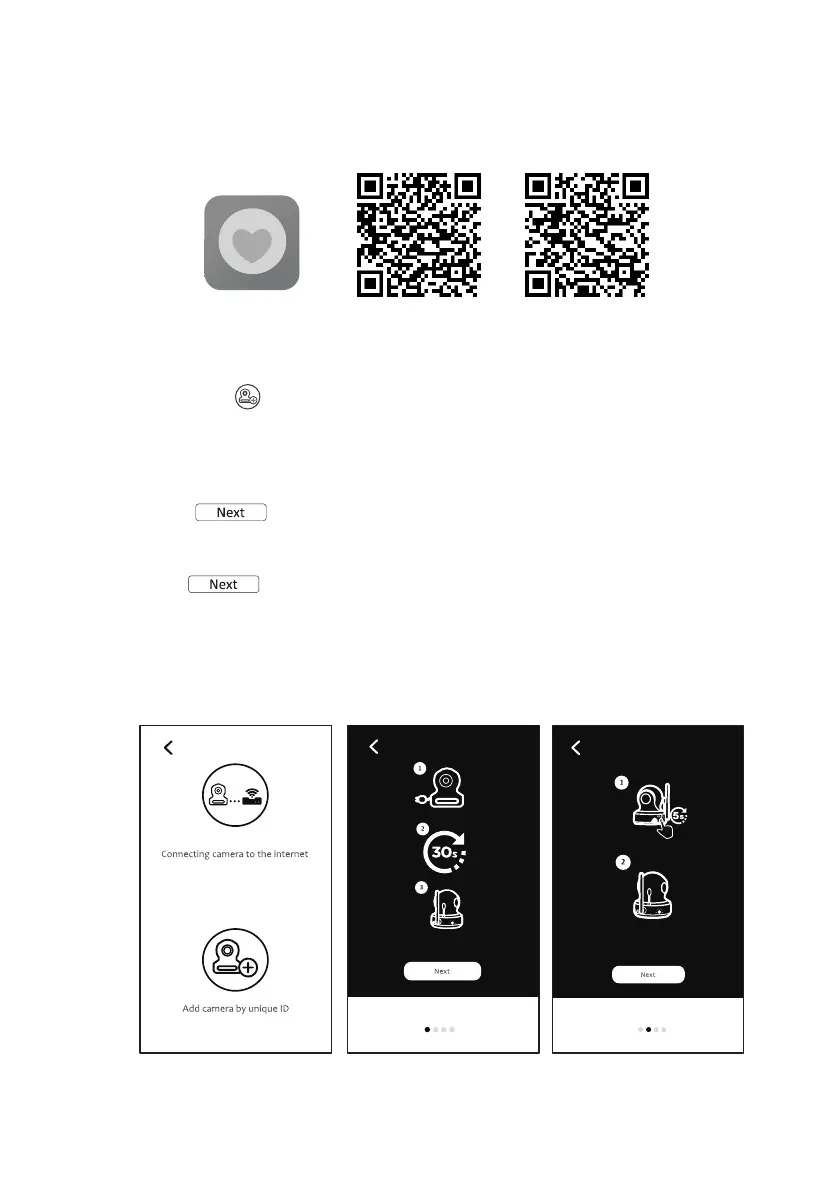
Download and run the APP
Android: Go to Google Play Store to search “Mini Nanny”and install.
iOS: Go to App Store to search“Mini Nanny”and install.
Add and connect camera wirelessly with your router
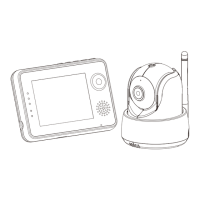
1. Tap icon to add camera. Tap connecting camera to the internet icon.
(See A1)
2. Plug one end of the provided power adapter into a wall outlet and the other
end into the camera.
3. The camera will be ready in 30 seconds.
4. Tap to next step. (See A2)
Press and hold PAIR button over 5 seconds until the LED indicator starts
green light blinking on the camera.
5. Tap to next step. (See A3)
Note 1: If your monitor is on, the monitor will disconnect and reconnect in 5
seconds.
Note 2: If camera was paired previously, pair the camera again will overwrite
the previous registration.
6.3
Android
iOS
6.4
Mini Nanny
A1 A2
A3
5


 To Next Page