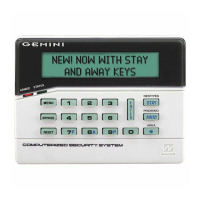
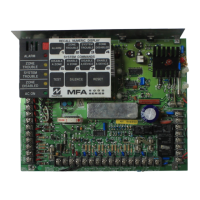
NAPCO Gemini C-Series Control Panel Programming Instructions--Volume 1
NAPCO Security Group
Programming Instructions, Volume 1 Page 17
OVERVIEW -- KEYPAD PROGRAMMING MODES
ZONES FAULTED
02 BACK DOOR
BYPASSED
BYPASSED
BYPASSED
02 BACK DOOR
Only persons with authority may "unlock" the GEMC-FK1 Fire keypad, allowing them to
view and affect changes to the Fire alarm system. One example may include a fireman
responding to a Fire alarm at the premises, and needing to silence a bell. Another ex-
ample may include a school principal or school teacher initiating a Fire drill. This author-
ity is determined by the use of one of the following codes. Note: Some systems substi-
tute the use an optional "momentary-on" key switch mounted adjacent to the GEMC-
FK1 Fire keypad in place of a code. If the keypad is locked, any attempt to view or alter
the system status will cause the keypad to momentarily display "KEYPAD LOCKED EN-
TER CODE", and then return to the previous display.
Unlocking the Keypad
Enter one of the following codes and press ENTER (see the section "SECURITY, PRO-
GRAM & USER CODES" for a complete description of each code):
Master Security Code - Entering this factory-programmed code at the GEMC-
FK1 Fire keypad will unlock the keypad and provide access to ALL system func-
tions.
Dealer Keypad Program Code - This code allows the same access to pro-
gramming functions as the Master Security Code. This code is left blank in the con-
trol panel memory at the factory and may be added by the dealer (in possession of
the Master Security Code).
Fire User Code - This code is pre-programmed at the factory as "123", and is typi-
cally used by a person in authority to control the system after an alarm. For exam-
ple, after arriving at the premises, a fireman will need to access the system, investi-
gate the number of alarms that occurred, determine the part of the system that was
affected, view events in the Fire log, etc.
Note: Some systems may use a key switch mounted adjacent to the keypad in
place of a code. After approximately 5 minutes of no activity at the keypad, the keypad
will automatically re-lock. Subsequent system interaction will require the system to be
unlocked again. Once the keypad is unlocked, you may enter the Function Menu, as
described on the following pages. Note: If the feature "Keypad 1 Always Unlocked for
User Functions" is enabled, Fire Keypad #1 will remain unlocked continually. See the
Installation instructions Fire Glossary entry for this feature and "All Keypads Unlocked
KEYPAD LOCKED
ENTER CODE
SYSTEM NORMAL
11/01/14 12:05 AM
UNLOCKING THE FIRE KEYPAD
KEYPAD UNLOCKED
Although the Gemini C-Series control panels MUST be pro-
grammed and error checked by PCD-Windows Quickloader
download software before being placed in operation, the key-
pads alone offer the ability to program certain utility functions
without the use of a computer. For Fire only and Fire/Burglary
Combination systems, the GEMC-FK1 Fire keypad must be
"unlocked" before these keypad modes can be accessed. In
general, the sections listed below outline the pages that follow:
How to unlock the Fire keypad
Function Menu (Fire Keypad)
"Dealer Program Mode"
Enter the Function Menu using a Dealer Keypad
Program Code, and scroll to "CF DEALER PROG
MODE". Allows all selections.
"User Program Mode"
Enter the Function Menu using a Fire User Code,
and scroll to "Enable (Change User Code)" to
allow Fire User Codes to be changed.
Function Menu (Burg Keypad)
"Dealer Program Mode"
Enter the Function Menu using a Dealer Keypad
Program Code, and scroll to "Activate Pro-
gram". Allows all selections.
"User Program Mode"
Enter the Function Menu using a Burg User Code,
and scroll to "Enable (Change User Code)" to
allow Burg User Codes to be changed.
Keypad Configuration Mode
GEMC-FK1 Fire Keypad, shuts down the Fire system.
Keypad Configuration Mode
("Burg Service Mode") GEMC-BK1 Burglary Keypad.



 To Next Page
 Loading...