NAPCO Security Group
NAPCO Gemini C-Series Control Panel Programming Instructions--Volume 1
Page 6 Programming Instructions, Volume 1
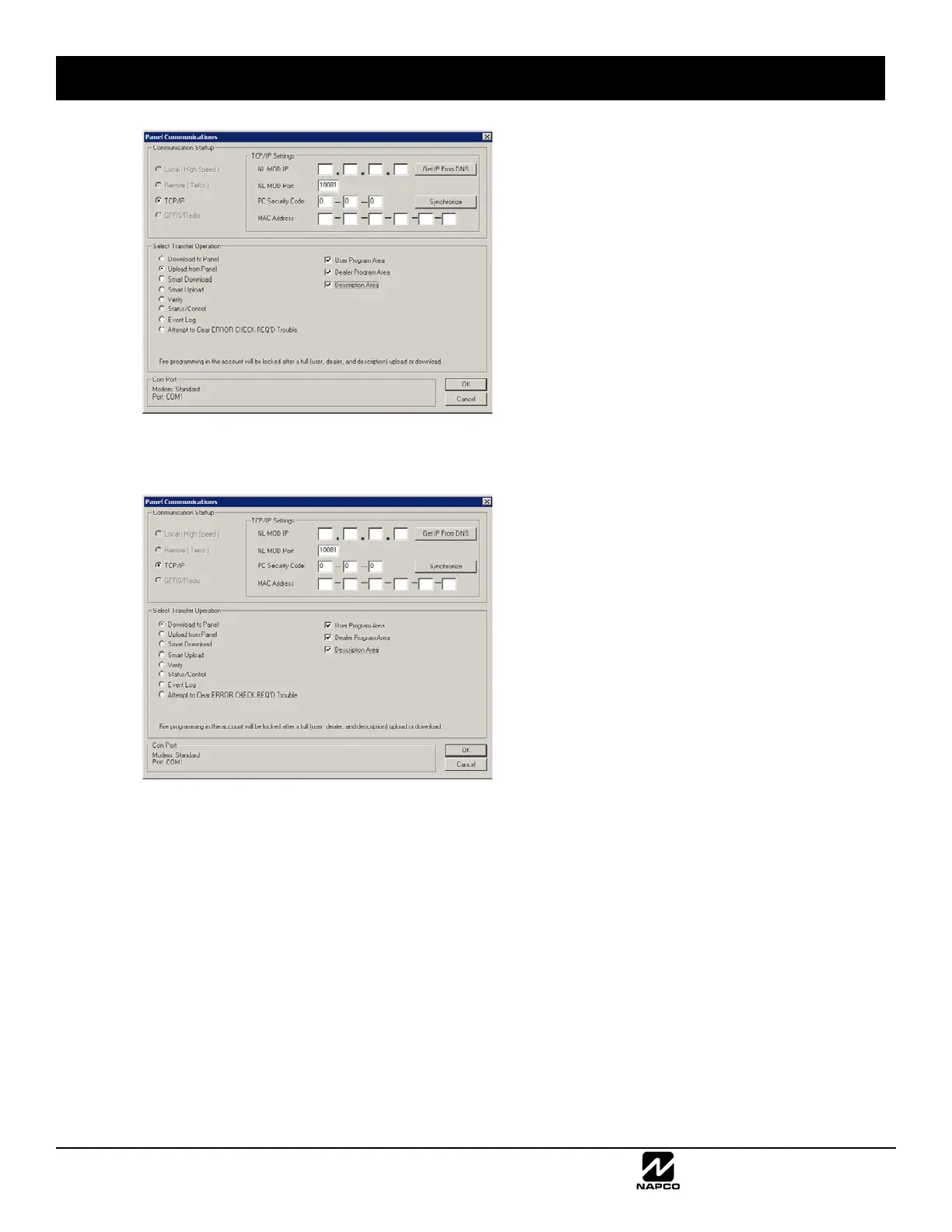
A full download operation means the User Program Area, Dealer Program Area and Description Area selections
are all checked, as shown in the following image:
With a Smart Upload operation, before the upload operation is performed, Quickloader compares the account pro-
gramming to the existing control panel programming. Only if they differ will the upload operation proceed.
With a Smart Download operation, Quickloader will first compare the original account programming to the existing
control panel programming. If they match, the new changes are downloaded to the panel; if they differ, selected pan-
el programming areas are first uploaded into Quickloader, then Quickloader downloads the new changes to the pan-
el. If the Quickloader account is Locked, the same comparison operation is performed (compares the original ac-
count programming to the existing control panel programming). If they match, the new Burglary changes are down-
loaded to the panel; if they differ, the operation aborts.
Locked Account Mismatch
When Quickloader indicates the account is Locked, most of the time you may assume the account and the panel pro-
gramming are identical; although every effort is made to ensure the reliability of this system, some situations may
arise that will cause a mismatch.
REMOTE DOWNLOADING RULES (CONT'D)



 To Next Page
 Loading...