W415-1146 / A / 02.16.13
47
EN
10.4 BURNER REMOVAL
10.4.1 LOG BURNER REMOVAL (HD4ST AND HD4P ONLY)
A. Remove the door(s) refer to the "DOOR REMOVAL/INSTALLATION" section for instructions.
B. Vacuum the glass media out of the appliance. Ensure you insert a clean bag into your vacuum cleaner.
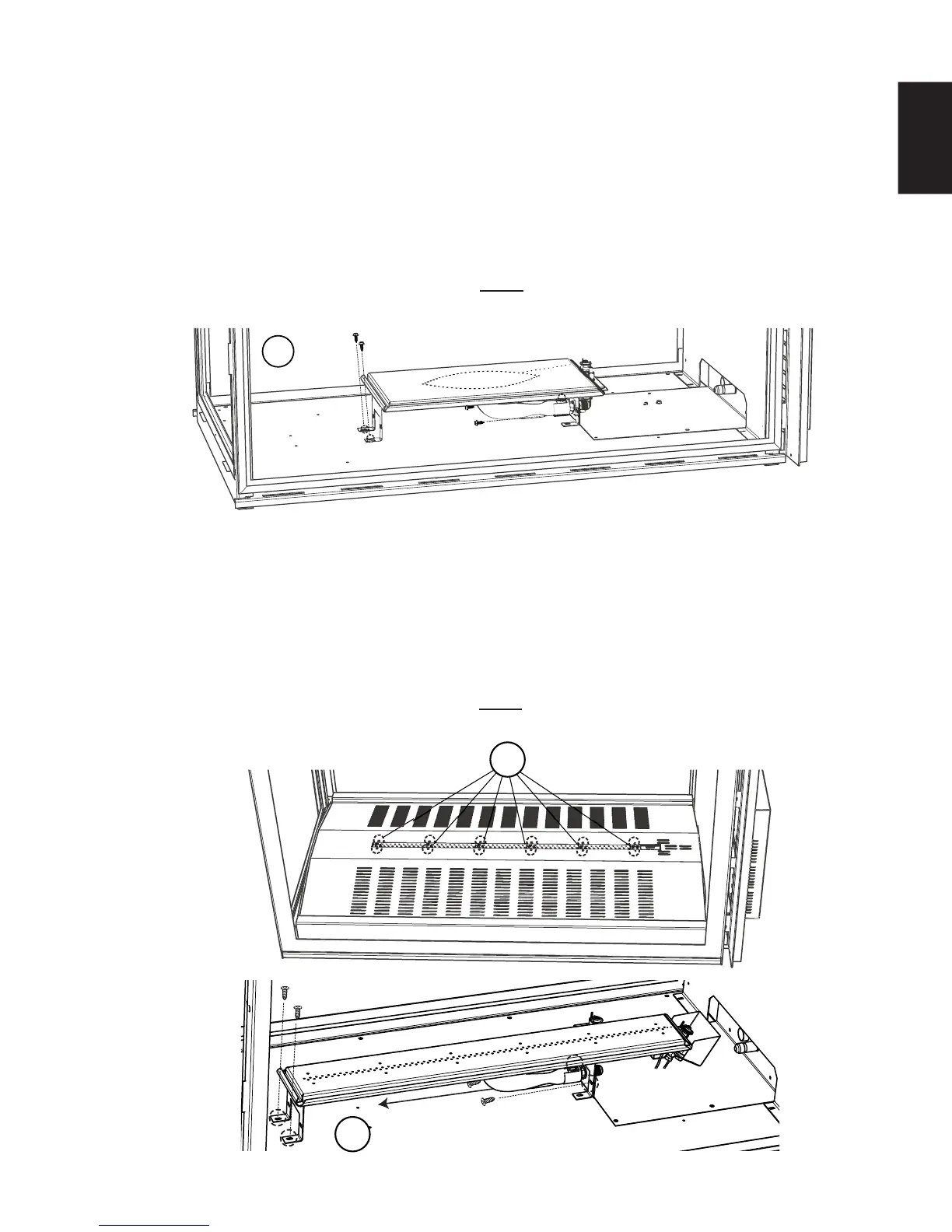
C. Remove the 12 screws securing the media tray, then remove the media tray from the appliance, as
shown below.
D. Remove the 4 screws securing the burner, as shown below. Then slide the burner off of the orifi ce and
remove from the appliance.
E. To reinstall the burner reverse these steps. NOTE: When reinstalling the burner ensure that the
venturi rests on the orifi ce.
D
C
A. Remove the door(s) refer to the "DOOR REMOVAL/INSTALLATION" section for instructions.
B. Carefully remove the logs from the appliance.
C. Remove all of the hearth pads, from the appliance. Refer to the "HEARTH PAD INSTALLATION/
REMOVAL" section for instructions.
D. Remove the 4 screws securing the burner in place. Then slide the burner off the the orifi ce and remove
from the appliance.
E. To reinstall the burner reverse these steps. NOTE: When reinstalling the burner ensure that the
venturi rests on the orifi ce.
D
10.4.2 GLASS BURNER REMOVAL (HD4STG AND HD4PG ONLY)







 To Next Page