11
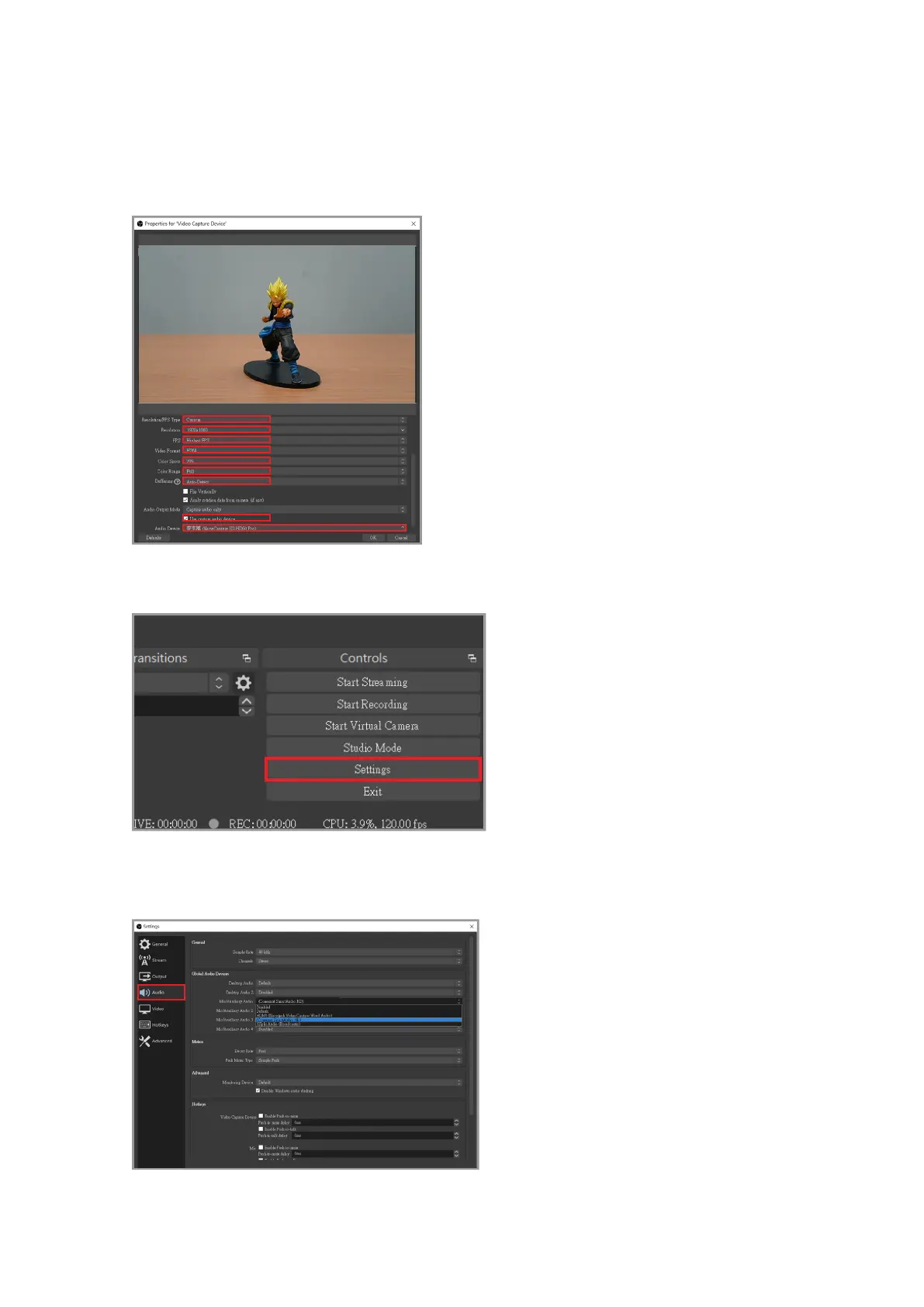
Scroll down in order to change the Resolution/FPS Type to Custom, and then adjust the
resolution according to your personal preferences. Afterwards tick the "Use custom audio
device" option and the audio device option should appear below, select "Digital Audio
Interface” and set it to (NarviCapture U2 HD Pro Audio).
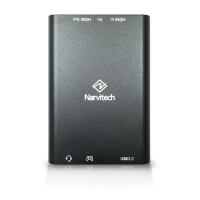
After that, go back to the main screen and click "Settings" in the bottom right corner.
Click on "Audio" in the menu on the left. The desktop audio is the audio source of the PC,
and the microphone/auxiliary is the audio source of the external device.



 To Next Page