EasyManua.ls Logo

National Instruments 636 Series - User Manual

National Instruments 636 Series
278 pages
Print Icon
To Next Page IconTo Next Page
Loading...
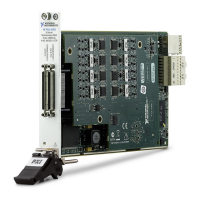
PXIe-6361

Table of Contents

Questions and Answers

  • T
    Tina BrownAug 11, 2025
    Why am I seeing crosstalk when sampling multiple channels with National Instruments Data Loggers?
    • F
      frogersAug 11, 2025
      Crosstalk or ghost voltages during multi-channel sampling can occur due to charge injection. To resolve this, use a voltage follower with operational amplifiers (op-amps) with unity gain for each high-impedance source before connecting to an X Series device. Also, decrease the sample rate for each channel. If you are sampling among multiple channels at various gains, refer to the Multichannel Scanning Considerations section of Chapter 4, Analog Input.
  • S
    sean73Aug 20, 2025
    What to do if my National Instruments Data Logger readings are random and drift rapidly in differential analog input ground-reference mode?
    • M
      Michael EllisAug 20, 2025
      If you observe random and drifting readings while using your device in differential analog input ground-reference mode, first check the ground-reference connections. Also, ensure that the signal is referenced to the same ground level as the device reference.
  • L
    Loretta SmithAug 30, 2025
    How to minimize glitches on the output signal of National Instruments 636 Data Loggers?
    • J
      joseph10Aug 30, 2025
      Glitches on the output signal can be minimized by building a lowpass deglitching filter to remove some of the released charges.

National Instruments 636 Series Specifications

General IconGeneral
BrandNational Instruments
Model636 Series
CategoryData Loggers
LanguageEnglish

Related product manuals