ViewingNetworkSettings
ToviewnetworksettingsforaserialENETinterface,completethe
followingsteps:
1. LaunchMAX.
2. SelectTools»NI-Serial»EthernetDeviceConfiguration.
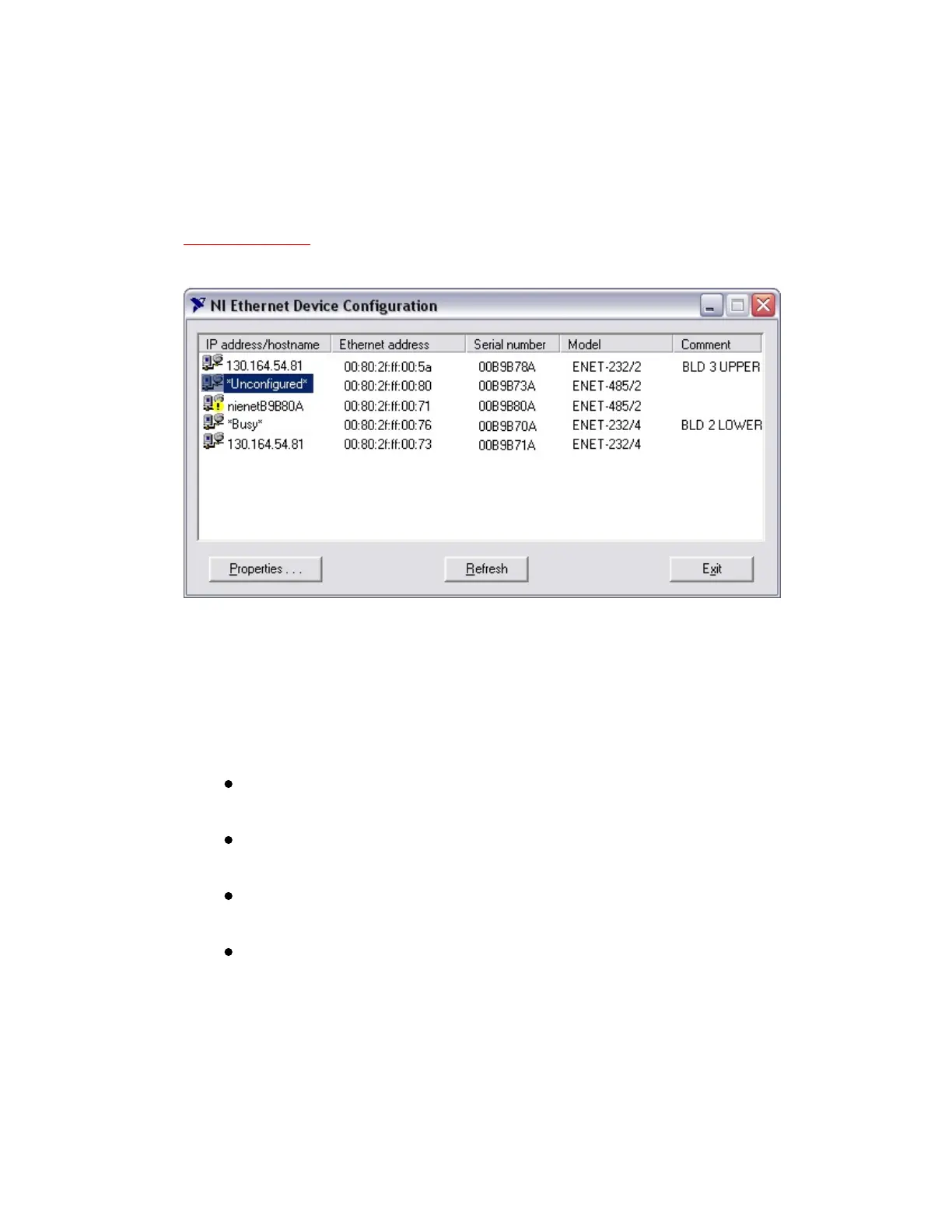
NIEthernetDeviceConfigurationUtility
3. TheNIEthernetDeviceConfigurationutilitydisplaysalistof
devicesfoundonyoursubnet,sortedbymodel.Youcanidentify
yourdevicebytheEthernetaddressortheserialnumberfound
onthebaseplatelabel.Thelisteddevicescanbeinoneoffour
possiblestates,asindicatedintheIPaddress/hostnamecolumn:
AhostnameindicatesDHCPhassuccessfullyconfigured
thedevice.
AnumericalIPaddressindicatesthedevicehas
successfullybeenconfiguredwithastaticIPaddress.
*Unconfigured*indicatesthedeviceisconfiguredtouse
DHCP,butDHCPfailedtoattainnetworkparameters.
*Busy*indicatesthedeviceisconfiguredtouseDHCPand
currentlyisattemptingtoacquirenetworkparameters.
4. TheNIEthernetDeviceConfigurationutilityautomaticallyverifies
thatthehostnameforeachDHCP-enableddevicematchesthe
DNSentryfortheassignedIPaddress.Thisverificationprocess
automaticallyoccurswhenyoueitherruntheutilityorclick



 To Next Page
 Loading...




