NI VirtualBench Calibration Procedure | © National Instruments | 45
• Amplitude—Supplied from the output of MSO Get Compensator Attenuation
Calibration Adjustment Points
• Frequency—Supplied from the output of MSO Get Compensator Attenuation
Calibration Adjustment Points
10. Repeat steps 7 to 9 for each adjustment point.
11. Disconnect the function generator. Connect VirtualBench channel 1 to the oscilloscope
calibrator active head, as shown in Figure 25.
Figure 25. Oscilloscope Gain Channel 1 Connection Diagram
12. Call MSO Get Range Calibration Adjustment Points. This will return
two arrays:
• Range—A numerical array specifying the range being calibrated
• Adjustment Point—A numerical array specifying the DC voltage required to perform
the adjustment
13. Use the oscilloscope calibrator to generate a DC voltage with the adjustment point supplied
from the output of MSO Get Range Calibration Adjustment Points.
14. Wait 5 seconds.
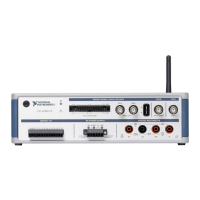
1 VirtualBench Oscilloscope 2 Oscilloscope Calibrator 3 Oscilloscope Calibrator Active Head


 To Next Page
 Loading...