EasyManua.ls Logo

National 111 - User Manual

National 111
7 pages
Print Icon
To Next Page IconTo Next Page
Loading...
National Optical & Scientific Instruments Inc.
6508 Tri-County Parkway
Schertz, Texas 78154
Phone (210) 590-9010 Fax (210) 590-1104
INSTRUCTIONS FOR
MODEL 111
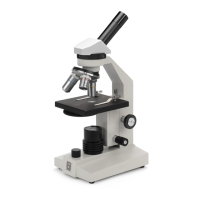
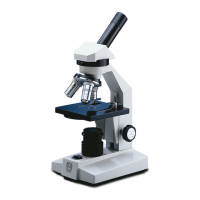
COMPOUND MICROSCOPE
Copyright © 1/2/01
National Optical & Scientific Instruments, Inc.

Questions and Answers

  • A
    Amanda DunnJul 27, 2025
    Why is the image not sharp on my National 111?
    • C
      Cheryl MathewsJul 27, 2025
      If the image from your National Microscope isn't sharp, it might be due to dirty objective lenses. Try cleaning them. Alternatively, the eyepiece lens could be dirty, so clean those as well. Also, too much light can cause this issue; adjust the disc diaphragm to reduce the light.
  • S
    Stephen CruzAug 3, 2025
    How to fix a National 111 Microscope when the light fails to operate?
    • H
      hgomezAug 3, 2025
      If the light on your National Microscope fails to operate, first ensure the AC power cord is properly plugged into the outlet. If it is, the outlet itself might be inoperative, so have a qualified technician repair it. The lamp might also be burned out, requiring a replacement. Lastly, check that the disc diaphragm is correctly positioned; turn it until it clicks into place to allow the light source to pass through.
  • B
    bradley45Aug 10, 2025
    What to do if there are spots in the field of view of my National 111 Microscope?
    • J
      Jeffrey DrakeAug 10, 2025
      If you see spots in the field of view of your National Microscope, it is likely due to a dirty eyepiece lens. Try cleaning it. It could also be a dirty specimen slide, so make sure to clean the slide as well.
  • M
    Matthew WhiteAug 19, 2025
    Why image does not remain in focus on National Microscope?
    • M
      Miranda JohnsonAug 19, 2025
      If the image of your National Microscope does not remain in focus, the stage might be dropping due to its own weight. Try adjusting the tension control to stabilize it.

Summary

Introduction and Component Identification

Unpacking the Microscope

Instructions on safely removing the microscope from its packaging.

Description of Microscope Components

Detailed explanation of each part of the microscope.

Microscope Operation

Microscope Placement and Power

Guidance on positioning the microscope and connecting power.

Specimen Placement and Focusing

Steps for placing slides and achieving initial focus.

Adjusting Illumination

How to use the disc diaphragm for optimal image sharpness.

Changing Magnification

Instructions on switching between different objective lenses.

Maintenance and Troubleshooting

Optical Maintenance

Guidelines for cleaning and maintaining optical components.

Mechanical Maintenance

Procedures for adjusting mechanical parts like rack stop and tension.

Electrical Maintenance

Procedures for maintaining electrical components, including bulb replacement.

Troubleshooting Procedures

A guide to identifying and resolving common microscope problems.

National 111 Specifications

General IconGeneral
BrandNational
Model111
CategoryMicroscope
LanguageEnglish

Related product manuals