EasyManua.ls Logo

National 156 - User Manual

National 156
7 pages
Print Icon
To Next Page IconTo Next Page
Loading...
National Optical & Scientific Instruments Inc.
6508 Tri-County Parkway
Schertz, Texas 78154
Phone (210) 590-9010 Fax (210) 590-1104
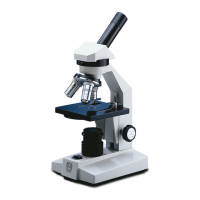
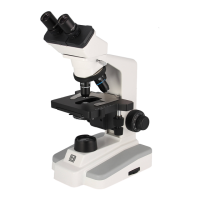
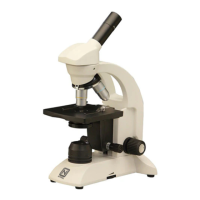
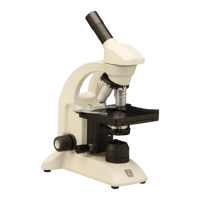
INSTRUCTIONS FOR MODELS
156, 156-S, 157
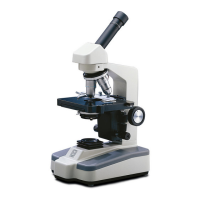
COMPOUND BIOLOGICAL MICROSCOPES
Copyright © 1/2/01
National Optical & Scientific Instrument Inc.

Questions and Answers

  • C
    Corey EvansJul 27, 2025
    Why does the light fail to operate on my National 156?
    • G
      Gregory SantiagoJul 27, 2025
      The light may fail to operate on your National Microscope due to several reasons. It could be that the outlet is inoperative, requiring a qualified service technician to repair it. Alternatively, the AC power cord might not be properly connected, so ensure it's plugged into the outlet. A burned-out lamp or a blown fuse (0.5 amp time delay 5mm dia. X 20mm long) could also be the cause, requiring replacement.
  • K
    kruegercharlesAug 1, 2025
    How to fix poor resolution on National 156 Microscope?
    • C
      christopher26Aug 1, 2025
      If you're experiencing poor resolution with your National Microscope, the objective lenses or eyepiece lens might be dirty. Try cleaning the objective lenses and eyepiece lenses to resolve the issue.
  • L
    Lisa AdamsAug 7, 2025
    What to do if there are spots in the field of view of my National 156?
    • F
      foxmelissaAug 7, 2025
      If you notice spots in the field of view while using your National Microscope, it's likely that the eyepiece or condenser lens is dirty, or the specimen slide is dirty. Try cleaning the lens or the slide.
  • G
    Gail GeorgeAug 13, 2025
    Why will my National 156 image not focus?
    • M
      melissacarneyAug 13, 2025
      If the image on your National Microscope will not focus, it could be due to several reasons. The rack stop might not be set at the proper position, so try adjusting it. Also, check that the slide is placed on the stage with the cover slip up, and ensure that the slide cover slip is 0.17mm thick (No.1 cover slip).
  • D
    dave55Aug 19, 2025
    How to keep image in focus on National Microscope?
    • K
      Kevin LopezAug 19, 2025
      If the image on your National Microscope does not remain in focus, it might be because the stage of the microscope drops from its own weight. You can adjust the tension control to resolve this.

Summary

Introduction

Unpacking Microscope Components

156 Monocular Unpacking

Lists components for unpacking the Model 156 monocular microscope.

156-S Monocular Unpacking

Lists components for unpacking the Model 156-S monocular microscope.

157 Binocular Unpacking

Lists components for unpacking the Model 157 binocular microscope.

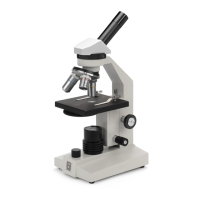
Description of Microscope Components

Eyepiece Description

Describes the eyepiece as the lens closest to the eye, magnifying the primary image.

Objective Turret Description

Revolving turret holding objective lenses for magnification changes.

Objective Lens Description

Lens closest to the object, forming the first magnified image.

Mechanical Stage Description

Allows precise, mechanical manipulation of the specimen slide.

Stage Description

Platform where the specimen slide is placed.

Condenser Description

Condenses light rays from illumination to improve image resolution.

Iris Diaphragm Description

Controls aperture of light by moving a control lever.

Safety Rack Stop Description

Controls upward stage travel to prevent damage to objectives or slides.

Focusing Knobs Description

Coarse and fine knobs for raising/lowering the stage to focus.

Illumination Description

Built-in substage electric illuminator providing constant illumination.

Microscope Operation Guide

Illumination Operation

Instructions for plugging in and turning on the microscope's light source.

Binocular Head Interpupillary Adjustment

Adjusting the distance between eyepiece tubes for binocular viewing.

Microscope Focusing Procedure

Steps for bringing the specimen into focus using objective lenses.

Iris Diaphragm Aperture Adjustment

Adjusting the iris diaphragm for optimal light aperture.

Blue Filter Usage

Guidance on using the provided blue filter to enhance images.

Magnification Changing Procedure

Instructions for rotating the nosepiece to change objective lenses.

Microscope Maintenance Procedures

Optical Maintenance Procedures

Procedures for cleaning lens surfaces without disassembly.

Mechanical Maintenance Procedures

Adjusting mechanical components like rack stop and focus tension.

Metal Parts Cleaning

Cleaning dust and dirt from metal exterior parts.

Electrical Maintenance Procedures

Guidance on replacing the microscope bulb and fuse.

Troubleshooting Guide

Optional Accessories and Parts

Limited Lifetime Warranty

National 156 Specifications

General IconGeneral
EyepiecesWF10x/18mm
Optical SystemFinite
Objectives4x, 10x, 40x
HeadMonocular
IlluminationLED
Magnification40x, 100x, 400x
Focusing SystemCoaxial coarse and fine

Related product manuals