EasyManua.ls Logo

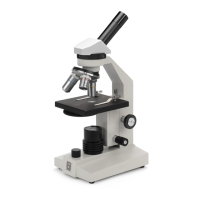
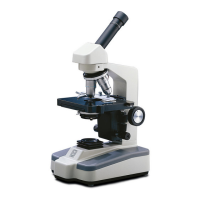
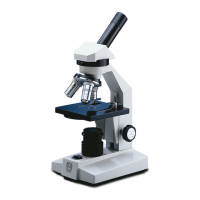
National 131 - User Manual

National 131
6 pages
Print Icon
To Next Page IconTo Next Page
Loading...
National Optical & Scientific Instruments Inc.
6508 Tri-County Parkway
Schertz, TX 78154
Phone (210) 590-9010 Fax (210) 590-1104
INSTRUCTIONS FOR
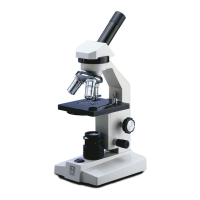
MODELS 131, 132, 131-CLED & 132-CLED
COMPOUND MICROSCOPES
NOTE: These models share common features, nomenclature and
method of operation. The only difference are…
Models 131 & 132 feature electric illumination from a
tungsten bulb.
Models 131-CLED & 132-CLED feature electric illumination from a
LED bulb.
Models 132 & 132-CLED have both 30° inclined and vertical
eyepiece tubes, each supplied with WF10x
eyepiece.
Copyright © 1/2/01
National Optical & Scientific Instrument Inc.

Questions and Answers

  • S
    sophia56Jul 27, 2025
    What to do if the light fails to operate on my National Microscope?
    • M
      mmclaughlinJul 27, 2025
      If the light on your National Microscope (131/132-CLED models) isn't working, several factors could be responsible. First, ensure the microscope is properly plugged into a working outlet; if the outlet is inoperative, have a qualified technician repair it. If the power cord is connected, the lamp or LED bulb might have burned out and needs replacement. Finally, check the fuse; a blown fuse will also prevent the light from operating, so replace it if necessary.
  • A
    Ashley AndersonAug 2, 2025
    How to improve poor resolution on National 131 Microscope?
    • J
      John JohnsonAug 2, 2025
      If the image through your National Microscope is not sharp, the objective lenses or eyepiece lens may be dirty and need cleaning. Also, too much light can cause poor resolution, so try adjusting the disc diaphragm.
  • B
    Brittany LopezAug 7, 2025
    Why image will not focus on National 131?
    • J
      John DickersonAug 7, 2025
      If the image on your National Microscope will not focus, there are a few potential causes. First, the rack stop might not be set correctly, so try adjusting it. Also, check that the slide isn't upside down; the cover slip should face up. Finally, an overly thick slide cover slip can prevent proper focusing; use a 0.17mm thick cover slip (No.1 cover slip).
  • K
    Kirsten HallAug 14, 2025
    How to remove spots in field of view of National 131?
    • J
      Jessica SharpAug 14, 2025
      If you're seeing spots in the field of view of your National Microscope, it's likely due to a dirty eyepiece, condenser lens, or specimen slide. Try cleaning the lens or slide to resolve the issue.
  • M
    Mitchell WalkerAug 19, 2025
    What to do if image does not remain in focus on National Microscope?
    • S
      savannahlaneAug 20, 2025
      If the image on your National Microscope won't stay in focus, and the stage drops from its own weight, try adjusting the tension control.

Summary

Instructions for Compound Microscopes

Tungsten Bulb Illumination (Models 131 & 132)

Details on electric illumination from a tungsten bulb for specific microscope models.

LED Illumination (Models 131-CLED & 132-CLED)

Details on electric illumination from an LED bulb for specific microscope models.

Dual Head Eyepiece Configuration (Models 132 & 132-CLED)

Describes the 30° inclined and vertical eyepiece tubes on dual head models.

Unpacking and Initial Setup

Unpacking Procedures

Steps for safely removing the microscope from its packaging and handling.

Component Descriptions

Detailed explanation of each part of the microscope and its function.

Operating Instructions

Guidance on initial setup and basic operation of the microscope.

Microscope Operation and Magnification

Power and Focus Adjustment

Steps for connecting power, focusing, and adjusting stage and diaphragm.

Changing Magnification

Procedure for switching between different objective lenses and understanding magnification effects.

Diopter Adjustment for Dual Heads

How to adjust the diopter for clear viewing with dual head models.

Maintenance and Troubleshooting

Optical Maintenance

Guidelines for cleaning lenses and maintaining optical clarity.

Mechanical Maintenance

Procedures for adjusting rack stop and focus tension.

Electrical Maintenance

Instructions for replacing bulbs and fuses.

Troubleshooting Common Issues

Solutions for problems like light failure, focus issues, and poor resolution.

Optional Accessories and Warranty

Optional Accessories and Parts

List of available accessories and replacement parts for the microscopes.

Limited Lifetime Warranty

Information regarding the warranty coverage and details.

National 131 Specifications

General IconGeneral
BrandNational
Model131
CategoryMicroscope
LanguageEnglish

Related product manuals