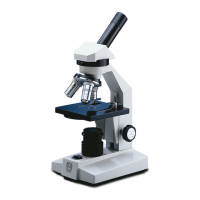
How to fix poor resolution on National 400?
- KKatrina RichardsonJul 27, 2025
If the image in your National Microscope is not sharp, it could be due to dirty lenses. Try cleaning the objective lenses or the eyepiece lenses to improve the resolution.
How to fix poor resolution on National 400?
If the image in your National Microscope is not sharp, it could be due to dirty lenses. Try cleaning the objective lenses or the eyepiece lenses to improve the resolution.
What to do if I see spots in the field of view of my National 400?
If you notice spots in the field of view while using your National Microscope, it could be due to a dirty eyepiece lens. Try cleaning the eyepiece lenses. It is also recommended to have a service technician clean inside the lens.
Why is the light not working on my National 400?
If the light on your National Microscope (TL & TBL models only) fails to operate, several issues could be at fault. Here are a few things to try: * Ensure the microscope is plugged into an outlet. * Replace the lamp. * Replace the fuse. If these steps don't resolve the issue, have a qualified service technician repair the outlet.
Lists the specific model numbers covered by the instructions.
Guidance on safely removing and setting up the microscope components.
Explains how to use the microscope and determine magnification.
Details on using built-in and optional lighting for different viewing needs.
Instructions on selecting and positioning stage plates for optimal contrast.
Steps for installing an optional penlight illuminator accessory.
How to adjust eyepiece spacing for comfortable viewing.
Procedures for initial focusing and diopter adjustment for clear images.
Guidelines for cleaning lens surfaces without damage.
Instructions for adjusting focus tension and cleaning metal parts.
Procedures for replacing bulbs and fuses in illuminated models.
Identifies problems and provides solutions for microscope malfunctions.
Lists available parts and accessories to enhance microscope functionality.
Details the terms and duration of the microscope's limited warranty.
Lists the specific model numbers covered by the instructions.
Guidance on safely removing and setting up the microscope components.
Explains how to use the microscope and determine magnification.
Details on using built-in and optional lighting for different viewing needs.
Instructions on selecting and positioning stage plates for optimal contrast.
Steps for installing an optional penlight illuminator accessory.
How to adjust eyepiece spacing for comfortable viewing.
Procedures for initial focusing and diopter adjustment for clear images.
Guidelines for cleaning lens surfaces without damage.
Instructions for adjusting focus tension and cleaning metal parts.
Procedures for replacing bulbs and fuses in illuminated models.
Identifies problems and provides solutions for microscope malfunctions.
Lists available parts and accessories to enhance microscope functionality.
Details the terms and duration of the microscope's limited warranty.
| Magnification | 40x, 100x, 400x |
|---|---|
| Objective Lens | 4x, 10x, 40x |
| Eyepiece | 10x widefield |
| Illumination | LED |
| Focusing System | Coarse and Fine Focus Knobs |
| Power Supply | AC adapter |
Loading...