EasyManua.ls Logo

National 167 Series - User Manual

National 167 Series
39 pages
Print Icon
To Next Page IconTo Next Page
Loading...
National Optical & Scientific Instruments Inc.
6508 Tri-County Parkway
Schertz, Texas 78154
Phone (210) 590-9010 Fax (210) 590-1104
INSTRUCTIONS FOR
167, 168, 169, DC20-169, and 169-BTW1 Series
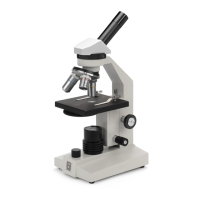
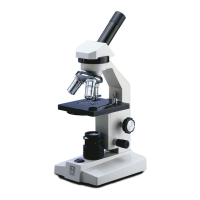
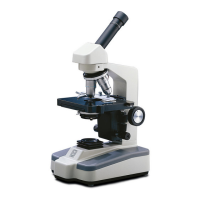
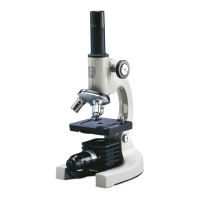
COMPOUND BIOLOGICAL MICROSCOPES
Copyright © 11/4/2016
National Optical & Scientific Instrument Inc.

Questions and Answers

Summary

INTRODUCTION

UNPACKING

ASSEMBLY

Abbe Condenser

Pre-mounted in unit.

Specimen holder

Pre-mounted on stage.

Objectives

Unless otherwise noted, they are pre-mounted.

Heads

Head comes pre-mounted to the body of the microscope.

OPERATION

Illumination

Procedure for operating the microscope's light source and adjusting intensity.

Interpupillary adjustment

Adjusting distance between eyepiece tubes for viewing.

Focusing the microscope

Steps to bring the specimen into sharp focus.

Diopter adjustment

Adjusting diopter for differences in eyesight.

Adjusting the aperture

Changing magnification

Coarse focus tension adjustment

INSTALLING C-MOUNT CAMERA

MAINTENANCE

OPTICAL MAINTENANCE

Procedures for cleaning optical components like lenses and filters.

ELECTRICAL MAINTENANCE

Introduction to the DC20-169 Series Microscope

ASSEMBLY DC20-169 Series

CAMERA CONTROLS AND PORTS

CONNECTING CAMERA TO HD READY DEVICE

D-Moticam 1080 On-Screen Display

Live Image and Capture Controls

Functions for capturing images and controlling the live view.

Image Adjustment Controls

TRANSFERING IMAGES TO YOUR COMPUTER

MOTIC IMAGES SOFTWARE - PC Full Help Menu

Guide to accessing the PC software manual for Motic Images.

Motic Live Imaging Module - PC Full Help Menu

Guide to the PC software manual for Motic Live Imaging.

MOTIC IMAGES SOFTWARE - MAC Full Help Menu

Guide to the MAC software manual for Motic Images.

Introduction to the 169-BTW Series Microscope

ASSEMBLY 169-BTW Series

Connecting Tablet to Camera

Steps for connecting the tablet to the camera for the BTW series.

TABLET OPERATION

POWER MANAGEMENT

Details on powering the tablet and camera, including charging.

TABLET ACCESSORIES

Camera Switches and Ports

Connecting your WiFi enabled device to the BTW camera

Steps to connect a WiFi device to the BTW camera.

Connecting your WiFi enabled computer to the BTW camera

Steps to connect a WiFi computer to the BTW camera.

Connecting the 169-BTW1 to your existing network

Connecting to Networked BTW with MotiConnect App

Connecting to Networked BTW with Motic Images

TABLET SOFTWARE

MOTICONNECT-T OVERVIEW - HELP MENU

Overview of the MotiConnect Android application help menu.

HELP BUTTON

Description of the help button function in MotiConnect.

CALIBRATION

TRANSFERING IMAGES TO YOUR COMPUTER

Methods for transferring images to a computer using SD card.

MOTIC IMAGES 2.0 SOFTWARE

Full Help Menu

Accessing the help menu for Motic Images 2.0 software.

Motic Live 2.0 Live Imaging Module

Full Help Menu

Accessing the help menu for Motic Live Imaging 2.0.

MOTIC IMAGES 3.0 SOFTWARE

MOTIC IMAGES 3.0 HELP GUIDE

Guide to accessing help for Motic Images 3.0 software.

MODEL 926 PHASE CONTRAST SET

INTRODUCTION

Explains phase contrast microscopy and its advantages.

COMPONENTS

Lists the parts included in the phase contrast set.

ASSEMBLY

Step-by-step instructions for assembling the phase contrast set.

OPERATION

Procedures for using the phase contrast microscope.

CLEANING YOUR MICROSCOPE

Optics

Guidance on cleaning optical components like lenses and filters.

Objectives

Specific instructions for cleaning microscope objectives.

Mechanics

DUST COVER AND STORAGE

TROUBLESHOOTING

ELECTRICAL

Troubleshooting electrical issues like power or lamp problems.

IMAGE QUALITY

Troubleshooting issues related to image clarity, resolution, and focus.

MECHANICAL PROBLEM

Troubleshooting mechanical issues like stage dropping.

OPTIONAL ACCESSORIES AND PARTS

LIMITED LIFETIME WARRANTY

Summary

INTRODUCTION

UNPACKING

ASSEMBLY

Abbe Condenser

Pre-mounted in unit.

Specimen holder

Pre-mounted on stage.

Objectives

Unless otherwise noted, they are pre-mounted.

Heads

Head comes pre-mounted to the body of the microscope.

OPERATION

Illumination

Procedure for operating the microscope's light source and adjusting intensity.

Interpupillary adjustment

Adjusting distance between eyepiece tubes for viewing.

Focusing the microscope

Steps to bring the specimen into sharp focus.

Diopter adjustment

Adjusting diopter for differences in eyesight.

Adjusting the aperture

Changing magnification

Coarse focus tension adjustment

INSTALLING C-MOUNT CAMERA

MAINTENANCE

OPTICAL MAINTENANCE

Procedures for cleaning optical components like lenses and filters.

ELECTRICAL MAINTENANCE

Introduction to the DC20-169 Series Microscope

ASSEMBLY DC20-169 Series

CAMERA CONTROLS AND PORTS

CONNECTING CAMERA TO HD READY DEVICE

D-Moticam 1080 On-Screen Display

Live Image and Capture Controls

Functions for capturing images and controlling the live view.

Image Adjustment Controls

TRANSFERING IMAGES TO YOUR COMPUTER

MOTIC IMAGES SOFTWARE - PC Full Help Menu

Guide to accessing the PC software manual for Motic Images.

Motic Live Imaging Module - PC Full Help Menu

Guide to the PC software manual for Motic Live Imaging.

MOTIC IMAGES SOFTWARE - MAC Full Help Menu

Guide to the MAC software manual for Motic Images.

Introduction to the 169-BTW Series Microscope

ASSEMBLY 169-BTW Series

Connecting Tablet to Camera

Steps for connecting the tablet to the camera for the BTW series.

TABLET OPERATION

POWER MANAGEMENT

Details on powering the tablet and camera, including charging.

TABLET ACCESSORIES

Camera Switches and Ports

Connecting your WiFi enabled device to the BTW camera

Steps to connect a WiFi device to the BTW camera.

Connecting your WiFi enabled computer to the BTW camera

Steps to connect a WiFi computer to the BTW camera.

Connecting the 169-BTW1 to your existing network

Connecting to Networked BTW with MotiConnect App

Connecting to Networked BTW with Motic Images

TABLET SOFTWARE

MOTICONNECT-T OVERVIEW - HELP MENU

Overview of the MotiConnect Android application help menu.

HELP BUTTON

Description of the help button function in MotiConnect.

CALIBRATION

TRANSFERING IMAGES TO YOUR COMPUTER

Methods for transferring images to a computer using SD card.

MOTIC IMAGES 2.0 SOFTWARE

Full Help Menu

Accessing the help menu for Motic Images 2.0 software.

Motic Live 2.0 Live Imaging Module

Full Help Menu

Accessing the help menu for Motic Live Imaging 2.0.

MOTIC IMAGES 3.0 SOFTWARE

MOTIC IMAGES 3.0 HELP GUIDE

Guide to accessing help for Motic Images 3.0 software.

MODEL 926 PHASE CONTRAST SET

INTRODUCTION

Explains phase contrast microscopy and its advantages.

COMPONENTS

Lists the parts included in the phase contrast set.

ASSEMBLY

Step-by-step instructions for assembling the phase contrast set.

OPERATION

Procedures for using the phase contrast microscope.

CLEANING YOUR MICROSCOPE

Optics

Guidance on cleaning optical components like lenses and filters.

Objectives

Specific instructions for cleaning microscope objectives.

Mechanics

DUST COVER AND STORAGE

TROUBLESHOOTING

ELECTRICAL

Troubleshooting electrical issues like power or lamp problems.

IMAGE QUALITY

Troubleshooting issues related to image clarity, resolution, and focus.

MECHANICAL PROBLEM

Troubleshooting mechanical issues like stage dropping.

OPTIONAL ACCESSORIES AND PARTS

LIMITED LIFETIME WARRANTY

National 167 Series Specifications

General IconGeneral
BrandNational
Model167 Series
CategoryMicroscope
LanguageEnglish

Related product manuals