EasyManua.ls Logo

National 425 Series - User Manual

National 425 Series
8 pages
Print Icon
To Next Page IconTo Next Page
Loading...
National Optical & Scientific Instruments Inc.
6508 Tri-County Parkway
Schertz, Texas 78154
Phone (210) 590-9010 Fax (210) 590-1104
INSTRUCTIONS FOR
425/425T SERIES
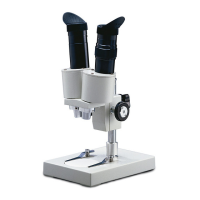
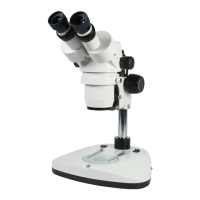
STEREOSCOPIC ZOOM MICROSCOPES
Copyright © 5/26/09
National Optical & Scientific Instrument Inc
A Member of the Motic Group.

Questions and Answers

  • J
    Jennifer RichardsonJul 28, 2025
    How to fix a National Microscope when the light fails to operate?
    • R
      Robert SmithJul 28, 2025
      If the light on your National Microscope isn't working, start by checking all electrical connections from the AC wall outlet to the microscope's input. Ensure that all switches and intensity controls are correctly positioned. If the transmitted LED bulb is burned out, replace it. For an incidental LED bulb that has burned out, send the lamp assembly to National for bulb replacement.
  • C
    copelandchristopherAug 4, 2025
    Why is the image not sharp on my National 425 Microscope?
    • S
      Stanley OliverAug 4, 2025
      If the image in your National Microscope is not sharp, the objective or eyepiece lenses may be dirty. Clean the objective lenses and eyepiece lenses to improve resolution.
  • S
    susansheltonAug 11, 2025
    What to do if I see spots in the field of view of my National 425?
    • A
      Amanda CostaAug 11, 2025
      If you notice spots in the field of view of your National Microscope, it might be due to a dirty eyepiece lens. Try cleaning the eyepiece lenses. If the issue persists, it is recommended that you have a service technician clean inside of the lens.
  • J
    justin66Aug 18, 2025
    Why does the image not remain in focus on my National 425 Microscope?
    • A
      Aaron ShepherdAug 19, 2025
      If the image on your National Microscope doesn't stay in focus, it could be because the head of the microscope drops due to its own weight. Try adjusting the tension control to stabilize it.

Summary

Microscope Unpacking Instructions

Microscope Assembly Guide

Microscope Operation Procedures

Illumination Setup and Controls

Explains stage plates and light controls for specimen viewing.

Interpupillary Distance Adjustment

How to adjust eyepiece spacing for optimal binocular vision.

Focusing Mechanism Adjustment

Procedures for adjusting microscope height and focus for clarity.

Attaching External Cameras

Instructions for mounting CCTV or SLR cameras to the trinocular port.

Microscope Maintenance Guidelines

Optical Component Cleaning

Guidance on cleaning lenses and protecting optical surfaces carefully.

Mechanical System Maintenance

How to adjust focus mechanism tension for smooth operation.

Electrical System Maintenance

Steps for replacing illuminator bulbs and checking electrical connections.

Troubleshooting Common Issues

Limited Lifetime Warranty Information

National 425 Series Specifications

General IconGeneral
TypeBiological Microscope
Objectives4X, 10X, 40X
FocusCoarse and Fine
HeadMonocular
Eyepiece10x WF
Magnification40x, 400x

Related product manuals